How to Convert a Word Document into a Sway Web Page?
TL;DR
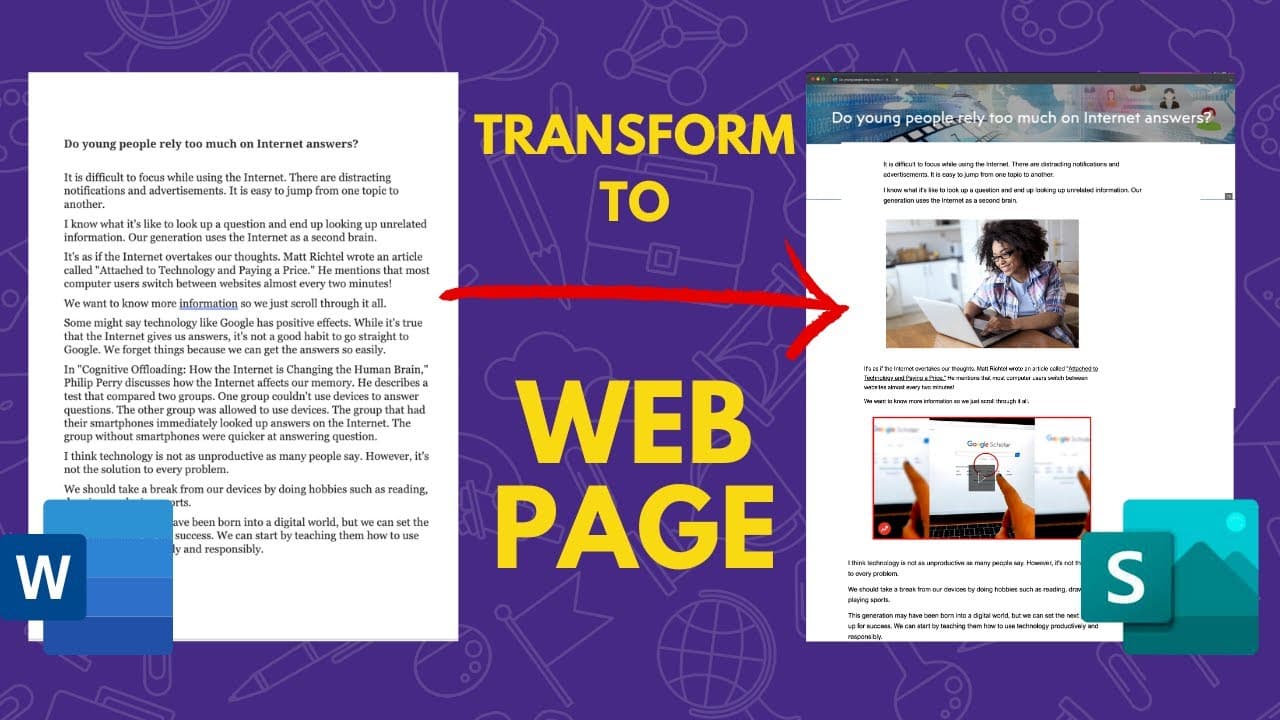
To convert a Word document into a Microsoft Sway web page, click the File button, select Export, and then choose Transform to Web Page. After conversion, customize your page by editing banners, adding images and videos, and organizing content using features like stacks and slideshows for a more engaging presentation.
Transcript
so in this video learn how you can take this microsoft word document and transform it into a microsoft sway web page in just a few clicks hey my name is rich and this is my youtube channel before we get started what i'd like you to do is to consider subscribing to my youtube channel where each week i'll be publishing a number of different videos on... Read More
Key Insights
- 👤 Microsoft users can use Sway to create attractive web pages that combine web page and PowerPoint features.
- 📄 Transforming a Microsoft Word document into a Sway web page is possible with a few simple steps.
- 🎮 Sway offers customization options for banners, images, videos, and content organization.
Install to Summarize YouTube Videos and Get Transcripts
Explore YouTube Video Summarizer or Get YouTube Transcript Extractor
Questions & Answers
Q: What is Sway and how does it differ from other website builders?
Sway is a program by Microsoft that allows users to create web pages that combine the features of a web page and a PowerPoint presentation. Unlike other website builders, Sway offers easy editing, customization options, and integration with other Microsoft programs.
Q: How can I transform a Microsoft Word document into a Sway web page?
To convert a Word document into a Sway web page, open the document in Word Online, click the File button, choose Export, and then select Transform to Web Page. This will convert the document into a Sway web page that can be further customized.
Q: Can I customize the appearance of my Sway web page?
Yes, you can customize the appearance of your Sway web page. You can edit the banner, add images and videos, change themes, and organize content using features like stacks and slideshows. Sway offers a range of customization options to make your web page visually appealing.
Q: How can I share my Sway web page?
To share your Sway web page, click the Share button and choose the sharing option that suits your needs. You can select "Anyone with a link" to provide access to anyone who has the link. You can also share it via email or on social media platforms.
Summary & Key Takeaways
-
Microsoft users can use the program Sway to create web pages that are a mix between a web page and a PowerPoint presentation.
-
To transform a Word document into a Sway web page, users can click the File button, choose Export, and then select Transform to Web Page.
-
Sway allows users to customize their web page by editing the banner, adding images and videos, and organizing content with features like stacks and slideshows.
Read in Other Languages (beta)
Share This Summary 📚
Summarize YouTube Videos and Get Video Transcripts with 1-Click
Try YouTube Summary with ChatGPT & Claude or YouTube Transcript Generator
Explore More Summaries from EdTech Hustle 📚

![Keynote: Remove The Background of Any Photo [Using Instant Alpha] thumbnail](/_next/image?url=https%3A%2F%2Fi.ytimg.com%2Fvi%2F0Ji-uTffzJE%2Fhqdefault.jpg&w=750&q=75)




Summarize YouTube Videos and Get Video Transcripts with 1-Click
Try YouTube Summary with ChatGPT & Claude or YouTube Transcript Generator