How to Master Advanced Claude Code Workflows
TL;DR
Use a concise CLAUDE.md file to give Claude Code a high-level map of your workspace, record user preferences, declare available capabilities, and preserve lessons from previous attempts. This reduces unnecessary file searches, token usage, delays, and repeated failures while helping the agent choose actions that fit your established tools and workflows.
Transcript
Hey, this is the definitive Cloud Code course for advanced users. I use Claude Code and AI agents in my own business every day to generate over $4 million a year in profit. I also teach around 2,000 people how to use Claude Code and other tools to improve their lives both personally and business. Okay, so this course is going to assume a foundation... Read More
Key Insights
- A CLAUDE.md file is a form of knowledge compression that summarizes a workspace and points to important files. Claude can reason from this bird's-eye view instead of repeatedly opening every folder and file, which can reduce token consumption, waiting time, and unnecessary low-level exploration.
- User preferences and conventions are a core part of CLAUDE.md because advanced workflows may require behaviors that are not built into Claude Code. Recording expectations for documentation, debugging, file paths, programming practices, information structure, and task execution helps the agent consistently follow the user's preferred working style.
- A capability declaration tells Claude which tools, APIs, databases, skills, browsers, and autonomous workflows are available. Without this inventory, the agent may claim it lacks a method, ask to build functionality from scratch, or hand terminal work back to the user instead of using capabilities already present.
- Claude can underestimate its own agency when estimating work or deciding who should execute a step. Explicit instructions can clarify that the agent should build components, run commands, call APIs, retrieve information, use browsers, or carry out a prepared plan rather than merely describing those actions for the user.
- A log of failures and successes preserves the value created during previous development work. Since files, code, experiments, tokens, and user time were required to produce those lessons, incorporating the results into future system prompts prevents the agent from restarting with no awareness of earlier outcomes.
- Failure history narrows the theoretical solution space by identifying approaches that have already been tested and found unsuitable. The transcript illustrates this as removing roughly 80% of possible directions so that attention, tokens, money, and effort can concentrate on the remaining 20% that may matter.
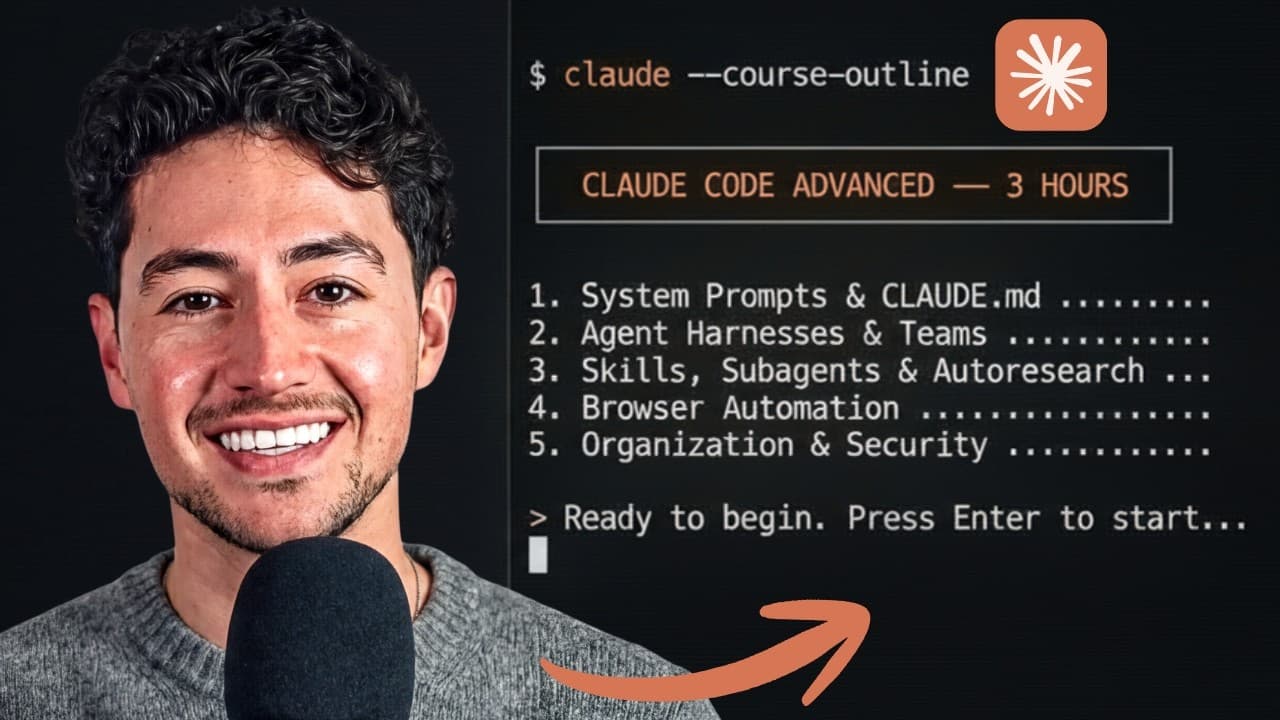
- The course treats agent organization as a major requirement for larger projects. Its planned topics include agent harnesses, agent teams, skills, subagents, extreme task parallelization, and multi-agent orchestration, alongside workspace structures for personal, business, and client work.
- Tool selection should reflect the intended automation use case. The course plans to compare computer use, browser use, and major browser automation options, while also addressing Claude Code performance fluctuations, alternative tools, security for larger projects, recent auto mode, and OAuth.
Install to Summarize YouTube Videos and Get Transcripts
Explore YouTube Video Summarizer or Get YouTube Transcript Extractor
Questions & Answers
Q: How should a CLAUDE.md file be structured for advanced workflows?
A CLAUDE.md file should cover four functions described in the course: a concise map of workspace knowledge, the user's preferences and conventions, a declaration of available capabilities, and a record of important failures and successes. These sections give Claude a high-level operating context, explain how work should be performed, identify usable tools, and preserve lessons from earlier attempts.
Q: How does CLAUDE.md reduce token usage and waiting time?
CLAUDE.md compresses information about the workspace into a succinct overview and can include references to where important files live. When the user asks about an older file or the broader codebase, Claude can begin with that overview instead of opening every folder and reading every file. This reduces unnecessary exploration, token consumption, and the time required to form a useful answer.
Q: Why should user preferences be recorded in CLAUDE.md?
User preferences should be recorded because Claude Code's built-in conventions may not fully match an advanced user's workflow. A CLAUDE.md file can specify expectations for file paths, documentation, debugging, programming conventions, information organization, and autonomous execution. Keeping these preferences in the workspace gives Claude a consistent set of instructions instead of requiring the user to repeat them during each task.
Q: Why should Claude Code capabilities be declared explicitly?
Capabilities should be declared because Claude may not recognize tools or knowledge that are merely scattered across workspace files. An explicit inventory can state that the agent may use a skill, call an API, query a database, retrieve information, operate a browser, or execute a longer plan autonomously. This prevents avoidable clarification loops and encourages Claude to use functionality that already exists.
Q: How can instructions encourage Claude Code to act autonomously?
Instructions can directly state that Claude is expected to perform available actions rather than return them to the user. The transcript gives examples such as building components, carrying out terminal work, calling APIs, using browsers, and executing a plan that lasts 10 or 15 minutes. Declaring these expectations helps counter situations where Claude underestimates its agency or only describes what should happen.
Q: Why record failures and successes from previous Claude Code tasks?
Recording failures and successes preserves knowledge gained through earlier development, including the user's time, spent tokens, generated files, and tested code. When these lessons are added to future system prompts, Claude does not need to approach every task as if nothing has been tried. It can avoid known dead ends and reuse patterns that previously produced useful results.
Q: How does failure history improve Claude Code's problem solving?
Failure history improves problem solving by ruling out approaches that have already been tested and shown not to work. The course describes this as carving away large sections of the possible solution space, with an illustration in which about 80% of possibilities can be crossed out. Claude can then focus its tokens, effort, money, and attention on the remaining 20% of options.
Q: What advanced Claude Code topics does the course cover?
The course plans to cover CLAUDE.md optimization, system prompts, agent harnesses, larger projects, agent teams, task parallelization, skills, subagents, progressive research, browser automation, computer use, performance fluctuations, alternative tools, and multi-agent orchestration. It also includes workspace organization for personal, business, and client projects, security, recent auto mode, OAuth, and a discussion of the future of work.
Summary & Key Takeaways
-
The course targets people who already have foundational Claude Code experience and demonstrates workflows through the Claude Code extension inside Anti-Gravity. The same general techniques can also work in the Claude desktop app or another compatible development environment, allowing users to choose the interface that best fits their existing setup.
-
The planned curriculum covers optimized system prompts, agent harnesses, agent teams, skills, subagents, progressive research, browser automation, computer use, performance fluctuations, alternatives, multi-agent orchestration, workspace organization, security, auto mode, OAuth, and the future of work. Bookmarks and chapter headings let viewers move directly to relevant sections.
-
A CLAUDE.md file serves four central purposes: compressing workspace knowledge, recording personal preferences and conventions, declaring the agent's available capabilities, and preserving lessons from failures and successes. Together, these functions reduce redundant exploration and guide Claude toward approaches that are more relevant to the workspace and its history.
Read in Other Languages (beta)
Share This Summary 📚
Summarize YouTube Videos and Get Video Transcripts with 1-Click
Try YouTube Summary with ChatGPT & Claude or YouTube Transcript Generator
Explore More Summaries from Nick Saraev 📚






Summarize YouTube Videos and Get Video Transcripts with 1-Click
Try YouTube Summary with ChatGPT & Claude or YouTube Transcript Generator