How to Play Classic Mac OS Games in Your Browser
TL;DR
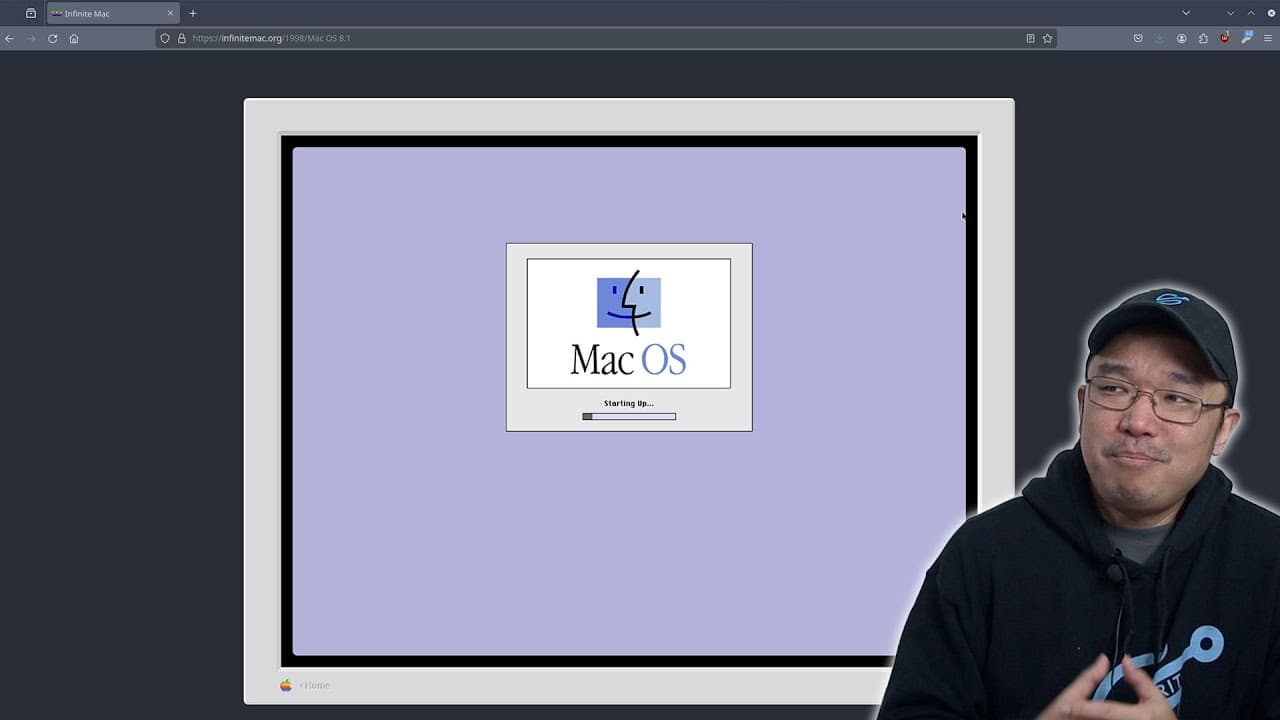
To play classic Mac OS games in your browser, visit Infinite Mac, a web-based emulator that supports Mac OS versions from System 1 to System 9. It allows you to run nostalgic applications, drag and drop files, and easily access a library of pre-loaded games. This makes retro gaming accessible without needing physical hardware.
Transcript
hey guys what's going on it's Don here from Nova Spirit Tech and welcome back to the channel and it's safe to say that I had a completely different video planned for today but I went down this retro Rabbit Hole so we're going to check it out now it all started last week when I started watching this YouTube channel called now in the '90s where he sh... Read More
Key Insights
- 👾 Nostalgia plays a significant role in the interest surrounding retro gaming, as experienced by Don while exploring classic titles.
- 🇲🇰 Infinite Mac serves as an innovative solution for running old Mac OS environments without requiring physical hardware, bringing retro experiences to modern browsers.
- 🎮 The emulator enables users to not only play games but also interact with classic Mac applications, expanding the functionalities available within the emulation.
- 😚 Challenges in emulator development often include sound implementation and ensuring functionality across different OS versions, which the Infinite Mac developer successfully addressed.
- 🥶 Don’s journey reflects a growing trend among tech enthusiasts to revisit and revive older technology for the fun of gaming and exploration.
- 👾 Building a retro computer can be a fulfilling project, merging hardware assembling with nostalgic gaming experiences for enthusiasts like Don.
- 💦 The inclusion of drag and drop functionality in Infinite Mac bridges the gap between classic and modern computing, facilitating easy file management within the emulator.
Install to Summarize YouTube Videos and Get Transcripts
Explore YouTube Video Summarizer or Get YouTube Transcript Extractor
Questions & Answers
Q: What inspired Don to explore retro games and emulation?
Don's interest in retro games was sparked after watching a YouTube channel called Now in the '90s, which showcases games from the 90s. Nostalgia for classic titles like Mega Man X led him to think about gaming on older Mac OS versions and ultimately to exploring emulation options.
Q: What is Infinite Mac and how does it work?
Infinite Mac is a web-based emulator that allows users to run classic Mac OS systems from System 1 to System 9 directly in their web browsers. It provides a user-friendly interface where users can drag and drop files, load games, and access applications, all preloaded for an engaging retro experience.
Q: Can users play games directly on Infinite Mac?
Yes, Infinite Mac comes preloaded with numerous classic games and applications, allowing users to play nostalgic titles directly through their browser. Don highlighted games like Sim City and A10 Attack, showcasing the ease of access and functionality of the emulator for retro gaming.
Q: What challenges did the creator of Infinite Mac face?
The emulator's creator faced various technical challenges, such as implementing sound within the emulator and ensuring compatibility across different system versions. The creator documented the struggles and solutions on their website, providing a detailed account for interested developers and users.
Q: What future projects does Don mention?
Don shares plans to build his own retro computer using old hardware and operating systems. After reviving an old laptop with Windows XP, he aims to collect parts to create a functional retro gaming system, showcasing the process in future videos on his channel.
Q: How does file transfer work in Infinite Mac?
Users can drag and drop files directly to and from Infinite Mac, allowing easy file transfer. This feature enables users to upload images, documents, and more directly into the emulator, enhancing the overall user experience and interactivity with classic applications.
Q: Why does Don encourage viewers to support the creator of Infinite Mac?
Don emphasizes supporting the creator of Infinite Mac as a way to appreciate the hard work and dedication involved in developing such an emulator. He encourages viewers to check out the donation option on the website if they enjoy the platform and want to contribute to its ongoing development.
Summary & Key Takeaways
-
Don from Nova Spirit Tech shares his recent dive into retro gaming, particularly focusing on classic Mac OS games and emulation.
-
He discovered Infinite Mac, a fully functional web-based emulator that allows users to run various versions of Mac OS from System 1 to System 9 in their browsers.
-
After exploring Infinite Mac, Don plans to build his own retro computer using old hardware and hopes to showcase this project in a future video.
Read in Other Languages (beta)
Share This Summary 📚
Summarize YouTube Videos and Get Video Transcripts with 1-Click
Try YouTube Summary with ChatGPT & Claude or YouTube Transcript Generator
Explore More Summaries from Novaspirit Tech 📚






Summarize YouTube Videos and Get Video Transcripts with 1-Click
Try YouTube Summary with ChatGPT & Claude or YouTube Transcript Generator