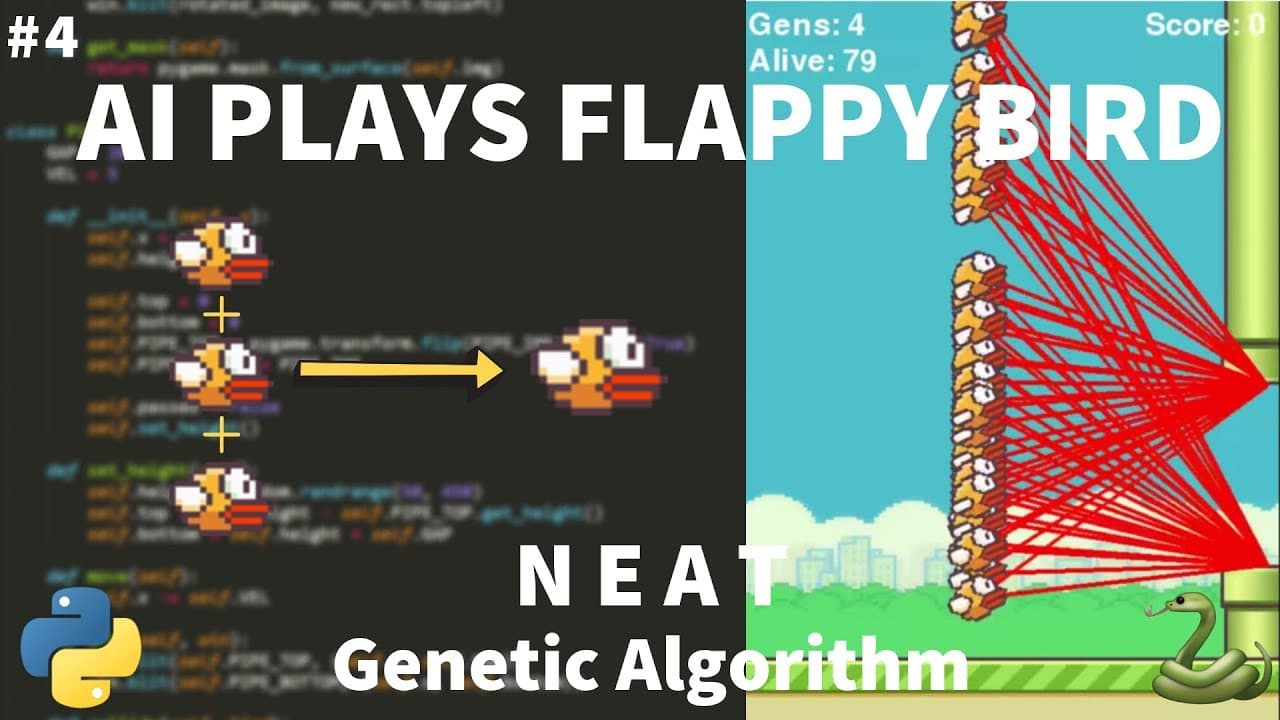
How to finish Flappy Bird graphics and base movement
TL;DR
The video completes the graphics for the Flappy Bird clone by drawing pipes and the base, then positions the bird and adds a moving base. It sets up collision checks, pipe recycling, and on screen score rendering, all while preparing for the NEAT AI in the next video. The result is a functioning visual update to the game loop with ready-to-test elements.
Transcript
all right so now let's work in the main game loop and start getting all this to work together so we've successfully completed the bass we've completed the pipe we have the bird now it's just time to implement all of it so first I'm just going to change my draw window function a little bit so now I'm gonna add in an ability to draw pipes as well as ... Read More
Key Insights
- Pipes and base are drawn in the main game loop to keep rendering clean, making it easy to manage all moving parts from their respective objects.
- Pipes are moved leftward and recycled by detecting when they exit the screen, then new pipes are spawned at the edge to maintain gameplay rhythm.
- Collision checks with pipes are prepared so that future AI interactions can trigger the end of a run or restart
- The bird’s position is adjusted early in the loop to reflect a sensible starting point, aligning gameplay with visuals.
- A base height is adjusted to 730 to simulate ground interaction, while the bird remains in view above it for continuous motion cues.
- Score tracking is introduced with a font render, preparing the UI for live scoring as AI takes control later on
- Code organization favors drawing through object methods, reducing coupling and easing future AI integration
- The tutorial emphasizes testing visuals by running the game, confirming pipes, base, and bird respond coherently in real time
Install to Summarize YouTube Videos and Get Transcripts
Explore YouTube Video Summarizer or Get YouTube Transcript Extractor
Questions & Answers
Q: How to finish drawing game elements in a Flappy Bird clone
The video shows how to extend the draw loop to render pipes and the base in addition to the bird. It uses a loop over the pipes list to call each pipe's draw method, then draws the moving base. This makes the scene coherent and ready for gameplay testing, with rendering responsibilities clearly separated into object methods for maintainability.
Q: What triggers spawning new pipes in the game loop
New pipes are spawned when the game logic detects a pipe has moved past the bird and is off screen, triggering a flag that adds a new pipe at the edge of the screen. The loop also collects pipes to remove, ensuring a clean and continuous flow of obstacles during runtime.
Q: How is the pipe movement and off-screen removal implemented
Pipes are moved leftwards by updating their x position in each frame. When a pipe’s x position plus its width falls below zero, it is added to a removal list to be deleted after the loop completes. This prevents modifying the list while iterating and keeps the obstacle queue accurate.
Q: What is the role of the base in the animation
The base is drawn as a moving element at the bottom of the screen to simulate ground. Its movement is controlled to appear continuous as the pipes scroll, helping convey depth and action while keeping the bird within a believable play space.
Q: How is the bird positioned initially and why
The bird is repositioned to a specific coordinate to establish a sensible starting point for gameplay visuals. This starting position is chosen to align with the base and pipes, ensuring the player can perceive immediate motion and initiating a stable reference frame for future AI control.
Q: How is on-screen score prepared in this video
A font is created for displaying the score, and a text surface is rendered with the current score value. The score text is then drawn on the screen, providing a visual indicator of progress and a natural hook for integrating NEAT-driven scoring in later steps.
Q: What is the next step after finishing graphics
The next step is to introduce the NEAT algorithm to control the bird AI. The current video ends with the visual setup and scoring in place, setting the stage for training an AI to play the game and optimize through evolving neural networks.
Q: How does the video approach code organization for graphics
The code uses object-oriented drawing methods where each game element has its own draw routine. This organization keeps rendering logic modular and readable, allowing easier extension for AI integration and future features while keeping the main loop concise and maintainable.
Summary & Key Takeaways
-
The video finalizes drawing routines for pipes and base and updates the bird position to a tested location, enabling a visual runtime of the game.
-
It implements pipe movement, spawning logic, and off-screen removal to ensure a continuous flow of obstacles during gameplay.
-
It adds on-screen score rendering and sets up fonts for displaying the score, as a prelude to integrating NEAT driven AI in a subsequent tutorial.
Read in Other Languages (beta)
Share This Summary 📚
Summarize YouTube Videos and Get Video Transcripts with 1-Click
Try YouTube Summary with ChatGPT & Claude or YouTube Transcript Generator
Explore More Summaries from Tech With Tim 📚




Summarize YouTube Videos and Get Video Transcripts with 1-Click
Try YouTube Summary with ChatGPT & Claude or YouTube Transcript Generator