How to Build Machine Learning Workflows in Scikit-Learn
TL;DR
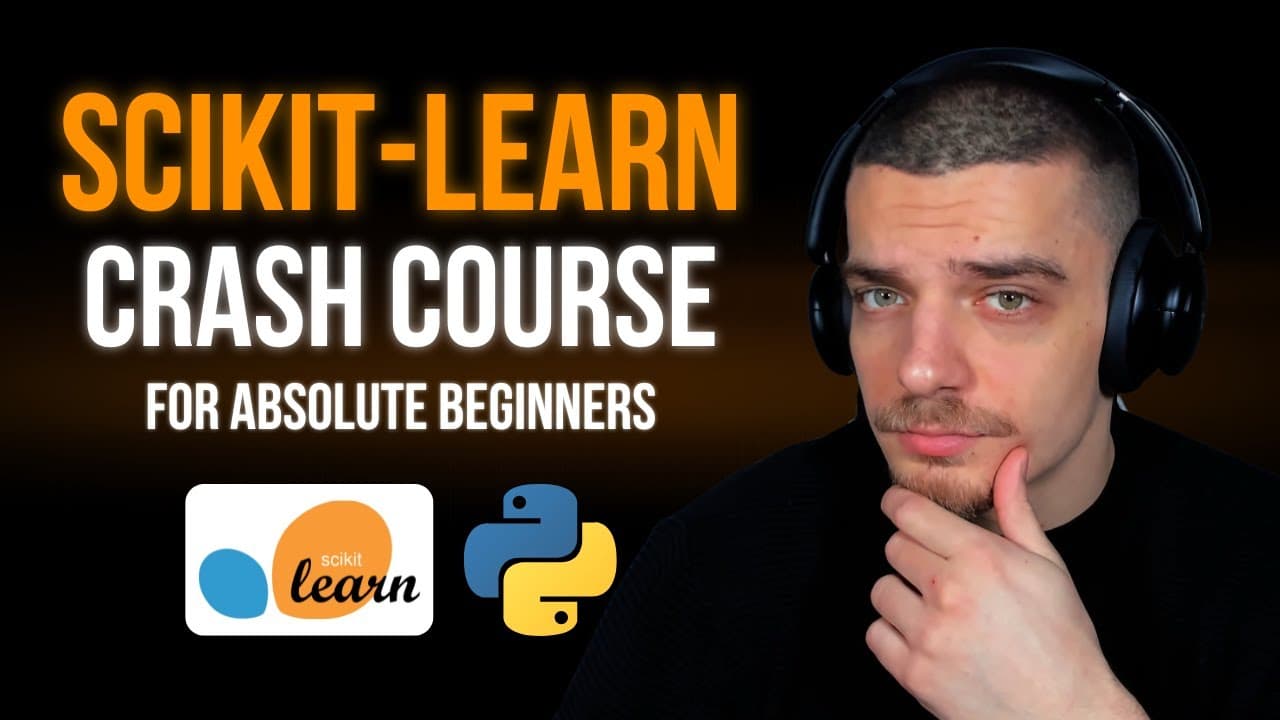
Use Scikit-Learn by loading feature and target data, separating training and testing portions, preprocessing each portion correctly, fitting a model, and evaluating its predictions. The toolkit supports classification, regression, clustering, dimensionality reduction, metrics, cross-validation, hyperparameter tuning, and pipelines, while NumPy, pandas, Matplotlib, and interactive notebooks support data handling, visualization, and experimentation.
Transcript
In this video today, we're going to do a scikitlearn crash course. What this means is we're going to learn how to use scikitlearn as a toolkit. This is a toolkit that you use for traditional machine learning for stuff like regression, classification, clustering, PCA without neural networks. So without using deep learning, this is for traditional me... Read More
Key Insights
- Scikit-Learn is a toolkit for traditional machine learning tasks such as regression, classification, clustering, and principal component analysis. The covered models include k-nearest neighbors, linear regression, support vector machines, and random forest classifiers, while neural networks and deep learning remain outside the course’s scope.
- The course is focused on using Scikit-Learn rather than deeply explaining how every machine learning method works. It follows the practical process of obtaining data, splitting it, preprocessing features, training models, evaluating results, tuning hyperparameters, and combining operations into pipelines.
- Python familiarity is a prerequisite because the demonstrations are written in Python and use several related libraries. NumPy supports arrays, pandas supports data frames, and Matplotlib supports visualization, so comfort with these tools helps learners work with the datasets and model inputs.
- JupyterLab is used because interactive notebooks allow individual cells to run independently. A learner can load data, inspect it, transform it, train a model, or evaluate results in separate steps without rerunning one large Python file after every small change.
- Scikit-Learn datasets can be loaded in different forms depending on the task. The breast cancer dataset can be viewed as a data frame with named attributes, or returned as separate X and y values, where X contains feature measurements and y contains the prediction target.
- A train-test split separates model development data from data reserved for testing. In the preview example, train_test_split produces X_train, X_test, y_train, and y_test, with the test portion set to 0.2 of the loaded breast cancer dataset.
- StandardScaler is applied differently to training and testing features. The preview calls fit_transform on the training data and transform on the testing data, allowing the scaler to learn from the training portion before applying that learned transformation to the held-out portion.
- The complete workflow extends beyond fitting one classifier. The course proceeds through classification, regression, clustering, PCA, metrics, cross-validation, hyperparameter tuning, and pipelines, showing how Scikit-Learn organizes multiple stages of a traditional machine learning project within one consistent toolkit.
Install to Summarize YouTube Videos and Get Transcripts
Explore YouTube Video Summarizer or Get YouTube Transcript Extractor
Questions & Answers
Q: How do you build a basic Scikit-Learn workflow?
A basic Scikit-Learn workflow starts by loading a dataset and separating its features into X and its prediction target into y. Next, use train_test_split to create training and testing portions. Preprocess the features, fit a selected estimator on the training data, and then evaluate it using the testing data. The course expands this pattern with metrics, cross-validation, hyperparameter tuning, and pipelines.
Q: What is Scikit-Learn used for in Python?
Scikit-Learn is used as a Python toolkit for traditional machine learning without neural networks or deep learning. The course identifies regression, classification, clustering, and principal component analysis as major use cases. It also references algorithms such as k-nearest neighbors, linear regression, support vector machines, and random forest classifiers, alongside utilities for preprocessing, evaluation, data splitting, tuning, and pipelines.
Q: What Python knowledge is needed before using Scikit-Learn?
The stated prerequisites are comfort with Python and some familiarity with NumPy, pandas, and Matplotlib. NumPy is needed for working with arrays, pandas is used for data frames, and Matplotlib supports visualization. These libraries belong naturally in the demonstrated workflow because datasets must be inspected and represented appropriately before their values can be supplied to Scikit-Learn models.
Q: Why use JupyterLab for Scikit-Learn projects?
JupyterLab provides interactive Python notebooks in the browser, allowing different parts of a machine learning workflow to run as individual cells. Data loading, exploration, transformation, model training, and evaluation can therefore be changed or rerun separately. This avoids executing one large Python file from top to bottom whenever a small experiment or transformation needs to be adjusted.
Q: How do you install the packages used in the course?
The required core packages are Scikit-Learn, NumPy, pandas, and Matplotlib, and JupyterLab is installed for interactive notebook work. The default approach is to install packages with pip or pip3, optionally inside a virtual environment created with Python’s venv module. The presenter instead uses uv, initializes the project, adds the packages, activates the environment, and launches JupyterLab.
Q: How do you load a dataset in Scikit-Learn?
The preview imports load_breast_cancer from sklearn.datasets. Loading it with a frame option makes it possible to inspect named measurements such as radius, texture, perimeter, area, smoothness, and compactness alongside the target. For modeling, setting return_X_y to true returns separate X and y values, with X holding the feature array and y holding the target to predict.
Q: How should training and testing data be scaled?
The demonstrated approach creates a StandardScaler and calls fit_transform on X_train. It then calls transform, without fitting again, on X_test. This sequence lets the scaler learn its transformation from the training features and apply that same transformation to the held-out features. The course notes that scaling is particularly important for algorithms that are sensitive to feature scale.
Q: What topics does a complete Scikit-Learn workflow include?
The course covers datasets, train-test splitting and stratified splitting, preprocessing, scaling, feature encoding, classification, regression, clustering, and principal component analysis. It then addresses model evaluation through metrics, followed by cross-validation and hyperparameter tuning. The final workflow topic is pipelines, which brings multiple machine learning operations together after the individual stages have been introduced.
Summary & Key Takeaways
-
Scikit-Learn is presented as a toolkit for traditional machine learning rather than deep learning. The course focuses on practical workflows instead of deeply explaining individual algorithms. Its scope includes datasets, data splitting, preprocessing, feature encoding, classification, regression, clustering, principal component analysis, evaluation metrics, cross-validation, hyperparameter tuning, visualization, and pipelines.
-
The environment requires Scikit-Learn, NumPy, pandas, and Matplotlib, with JupyterLab added for interactive notebook development. Packages can be installed through pip or the presenter’s preferred uv package manager. Notebooks make experimentation convenient because individual cells can be changed and rerun without executing the entire machine learning workflow again.
-
The introductory example loads Scikit-Learn’s breast cancer dataset, separates its features and target, and creates training and testing portions with a test size of 0.2. A StandardScaler is fitted on the training features, while the testing features receive only the learned transformation. A KNeighborsClassifier is then fitted using the prepared training data.
Read in Other Languages (beta)
Share This Summary 📚
Summarize YouTube Videos and Get Video Transcripts with 1-Click
Try YouTube Summary with ChatGPT & Claude or YouTube Transcript Generator
Explore More Summaries from NeuralNine 📚

Summarize YouTube Videos and Get Video Transcripts with 1-Click
Try YouTube Summary with ChatGPT & Claude or YouTube Transcript Generator