How to Learn Linux Fundamentals Using Docker
TL;DR
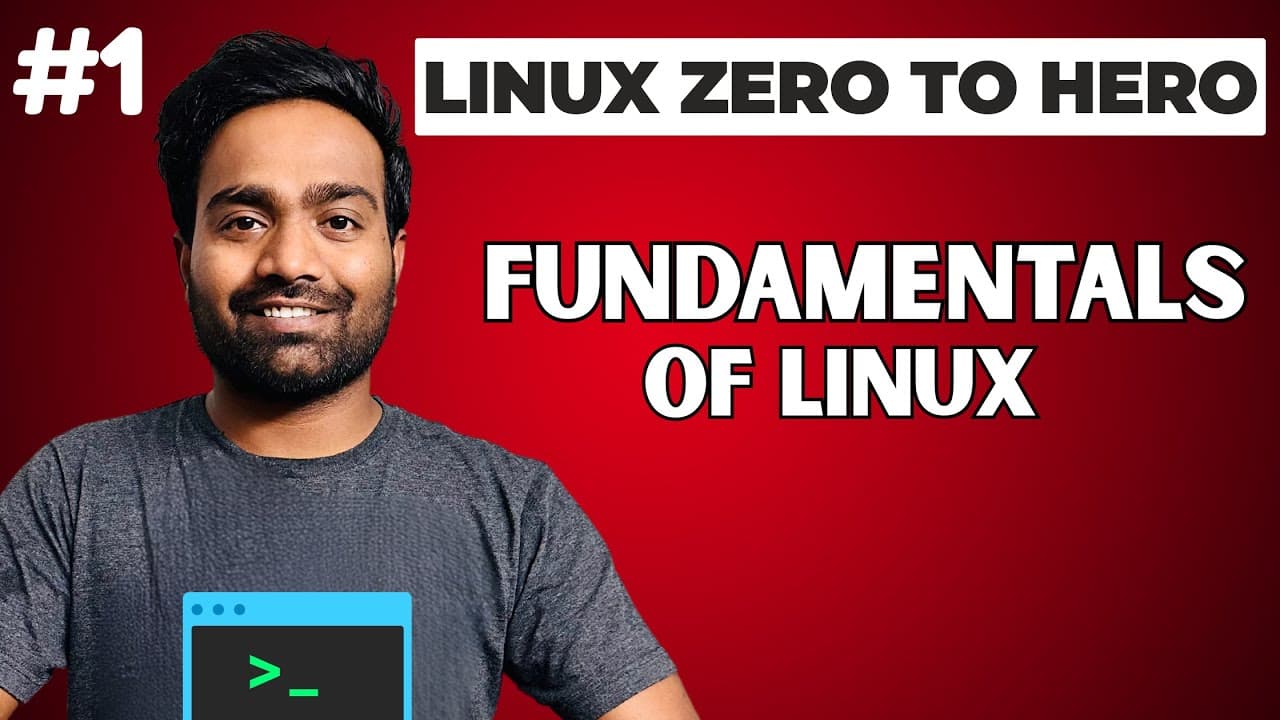
An operating system is the software layer that connects users and applications with hardware while managing processes, memory, devices, and networks. Linux offers a command-line interface, multiple distributions, package managers, and free local setup options through WSL or Docker, allowing beginners to practice without maintaining billable cloud instances.
Transcript
hello everyone my name is Abhishek and welcome back to my channel today is the very first episode of Linux 0ero to her series and in this episode we will focus on fundamentals of Linux the main goal of this course is to help everyone master Linux whether you are from development background DevOps engineering or even someone beginner in IT by follow... Read More
Key Insights
- An operating system is an intermediary software layer that connects users and applications with hardware. It manages processes, memory, devices, and networks, allocating resources such as CPU and memory so programs can run without containing their own hardware-management instructions.
- Hardware is the physical part of a computer, including the CPU, memory, storage, motherboard, and network interfaces. Users and software applications need these resources, but they depend on an operating system because neither can interact effectively with the physical components by itself.
- User interaction is enabled through interfaces supplied by the operating system. Windows is described as providing a rich graphical interface, while Linux provides a rich command-line interface, and both approaches let users communicate with the operating system and indirectly control hardware resources.
- Linux practice is available without continuously running cloud instances. The course proposes setting up a Linux system locally at no cost, with the description specifically listing Windows setup through WSL and Docker as methods covered in the first episode.
- The course structure consists of 10 Linux sections delivered across five tutorial classes. Individual classes may cover one section or several sections, depending on complexity, while the combined sequence is intended to provide an end-to-end introduction for developers, DevOps engineers, and IT beginners.
- Linux administration includes understanding its default folder structure because important files and directories support troubleshooting. The syllabus also covers package managers, user and group management, file operations, vi editor modes and shortcuts, file permissions, processes, monitoring, networking, and disk management.
- File permissions are a central Linux concept used to control access. The course plans to demonstrate how permissions work, how access to a file can be restricted for a user, and how a user can be granted the required access.
- Process, network, and disk management are practical operational skills covered by the course. Learners are expected to identify and terminate processes, monitor files and logs, diagnose basic Linux network problems, and perform tasks such as adding disks, removing disks, and mounting volumes.
Install to Summarize YouTube Videos and Get Transcripts
Explore YouTube Video Summarizer or Get YouTube Transcript Extractor
Questions & Answers
Q: What is an operating system and what does it do?
An operating system is a special software layer that acts as a bridge between users or applications and computer hardware. It manages processes, memory, devices, and networks. When an application needs CPU time, memory, displays, or other resources, the operating system allocates them. It also provides a command-line or graphical interface that allows users to operate the computer.
Q: Why do applications need an operating system?
Applications need an operating system because they generally do not include instructions for directly managing hardware resources. A basic Python program, for example, does not specify how the CPU should execute it or how memory should be allocated. The application communicates with the operating system, which then assigns the CPU, memory, and other hardware resources required for the program to run.
Q: How can users interact with computer hardware?
Users interact with computer hardware through an interface provided by the operating system. Hardware alone does not supply a graphical user interface or command-line interface, so users cannot conveniently control physical components directly. The interface receives user commands, passes them to the operating system, and allows the operating system to manage the corresponding CPU, memory, storage, device, or network resources.
Q: How can beginners run Linux without paying for cloud instances?
Beginners can set up Linux on a personal machine instead of creating cloud instances and worrying about continuing cloud billing. The course states that a local Linux environment can be created at no cost. Its description identifies WSL and Docker as setup options on Windows, enabling learners to practice Linux concepts and commands without maintaining a separate billable cloud machine.
Q: What topics are included in the Linux course?
The course contains 10 sections delivered across five tutorial classes. It covers operating-system and Linux fundamentals, distributions, local setup, package managers, folder structure, user and group management, file operations, vi editor shortcuts, file permissions, process management, system monitoring, basic Linux networking, and disk management. Some classes cover one section, while others combine sections according to their complexity.
Q: Why is the Linux folder structure important?
The default Linux folder structure is important because a newly created Linux machine contains many folders and files with distinct purposes. Knowing which locations matter helps engineers troubleshoot the system. The course plans to explain the important folders and files available out of the box so learners can identify where relevant system information and operational resources are located.
Q: What Linux file and user management skills are covered?
User management covers creating users and groups and identifying the files that support user and group administration. File management covers creating, deleting, and operating on files with commands used by software engineers in daily work. The course also addresses vi editor modes and shortcuts, along with permissions for restricting a user's file access or granting the necessary access.
Q: What operational Linux tasks does the course teach?
The operational topics include finding and killing processes, managing running processes, monitoring files and logs, diagnosing basic Linux networking problems, and handling disks. Disk management includes adding disks, removing disks, and mounting volumes. Together, these subjects prepare learners to perform common system tasks and investigate problems encountered while working with Linux machines.
Summary & Key Takeaways
-
The course begins with operating-system fundamentals and defines an operating system as an intermediary between users, applications, and physical hardware. Hardware includes the CPU, memory, storage, motherboard, and network interfaces. The operating system allocates these resources and provides a graphical or command-line interface through which users can control the computer.
-
Linux is presented as an open-source operating system supported by a community of developers. The lesson traces operating-system history from Unix in the 1960s through Minix, Windows, and the Linux kernel. It attributes Linux adoption to its open-source model, free availability, security, and suitability for production workloads and software engineering.
-
The complete course organizes Linux into 10 sections taught across five classes. Planned subjects include system setup, package managers, folder structure, users and groups, file operations, the vi editor, permissions, processes, monitoring, networking, and disks. Course notes are maintained in the linked GitHub repository for ongoing access and updates.
Read in Other Languages (beta)
Share This Summary 📚
Summarize YouTube Videos and Get Video Transcripts with 1-Click
Try YouTube Summary with ChatGPT & Claude or YouTube Transcript Generator
Explore More Summaries from Abhishek.Veeramalla 📚
Summarize YouTube Videos and Get Video Transcripts with 1-Click
Try YouTube Summary with ChatGPT & Claude or YouTube Transcript Generator