How to Install a Raspberry Pi Head Unit in Your Car
TL;DR
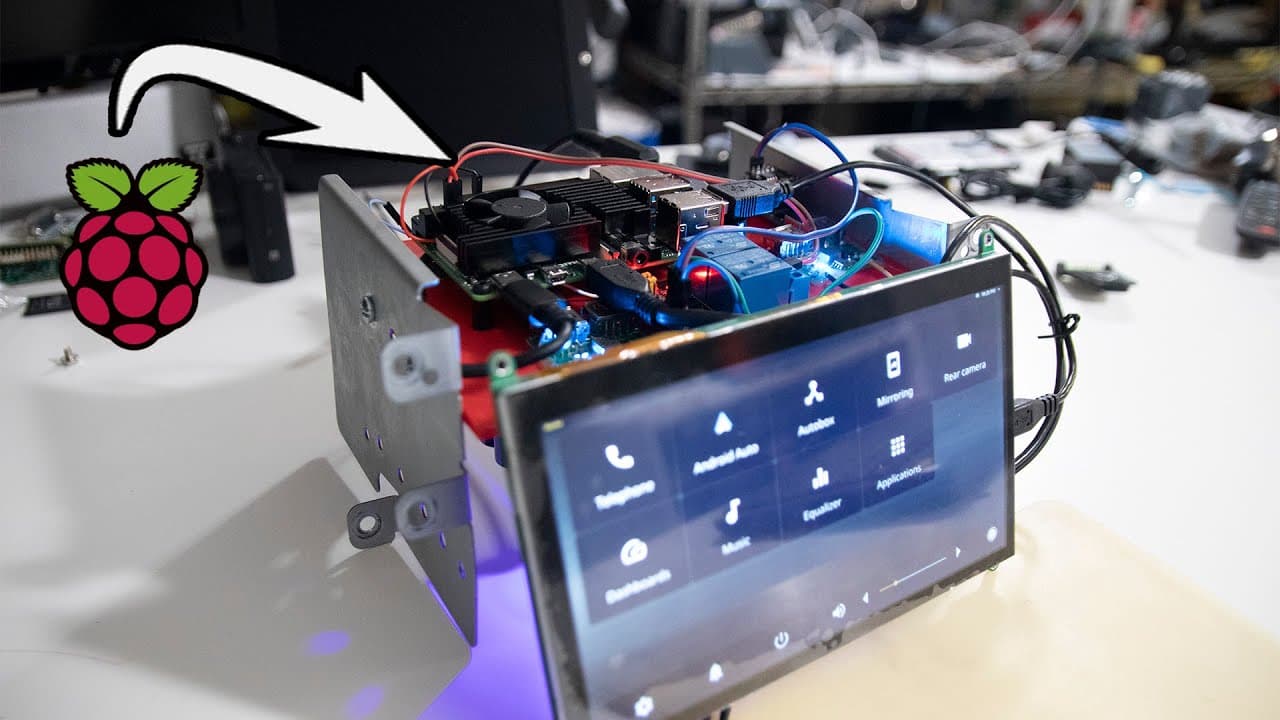
To install a Raspberry Pi head unit in your car using Open Android Pro, connect components like relays, USB sound cards, and a cooling fan. The system allows for automatic startup and shutdown with vehicle ignition. Future enhancements may include features such as a reverse camera and FM radio capabilities.
Transcript
hey guys don here from nova spare tech and welcome back to the channel and today we are going to be installing the raspberry pi head unit using open android pro onto our car so let's get started i for one been super excited about this i've been wanting to do this as soon as i got all the parts but i had to film everything so this actually took a co... Read More
Key Insights
- 🧕 The installation of the Raspberry Pi head unit in a car involves a mix of hardware and software coordination to create a functional multimedia system.
- 😴 Utilizing GPIO pins for power control facilitates the seamless operation of the head unit, allowing for automatic shutdown and startup with the vehicle's ignition.
- 🧑💻 Future enhancements planned for the setup indicate a broadening scope for vehicular tech, further integrating modern entertainment features into automotive systems.
- 🎠 The use of cooling systems is vital for maintaining optimal performance in Raspberry Pi setups, especially in confined spaces like car interiors where heat can accumulate.
- 👀 The installation process combines technical expertise with practical steps, providing detailed guidance for those looking to undertake similar projects.
- 📽️ Continuous updates and improvements demonstrate the evolving nature of the project alongside the creator's willingness to adapt and innovate.
- 💗 The project reflects a growing trend in DIY automotive technology, empowering users to integrate personal tech solutions into their vehicles.
Install to Summarize YouTube Videos and Get Transcripts
Explore YouTube Video Summarizer or Get YouTube Transcript Extractor
Questions & Answers
Q: What are the main components required for the Raspberry Pi head unit installation?
Key components include a Raspberry Pi, relay boards for power control, a USB sound card for audio output, and a custom wiring setup to link these elements. Additionally, a low-profile fan is used to cool the Raspberry Pi, while a touchscreen monitor serves as the user interface. Ensuring that each component is compatible with the car's specifications is essential for a successful installation.
Q: How does the relays work in controlling the Raspberry Pi's power?
The installation utilizes two relays: one to handle the power on/off function and a second to manage accessory power. When the ignition is turned on, the first relay shorts specified GPIO pins to power on the Raspberry Pi. The second relay ensures that once the ignition is turned off, the Raspberry Pi shuts down properly, preventing battery drainage and preserving the real-time clock.
Q: What features of the Raspberry Pi head unit are currently operational?
The current setup operates Android Auto effectively, providing audio functionality and a responsive touchscreen interface. The Raspberry Pi boots up smoothly, and sound quality through the connected amplifier is reportedly good. However, features like FM radio and dash gauge functionality are in the pipeline for future updates, indicating continuous improvement.
Q: How does the cooling system work in this Raspberry Pi setup?
The cooling system includes a low-profile fan that activates based on the Raspberry Pi's temperature. It is programmed to turn on when the Pi reaches 60 degrees Celsius, ensuring that the system runs efficiently and mitigates overheating risks. This is crucial particularly in a confined car environment where heat can build up quickly.
Q: Do the upgrades to the head unit require significant technical knowledge?
While some basic understanding of electronics and programming is helpful, Don explains each step clearly, making it accessible to viewers with varying technical skills. Knowledge about wiring, using GPIO pins, and configuring software are beneficial, but the comprehensive guidance aims to assist beginners as well.
Q: Is there a way to reduce boot-up time for the Raspberry Pi head unit?
Yes, transitioning from an SD card to an SSD can decrease boot times significantly. Reports suggest that using an SSD can reduce boot duration from around 30 seconds to as little as 10 seconds. This could enhance the overall user experience by providing quicker access to the system.
Q: What future features does the creator plan to implement in the project?
Future updates may include enhancements like a reverse camera for improved parking assistance, FM radio connectivity, a more robust audio control setup, and additional gauges for real-time performance monitoring of the vehicle. As the technology advances, the creator aims to integrate more multimedia features for user convenience.
Q: How does the grounding system function to eliminate audio noise?
The setup utilizes a ground loop isolator, which helps eliminate unwanted noise from components like the alternator and engine. This is crucial for maintaining audio quality, ensuring a clear and clean sound output. Future plans include upgrading to a more compact and efficient isolator to improve performance further.
Summary & Key Takeaways
-
Don from Nova Spirit Tech demonstrates how to install a Raspberry Pi head unit in a car, utilizing Open Android Pro and various components.
-
The video details the process of setting up hardware components like relays, USB sound cards, and a cooling fan to create a functional multimedia system.
-
Future plans include adding more features to the setup such as a reverse camera, FM radio capabilities, and enhancing user experience with additional modules.
Read in Other Languages (beta)
Share This Summary 📚
Summarize YouTube Videos and Get Video Transcripts with 1-Click
Try YouTube Summary with ChatGPT & Claude or YouTube Transcript Generator
Explore More Summaries from Novaspirit Tech 📚






Summarize YouTube Videos and Get Video Transcripts with 1-Click
Try YouTube Summary with ChatGPT & Claude or YouTube Transcript Generator