Absolute Must Have Apps For Linux to Function
TL;DR
Discover key applications that enhance Linux desktop experience and hardware management.
Transcript
hey guys what's going on it's Don here from Nova Spirit Tech and welcome back to the channel and today I'm going to show you guys must have apps to daily drive your Linux so let's get started now these aren't apps that we are going to be checking out like Libre office or whatever mail client you're using these are apps that I actually use to daily ... Read More
Key Insights
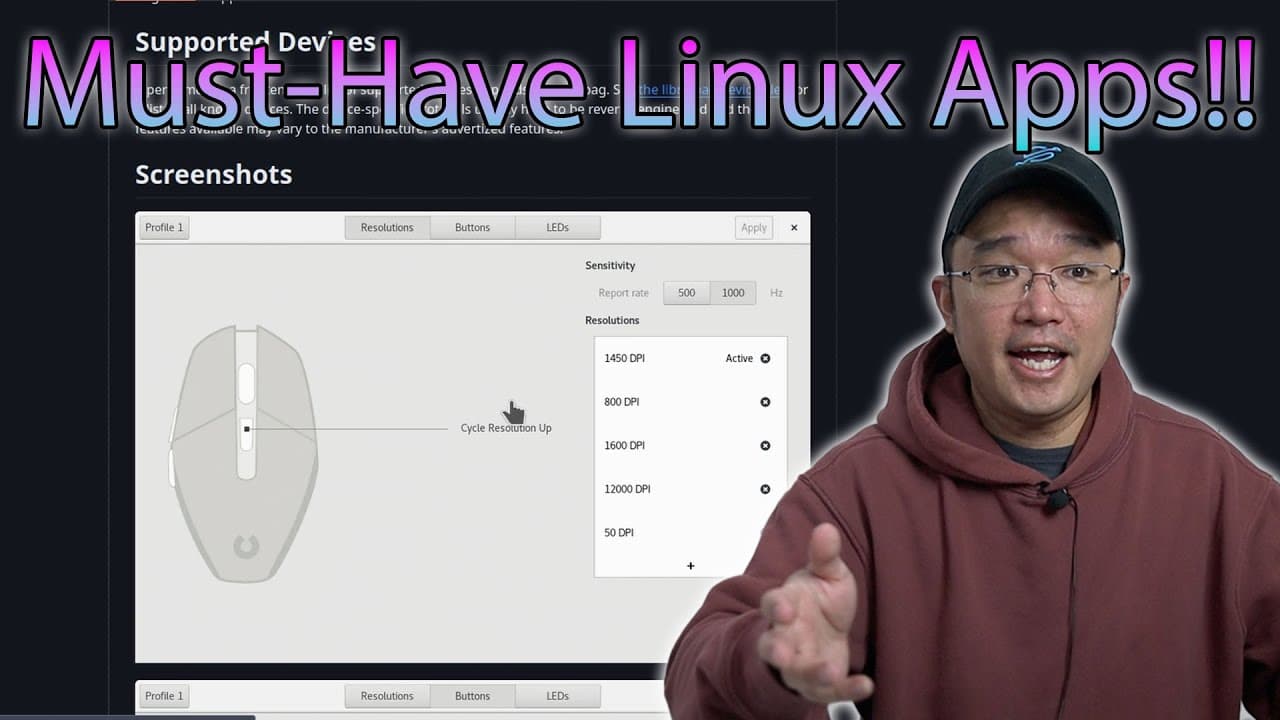
- 👤 Piper is vital for configuring gaming and productivity mice, enhancing user control over peripherals.
- 👤 Core Control empowers users to optimize AMD CPU performance with undervolting and overclocking features, improving efficiency and speed.
- ⛔ Green With Envy offers comparable functionality to Afterburner for GPU management but is limited to X11 support, restricting flexibility.
- 😪 Samba 4K is an effective tool for handling network shares automatically, though it may struggle with reconnections post-sleep.
- 👻 KDE Connect enhances the Linux desktop environment by allowing seamless interaction with mobile notifications and file transfers, bolstering productivity.
- 😄 The choice of applications significantly influences the ease of transitioning to Linux, particularly for users accustomed to Windows software.
- ✊ Hardware management applications are crucial for maximizing performance and efficiency in Linux environments, especially for gaming or power users.
Install to Summarize YouTube Videos and Get Transcripts
Explore YouTube Video Summarizer or Get YouTube Transcript Extractor
Questions & Answers
Q: What is Piper and how does it improve my experience on Linux?
Piper is an application that allows users to manage and configure their Logitech and other peripheral devices on Linux. Unlike Windows where manufacturers provide specific utilities, Piper enables users to customize mouse settings such as DPI and button functions. This is crucial for those transitioning from Windows, as it helps maintain the same level of functionality and control with their hardware, thus enhancing overall usability.
Q: How does Core Control impact CPU performance on Linux?
Core Control is a valuable application for managing AMD CPUs, enabling users to adjust performance through overclocking or undervolting. By changing CPU states and frequency governors, users can achieve better performance while reducing power consumption. The application is particularly beneficial for users who want to optimize their system for gaming or resource-intensive tasks while ensuring thermal efficiency, and it can be a game changer in power management.
Q: What are the limitations of Green With Envy for GPU management?
While Green With Envy offers powerful features for controlling AMD GPUs and allows for overclocking, it currently only supports the X11 windowing system. This means that users who switch to Wayland will not be able to utilize Green With Envy for their GPU management needs. Understanding this limitation is crucial for users, as it influences their decision on which desktop environment to use while seeking optimal performance for their graphic cards.
Q: Can you explain how Samba 4K assists with network shares?
Samba 4K is essential for managing network shares on Linux, providing functionality similar to Windows' network mapping. It automates the mounting process, ensuring that network shares are available upon system startup and attempting to reconnect them if they become disconnected. However, it has limitations, such as not reconnecting automatically after the system wakes from sleep, which the user is currently seeking a solution for. Despite this, it remains a useful tool for those who work with multiple network resources.
Q: What functionality does KDE Connect provide for Linux users?
KDE Connect serves as an integration tool between your mobile device and Linux desktop, allowing users to receive notifications from their phones, such as messages or calls. The application also enables file transfer between devices, streamlining the workflow for users who frequently move media or documents. With its ability to keep users informed without needing to check their phones constantly, KDE Connect significantly enhances productivity and connectivity for Linux users.
Q: Why are the applications mentioned considered 'must-haves' for transitioning to Linux?
The applications discussed are deemed essential for users transitioning from Windows to Linux because they provide critical functionalities often missing in the Linux environment. Tools like Piper for mouse configuration and Core Control for CPU optimization bridge the gap between the systems, ensuring that users can maintain similar performance and usability standards. Their inclusion can significantly ease the transition, making the Linux experience much more user-friendly.
Summary & Key Takeaways
-
The video highlights essential applications that enhance the daily use of Linux desktops, particularly for managing hardware and system performance.
-
It covers tools for mouse configuration, CPU and GPU tuning, network sharing, and mobile device integration, recommending those that facilitate a smoother transition from Windows to Linux.
-
The narrator shares personal experiences with each application, emphasizing their importance for effective workflow and hardware compatibility.
Read in Other Languages (beta)
Share This Summary 📚
Summarize YouTube Videos and Get Video Transcripts with 1-Click
Try YouTube Summary with ChatGPT & Claude or YouTube Transcript Generator
Explore More Summaries from Novaspirit Tech 📚






Summarize YouTube Videos and Get Video Transcripts with 1-Click
Try YouTube Summary with ChatGPT & Claude or YouTube Transcript Generator