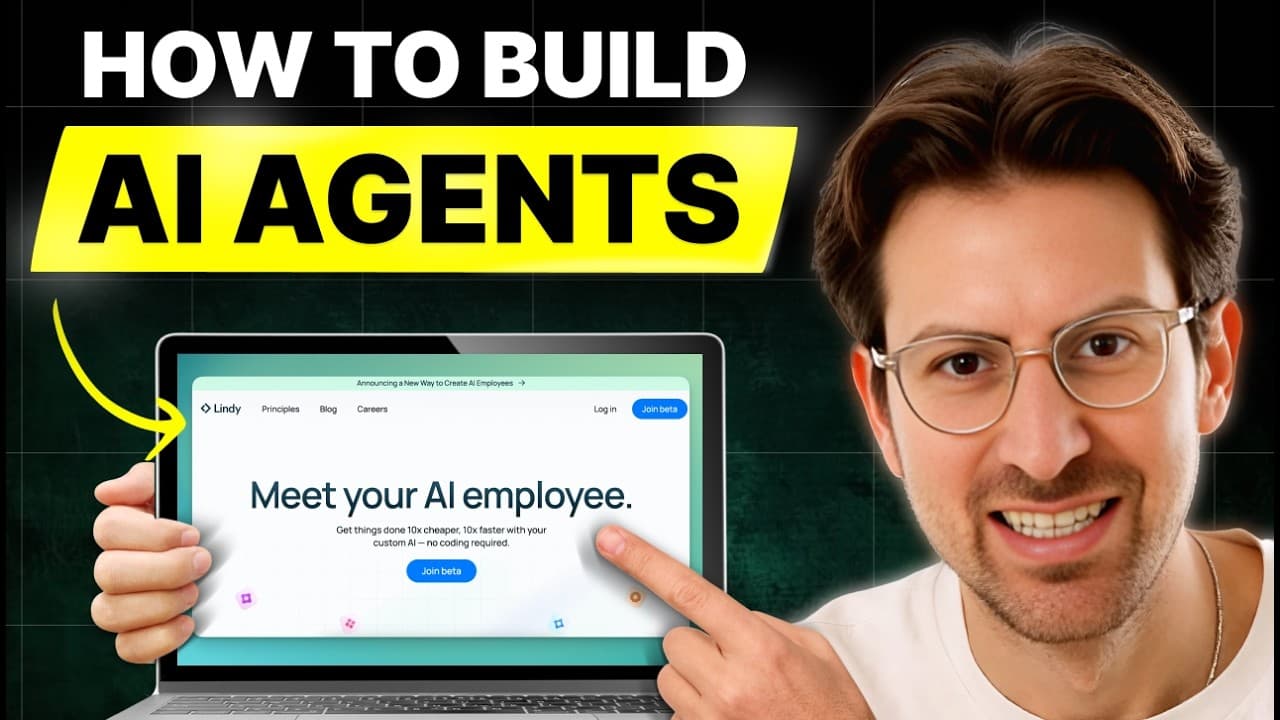
How to Build AI Employees With Lindy AI Agents
TL;DR
Lindy lets you build AI agents that do real work, unlike one-step automations. Each step can use a natural language prompt and sees the full context of earlier steps. Agents run long-lived tasks, such as joining meetings, sending coaching notes, answering email replies, and alerting you on Slack about urgent email.
Transcript
you are in for a treat this guy has a platform for you to create AI employees thousands of them that are running that could help you build your startup not enough people are talking about this just a it's a really easy way to create agents and he's the CEO he's the founder um he just walks us through his brain all the best practices you're going to... Read More
Key Insights
- An AI agent differs from a Zapier-style automation because it keeps the entire context of what it did earlier, while in Zapier each step is an island that needs data injected from a previous step.
- Lindy lets you place an AI prompt in any field of any action, so you can extract values like reservation amount or number of travelers from an email without writing HTML parsing.
- Lindy agents manage long-term tasks over long time horizons, so a conversation can continue by email or Slack after the first action has finished.
- Conditions in Lindy are written in natural language, for example going down a path if an email is urgent and time sensitive, and an LLM decides the branch.
- You can choose which LLM powers each step, and Claude 3.5 Sonnet is Lindy's default because it does an excellent job most of the time.
- Large language models can do work for you, not just generate text or copy, which is why the founder believes a team of 5,000 AI employees could be set up in a weekend.
- AI employees scale up and down with demand like an elastic resource, need no management, and improve continuously, according to the founder.
- A meeting recorder agent can join calendar meetings, record them, create a Google doc of notes, send notes by Slack, and email coaching notes based on a custom prompt.
Install to Summarize YouTube Videos and Get Transcripts
Explore YouTube Video Summarizer or Get YouTube Transcript Extractor
Questions & Answers
Q: What is the difference between Lindy AI agents and Zapier automations?
According to Flo Crivello, the first difference is that Lindy lets you use AI at any point, in any field of any action. The second is that a Zapier zap is once and done, while a Lindy agent manages long-term tasks over long time horizons and can continue a conversation by email or Slack.
Q: Why do AI agents keep context better than step-by-step automations?
In a Lindy agent, each step is aware of everything that came before it, including the outputs of earlier steps and the context in which it exists. In Zapier, each step is described as an island, so you must inject data from a previous step manually. This makes agents less brittle when formats change.
Q: How does a Lindy meeting recorder work?
The meeting recorder starts when a calendar event begins. It joins the meeting and records it, then creates a Google doc with meeting notes, sends the notes by Slack, and emails coaching notes based on a prompt the founder wrote. It also posts notes to relevant Slack channels and continues if he replies to the email.
Q: How can an AI agent extract data from emails without custom code?
In the vacation rental example, an agent triggers when a reservation confirmation email arrives and appends a row to a Google Sheet. Each column is a prompt, such as extracting the reservation day, total amount, or number of travelers. Because it is prompt based, it avoids writing HTML parsing that could break when the email format changes.
Q: How do you create a Lindy that alerts you about urgent emails?
Create a new Lindy and use a Gmail trigger for when you receive an email. Add a condition in natural language, such as going down this path if the email is urgent and time sensitive. Then add a Slack action that sends you a direct message with a prompt asking for a message about the email, including context.
Q: How does Lindy decide whether an email is time sensitive?
An LLM makes the decision. At any step you can pick which LLM powers it, and in the demo the default is Claude 3.5 Sonnet. According to the founder, this is equivalent to pasting the email into ChatGPT or Claude and asking whether it is time sensitive, except it happens automatically inside the workflow.
Q: Why does the founder think businesses should use AI employees?
Flo Crivello says AI employees are more efficient than humans, make a business grow faster, and are easy to spin up without management. They scale infinitely like an elastic resource, rising with demand and shrinking when unused, and they improve continuously. He believes a team of 5,000 could be built in a weekend.
Q: Can you ask an agent follow-up questions after it finishes a task?
Yes. In the sales call example, a Lindy joins calls and posts a summary to a Slack channel called customer discovery. The founder can then ask follow-up questions in the Slack thread, such as what the team replied to a customer question, and the agent answers using the context of the call.
Summary & Key Takeaways
-
Flo Crivello, CEO and founder of Lindy AI, argues that LLMs such as GPT-4 and Claude can do real work, not only generate text. He believes this lets a business set up thousands of AI employees quickly, scaling with demand and improving continuously without management overhead.
-
He demonstrates his own Lindy account, including a meeting recorder that joins calls, writes a Google doc, posts notes to Slack, and emails coaching feedback. When he replies to that email, the agent resumes with full context, which shows how a long-living agent differs from a one-off automation.
-
He then builds a new Lindy live: a Gmail trigger, a natural language condition for urgent and time sensitive emails, and a Slack direct message with context. Each step is aware of earlier steps, and the LLM for each step can be chosen, with Claude 3.5 Sonnet as default.
Read in Other Languages (beta)
Share This Summary 📚
Summarize YouTube Videos and Get Video Transcripts with 1-Click
Try YouTube Summary with ChatGPT & Claude or YouTube Transcript Generator
Explore More Summaries from Greg Isenberg 📚




Summarize YouTube Videos and Get Video Transcripts with 1-Click
Try YouTube Summary with ChatGPT & Claude or YouTube Transcript Generator