How to Use an Old Android Phone as a PC Monitor
TL;DR
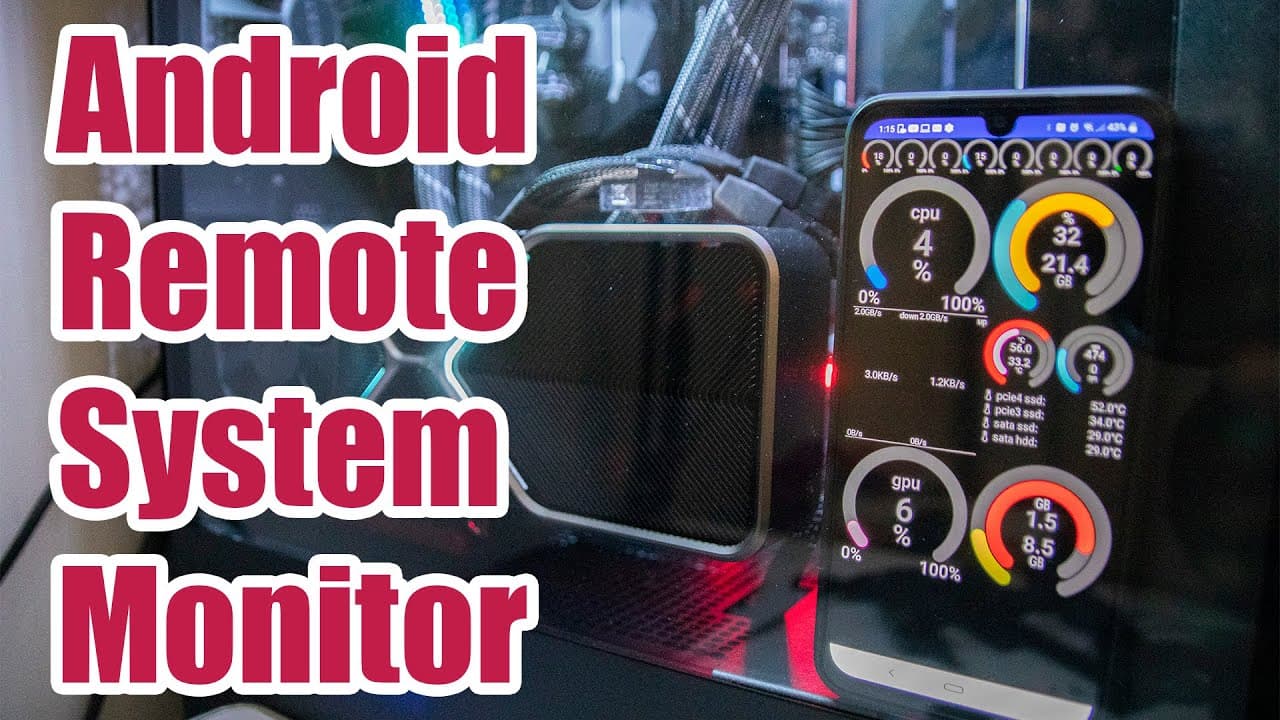
To repurpose an old Android phone as a remote PC monitor, install the Trigone software on both your PC and Android device. This setup allows you to monitor system metrics like CPU usage and fan speeds, and control multiple PCs from a central dashboard. A small donation unlocks premium features and removes ads for a better experience.
Transcript
hey guys it's don here from nova spare tech and welcome back to the channel and today i'm going to show you guys how to use an android phone as a remote monitoring system for your pc so let's get started now if you guys are new to this channel you probably didn't know that i like to use a lot of the old tech basically like recycling them and reusin... Read More
Key Insights
- 😒 Repurposing old devices like Android phones can reduce electronic waste while providing practical uses.
- 👻 The software allows for comprehensive PC monitoring, including real-time adjustments to essential components for optimal performance.
- 👤 Multi-PC monitoring is a significant feature, enabling users to oversee multiple systems easily.
- 🫠 A simple donation unlocks premium features and improves the overall user experience by removing ads.
- 🕴️ Users can customize their monitoring interface to suit their preferences, improving usability and functionality.
- 😫 The instructions provided make it accessible for even non-tech-savvy individuals to set up their system monitoring.
- 🥶 The integration of older tech into present setups can create an aesthetically pleasing and functional environment.
Install to Summarize YouTube Videos and Get Transcripts
Explore YouTube Video Summarizer or Get YouTube Transcript Extractor
Questions & Answers
Q: What inspired you to use old tech like Android phones for new purposes?
My passion for recycling technology drives me to find new uses for old devices. It not only reduces electronic waste but also gives a second life to devices that might otherwise gather dust. For instance, repurposing an Android phone as a PC monitor is both practical and eco-friendly.
Q: What features does the software offer for monitoring PCs?
The software enables users to monitor several metrics including CPU temperature, RAM usage, GPU load, and more. It allows for real-time adjustments, such as managing fan speeds, enhancing the overall performance of the system. It truly serves as a comprehensive dashboard for system monitoring.
Q: Why is the software limited to Windows and Android platforms?
The software is specifically tailored to work within the Windows ecosystem, utilizing certain APIs and architecture unique to Windows. Android serves as a compatible interface, allowing mobile users to interact with their PC seamlessly, but expanding beyond these platforms may complicate the user experience.
Q: Can the monitoring software be used for multiple PCs at once?
Yes, the software supports monitoring multiple PCs as long as the server software is installed on each machine. This centralizes monitoring on one dashboard, making it especially useful for users managing tasks across several systems, like those running mining farms.
Q: How can users customize their monitoring dashboard?
Users can customize their dashboard by adding various widgets to display the metrics that matter most to them. This can include gauges for CPU percentage, RAM usage, and temperatures of components, which can be resized and arranged to fit personal preferences.
Q: Is the software free or are there any associated costs?
While the basic functionalities of the software can be accessed for free, certain premium features, like the full dashboard capabilities, require a donation of approximately one dollar. This small fee also removes ads, making the experience more user-friendly.
Q: How can users power their old Android phone if they want it integrated into their PC setup?
Users can power their Android devices through USB connections to their PC's motherboard. This method effectively integrates the phone into the setup, ensuring it is always charged and functional, thus enhancing the overall monitoring experience.
Summary & Key Takeaways
-
The video explains how to repurpose an old Android phone as a remote monitoring system for a desktop PC, showcasing software that allows users to access system metrics and controls.
-
Viewers are guided through the installation process of the necessary software on both PC and Android devices, highlighting features like fan speed control and multi-PC monitoring from a central dashboard.
-
The presenter emphasizes the benefits of using old tech for practical purposes, such as monitoring performance metrics in a visually appealing interface and making it a part of a custom setup.
Read in Other Languages (beta)
Share This Summary 📚
Summarize YouTube Videos and Get Video Transcripts with 1-Click
Try YouTube Summary with ChatGPT & Claude or YouTube Transcript Generator
Explore More Summaries from Novaspirit Tech 📚






Summarize YouTube Videos and Get Video Transcripts with 1-Click
Try YouTube Summary with ChatGPT & Claude or YouTube Transcript Generator