Java if statements are easy! 🤔
TL;DR
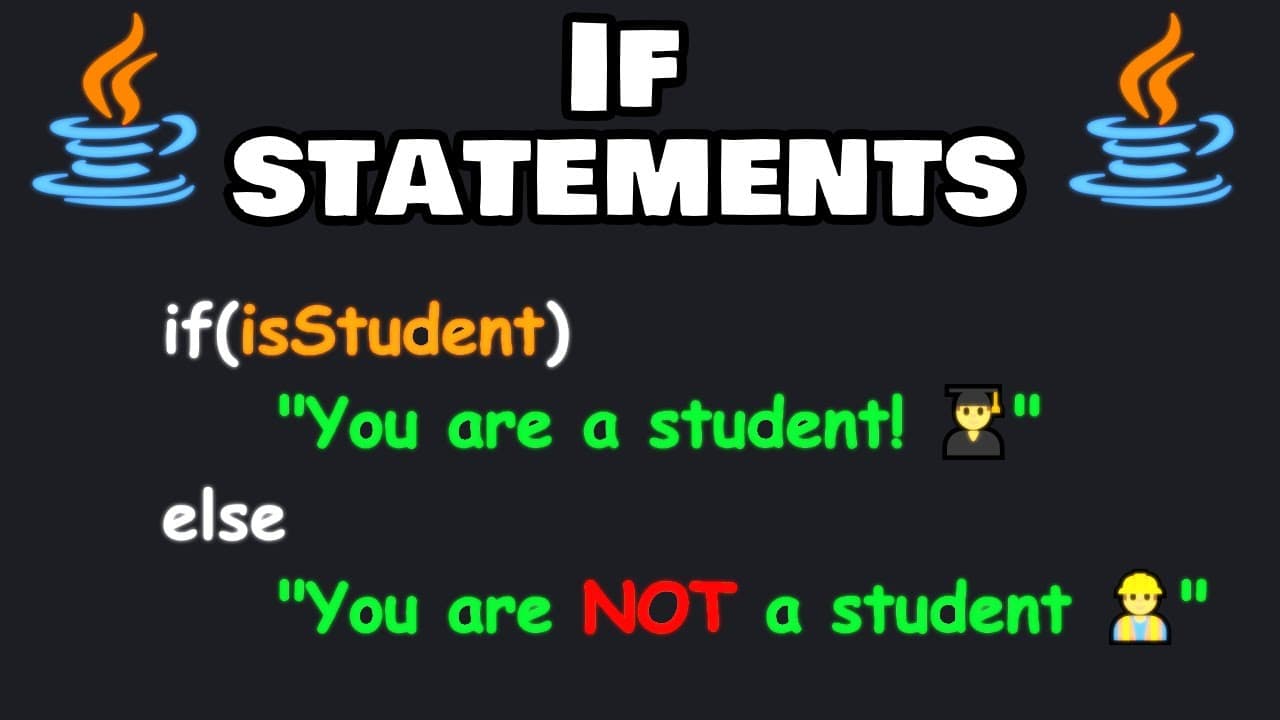
A guide to using if statements in Java for decision making.
Transcript
hello everybody today we're going to discuss if statements in Java an if statement performs a block of code if its condition is true we've discussed how Boolean variables can be used within if statements we may be a little familiar with them already in this demonstration we will have a variable of age set it equal to be some age age... Read More
Key Insights
- The if statement in Java executes a block of code only if a specified condition is true, allowing for decision-making in code.
- Boolean variables are often used within if statements to determine whether a condition is true or false.
- An else clause can be added to an if statement to execute alternative code if the initial condition is false.
- The else if clause allows for checking multiple conditions in sequence, executing the first true condition's block of code.
- The order of if, else if, and else clauses is crucial as they are evaluated from top to bottom.
- Java uses '==' for comparison and '=' for assignment, which is important to avoid logical errors in conditions.
- User input can be incorporated into if statements using Java's Scanner class to dynamically influence program flow.
- String methods like isEmpty() can be used to check if a string is empty, aiding in condition checks for user inputs.
Install to Summarize YouTube Videos and Get Transcripts
Explore YouTube Video Summarizer or Get YouTube Transcript Extractor
Questions & Answers
Q: What is the primary function of an if statement in Java?
An if statement in Java is used to execute a block of code only if a specified condition evaluates to true. This allows for decision-making within a program, enabling the code to respond differently based on varying conditions or inputs.
Q: How can else and else if clauses enhance an if statement?
Else and else if clauses enhance an if statement by providing alternative blocks of code to execute when the initial if condition is false. The else if clause allows multiple conditions to be checked in sequence, while the else clause serves as a default action if none of the conditions are true.
Q: Why is the order of if, else if, and else clauses important?
The order of if, else if, and else clauses is crucial because they are evaluated sequentially from top to bottom. Once a true condition is found, its corresponding block of code is executed, and the remaining clauses are skipped. Incorrect order can lead to unintended code execution.
Q: What is the difference between '==' and '=' in Java?
In Java, '==' is the equality operator used to compare two values or variables to check if they are equal. In contrast, '=' is the assignment operator used to assign a value to a variable. Using the wrong operator can lead to logical errors in the code.
Q: How is user input handled in Java if statements?
User input in Java if statements is handled using the Scanner class, which allows the program to read input from the console. This input can then be used in conditional expressions to dynamically influence the flow of the program based on the user's responses.
Q: What method can be used to check if a string is empty in Java?
In Java, the isEmpty() method can be used to check if a string is empty. This method returns a Boolean value, true if the string has a length of zero, and false otherwise. It is useful for validating user input in conditions.
Q: What role do Boolean variables play in if statements?
Boolean variables in if statements represent conditions that evaluate to true or false. They are central to decision-making in code, determining whether specific blocks of code should be executed based on the evaluation of these Boolean expressions.
Q: Can you explain the use of emojis in the program?
Emojis are used in the program to add a visual element to the output, making it more engaging and fun. They are included in print statements to represent different outcomes, such as a school emoji for students or a pouting face for missing names, enhancing the user experience.
Summary & Key Takeaways
-
This video tutorial explains the use of if statements in Java, focusing on how they execute code blocks based on true conditions. It covers basic syntax and the role of Boolean variables.
-
Additional clauses like else and else if are introduced to handle multiple conditions, emphasizing the importance of their order for correct program execution.
-
User input is integrated using the Scanner class, demonstrating how dynamic data can influence decision-making in Java programs. String methods and Boolean shortcuts are also discussed.
Read in Other Languages (beta)
Share This Summary 📚
Summarize YouTube Videos and Get Video Transcripts with 1-Click
Try YouTube Summary with ChatGPT & Claude or YouTube Transcript Generator
Explore More Summaries from Bro Code 📚
Summarize YouTube Videos and Get Video Transcripts with 1-Click
Try YouTube Summary with ChatGPT & Claude or YouTube Transcript Generator