Extracting and Plotting data with a variable baseline in LabChart to Prism
TL;DR
Learn how to extract and graphically represent twitch response data using Lab Chart and GraphPad Prism.
Transcript
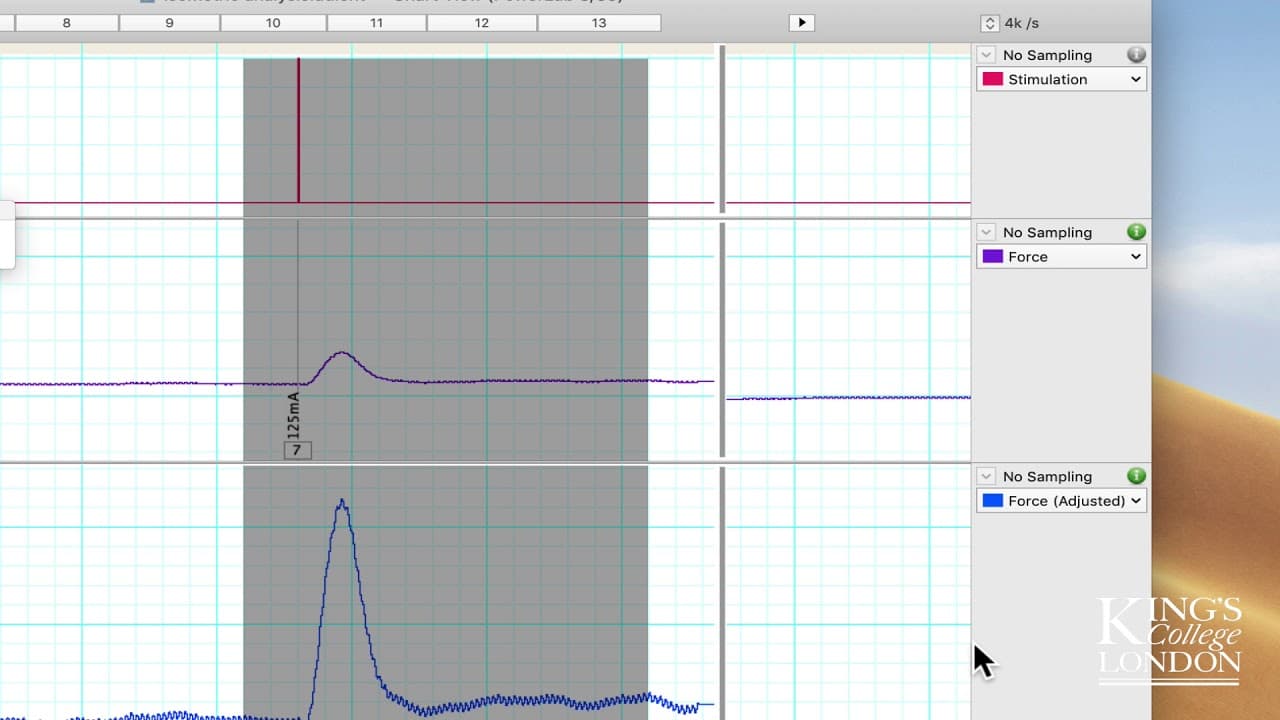
hello in a previous tutorial we were looking at these data which are twitch responses to a stimulus an increase in current and we looked at the data and decided that there was a moving baseline you can see this on the screen quite easily if I show you with the mouse the baseline value in the lower twitch stimulations here appears to be around 15 Ne... Read More
Key Insights
- 🥼 Lab Chart and GraphPad Prism can be used together to analyze twitch response data.
- ❓ Adjusting baseline values is necessary for accurate comparisons of twitch responses.
- 👻 Exporting twitch response data from Lab Chart allows for further analysis and visualization in GraphPad Prism.
- 📈 Down-sampling the exported data can help in creating cleaner and easier-to-interpret graphs.
- 😫 Multiple twitch response data sets can be combined and compared in GraphPad Prism.
- 🔨 GraphPad Prism provides powerful tools for visualizing and analyzing twitch response data.
- 👨🔬 The demonstrated method can be used to analyze twitch response data in various research fields.
Install to Summarize YouTube Videos and Get Transcripts
Explore YouTube Video Summarizer or Get YouTube Transcript Extractor
Questions & Answers
Q: What is the purpose of adjusting the baseline values in twitch response data?
Adjusting the baseline values ensures that the comparisons between twitch responses are accurate, as the baseline should always be zero force generation.
Q: How can you export twitch response data from Lab Chart for further analysis?
In Lab Chart, go to the File menu and choose Export As, then select the desired channels and export the data as a text file. This exported data can be imported into GraphPad Prism for further analysis.
Q: What is the advantage of down-sampling the twitch response data before exporting it to GraphPad Prism?
Down-sampling reduces the number of data points exported, making the graph in GraphPad Prism easier to visualize without losing the overall shape and trends of the twitch response data.
Q: Can you combine and compare multiple twitch response data sets in GraphPad Prism?
Yes, you can copy and paste the data from different twitch responses into the same graph in GraphPad Prism, allowing for direct comparisons between different twitch responses.
Summary & Key Takeaways
-
The video demonstrates the process of extracting twitch response data from Lab Chart and exporting it for graphical representation.
-
The baseline values of the twitch responses are adjusted to ensure accurate comparisons.
-
The video showcases how to select and export specific twitch response data for further analysis in GraphPad Prism.
Read in Other Languages (beta)
Share This Summary 📚
Summarize YouTube Videos and Get Video Transcripts with 1-Click
Try YouTube Summary with ChatGPT & Claude or YouTube Transcript Generator
Explore More Summaries from Dory Video 📚






Summarize YouTube Videos and Get Video Transcripts with 1-Click
Try YouTube Summary with ChatGPT & Claude or YouTube Transcript Generator