How Does n8n Connect AI Agents Through MCP?
TL;DR
n8n connects AI applications and workflows through two complementary nodes: the MCP Server Trigger exposes n8n tools or subworkflows, while the MCP Client lets an AI agent use tools from an MCP server. The initial release supports tools and bearer authentication, but it has limitations involving queue mode, binary attachments, broader MCP features, and security risks from untrusted servers.
Transcript
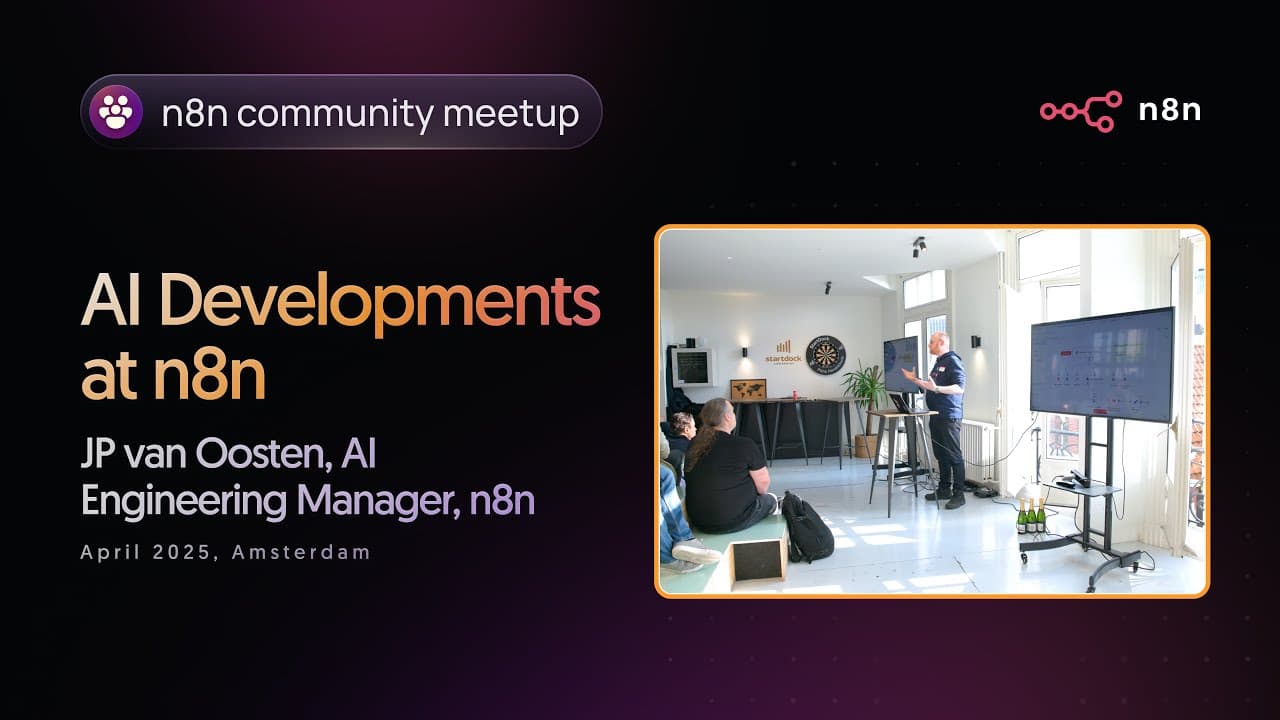
Nice. So, welcome. Um, I'm uh winging it also a little bit today, but I do have some stuff that I can can show you. Um, yeah. So, I'm JP. I uh I'm engineering manager for the AI team. And for the last uh week and a half, two weeks, we've been working on something to get something out uh that you might have seen this morning because it was released ... Read More
Key Insights
- The MCP Server Trigger is an n8n node that exposes selected tools or subworkflows at a URL for use by desktop applications, IDEs, and other AI hosts. It provides separate test and production URLs, supports a customizable path, and can require authentication.
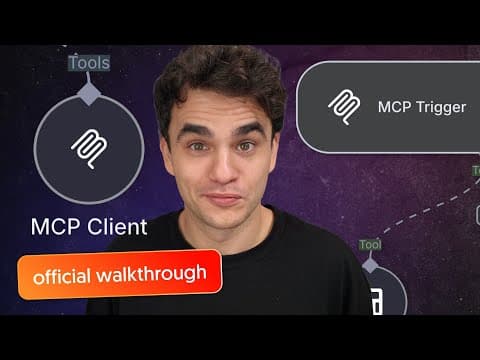
- The MCP Client is an agent tool that connects an n8n AI agent to an external or internal MCP server. Its configuration includes the server endpoint and authentication, plus controls for using every advertised tool, selecting particular tools, or excluding tools that should remain unavailable.
- Subworkflows are presented as the likely primary use of the MCP Server Trigger because they let an LLM start automation that has already been built in n8n. Individual credential-backed tools can also be exposed together when direct access is appropriate for the intended AI host.
- Tool calls are observable through n8n executions and agent details. The demonstration showed a Hacker News request creating a workflow execution, while a Wikipedia example displayed the query, selected tool, tool description, and response returned to the agent.
- Queue mode is not supported by the initial MCP Server Trigger implementation because its server-sent events transport keeps a longer-lived connection open. With multiple n8n instances, a later command can reach a different instance that cannot route it back to the correct connection.
- The initial n8n MCP release supports tools but does not yet provide the protocol's prompts, resources, or sampling capabilities. The presenter said these features may be added later, while acknowledging that the implementation approach had not yet been determined.
- Untrusted MCP servers are a security risk because their tool descriptions are inserted into an LLM's context. Malicious descriptions could contain prompt injection, encourage unwanted tool calls, or enable information theft, so users must understand who built a server and what it does.
- Input and output validation is difficult when an MCP tool behaves nondeterministically or interacts with a database. The suggested safeguard is to route the call through a subworkflow that analyzes the returned format before allowing the result to affect other resources.
Install to Summarize YouTube Videos and Get Transcripts
Explore YouTube Video Summarizer or Get YouTube Transcript Extractor
Questions & Answers
Q: How does the n8n MCP Server Trigger work?
The MCP Server Trigger exposes selected n8n tools or subworkflows through a URL that an AI host can connect to. It provides test and production URLs, allows the path to be changed, and supports authentication. Once configured, a compatible client can discover the published tools and invoke them, with resulting calls appearing in n8n's workflow executions.
Q: What is the difference between the n8n MCP Server Trigger and MCP Client?
The MCP Server Trigger makes n8n capabilities available to external AI hosts, including desktop applications and IDEs. The MCP Client works in the opposite direction: it lets an AI agent inside n8n connect to an MCP server and use the tools advertised there. Together, they support both publishing n8n automations and consuming MCP tools created elsewhere.
Q: How can an AI application start an n8n workflow through MCP?
A user can connect a subworkflow to the MCP Server Trigger, publish it through the node's URL, and configure that endpoint in a compatible AI application. The application then discovers the subworkflow as an available tool and can call it when appropriate. The presenter expected this workflow-oriented pattern to become more common than exposing many individual tools directly.
Q: How can users control which MCP tools an n8n agent can access?
The MCP Client can be configured to make all tools from a connected server available, select only particular tools, or exclude specified tools. The user also supplies the MCP endpoint and authentication settings. These controls allow an agent to receive a narrower collection of capabilities instead of automatically using every tool advertised by the connected server.
Q: Why does the n8n MCP Server Trigger not work in queue mode?
The initial implementation relies on server-sent events, which keep a longer-lived connection open. In a setup with multiple n8n instances, a later command can reach an instance other than the one maintaining that connection. The receiving instance then does not know how to route the command to the correct destination, preventing reliable operation in queue mode.
Q: What security risks come with external MCP servers?
An external MCP server supplies tool names and descriptions that may be inserted into an LLM's context. If the server is untrusted, those descriptions can contain prompt injection, encourage calls the user did not intend, or contribute to information theft. Users therefore need to know who created the server, what its tools do, and which resources those tools can access.
Q: How does n8n authenticate MCP connections?
The demonstrated n8n implementation supports bearer authentication for MCP connections. The presenter explained that the protocol did not specify a settled method for authenticating MCP calls, so the team adopted the bearer-token approach that was common in the community at the time. The discussion also indicated that additional authentication approaches might emerge as debate around the protocol continues.
Q: How should MCP database inputs and outputs be validated in n8n?
The presenter described reliable validation as difficult because tool behavior can be nondeterministic and correct formatting also depends on prompting. The suggested approach is to route the MCP interaction through a subworkflow, then have that subworkflow analyze the response format before it reaches the database or affects other resources. This creates a separate validation step around the tool's output.
Summary & Key Takeaways
-
The MCP Server Trigger publishes selected n8n tools and subworkflows through a test or production URL. Users can customize the path and add authentication. Connected applications such as Claude Desktop can discover the available tools, request permission where supported, call them, and create visible executions inside the associated n8n workflow.
-
The MCP Client works from the opposite direction by connecting an n8n AI agent to an MCP server built internally or by another party. Users configure the endpoint and authentication, then include all tools, select particular tools, or exclude unwanted ones. Execution details reveal the selected tool, its description, query, and returned response.
-
The initial MCP implementation supports tools but not the protocol's other planned capabilities, such as prompts, resources, and sampling. Queue mode is also unsupported because server-sent events require a persistent connection that may not route correctly across instances. External servers introduce prompt-injection and unauthorized tool-use risks, so their sources and descriptions require scrutiny.
Read in Other Languages (beta)
Share This Summary 📚
Summarize YouTube Videos and Get Video Transcripts with 1-Click
Try YouTube Summary with ChatGPT & Claude or YouTube Transcript Generator
Explore More Summaries from n8n 📚




Summarize YouTube Videos and Get Video Transcripts with 1-Click
Try YouTube Summary with ChatGPT & Claude or YouTube Transcript Generator