How to Use n8n's New MCP Trigger and AI Tool
TL;DR
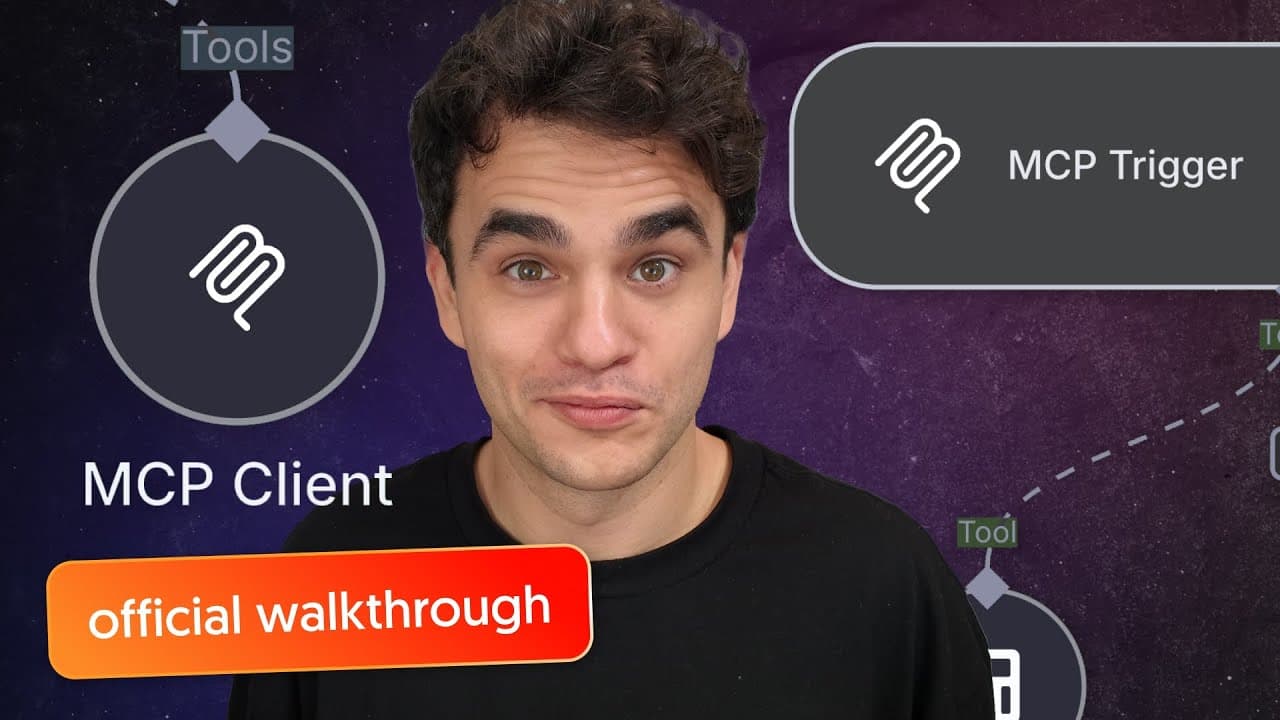
n8n has introduced a native MCP server and client node, enhancing workflow capabilities by leveraging the Model Context Protocol (MCP). This protocol, developed by Anthropic, standardizes communication between LLMs and other systems. The video demonstrates setting up MCP server and client nodes in n8n, highlighting their potential to connect with tools like Claude Desktop.
Transcript
hey flowgrammer! N8N just dropped a native MCP server and MCP client node in this video I'm going to quickly explain what MCP is and why it might be relevant for you and then we're going to take a look at how to use the new MCP server and MCP client nodes within n8n so if you already know what MCP is use the chapters to skip ahead mcp is an abb... Read More
Key Insights
- MCP stands for Model Context Protocol, designed by Anthropic to standardize communication between LLMs and systems.
- MCP has been adopted by major players in the AI industry, including OpenAI, enhancing its utility through network effects.
- The MCP framework consists of hosts, clients, and servers, where the server acts like an actionable API for LLMs.
- n8n's new MCP server and client nodes allow integration with various tools and workflows, including Claude Desktop.
- The MCP server in n8n acts as a trigger, enabling LLM hosts to access different tools and workflows.
- Setting up MCP in n8n involves configuring server triggers and client tools, requiring specific dependencies like Super Gateway.
- MCP's adoption is driven by its potential to offer capabilities beyond existing protocols like REST APIs.
- The video provides practical steps to configure and test MCP nodes in n8n, ensuring smooth integration with AI tools.
Install to Summarize YouTube Videos and Get Transcripts
Explore YouTube Video Summarizer or Get YouTube Transcript Extractor
Questions & Answers
Q: What is MCP and why is it important?
MCP, or Model Context Protocol, is a protocol developed by Anthropic to standardize communication between large language models (LLMs) and external systems. It is important because it facilitates seamless interactions and data exchange, enhancing the functionality of AI tools. MCP's growing adoption by major AI players, including OpenAI, underscores its significance in the industry.
Q: How does n8n's MCP server and client nodes work?
n8n's MCP server and client nodes enable integration of the Model Context Protocol into workflows. The MCP server acts as a trigger, allowing LLM hosts to access various tools and workflows. The client node manages connections between hosts and servers. Together, they facilitate communication and interaction, expanding the capabilities of n8n workflows with AI tools like Claude Desktop.
Q: What are the key components of the MCP framework?
The MCP framework consists of three key components: MCP hosts, MCP clients, and MCP servers. The host is an LLM-powered application that requires context or interaction with external systems. The client manages connections between hosts and servers. The server, akin to an actionable API, provides functionality and actions that the host can utilize, enabling seamless communication and integration.
Q: Why is MCP being adopted despite existing protocols?
MCP is being adopted because it offers capabilities beyond existing protocols like REST APIs. It standardizes communication between LLMs and systems, facilitating seamless interaction and data exchange. This enhances the functionality of AI tools and workflows. Its adoption by major AI players, including OpenAI, highlights its potential for broader utility and network effects in the industry.
Q: How can MCP enhance n8n workflows?
MCP enhances n8n workflows by enabling seamless integration with various tools and systems. It allows LLM hosts to access a wide range of functionalities and workflows, expanding the capabilities of n8n. By leveraging MCP, users can create more dynamic and interactive workflows, utilizing AI tools like Claude Desktop to perform complex tasks and interactions efficiently.
Q: What are the steps to set up MCP nodes in n8n?
To set up MCP nodes in n8n, start by adding an MCP server trigger to your workflow. Configure it to allow LLM hosts to access desired tools. Then, set up an MCP client tool in another workflow, establishing a connection with the server. Ensure necessary dependencies, like Super Gateway, are installed. Test the setup by interacting with tools to verify successful integration.
Q: What challenges might users face when implementing MCP in n8n?
Users might face challenges related to configuring dependencies, such as Super Gateway, and ensuring compatibility with their systems. Technical issues may arise during setup, requiring troubleshooting and adjustments. Understanding the MCP framework and its components is crucial for successful implementation. However, following detailed guides and leveraging community support can help overcome these challenges.
Q: How does the video demonstrate the use of MCP nodes in n8n?
The video demonstrates the use of MCP nodes in n8n by providing a step-by-step walkthrough of setting up MCP server and client nodes. It shows how to configure the server trigger and client tool, enabling integration with tools like Claude Desktop. The video highlights practical examples, such as using a calculator tool, to showcase the nodes' capabilities and ensure smooth implementation in workflows.
Summary & Key Takeaways
-
n8n has launched native MCP server and client nodes, allowing users to integrate Model Context Protocol (MCP) into their workflows. MCP, created by Anthropic, is gaining traction in the AI community for standardizing communication between LLMs and systems. The video guides users through setting up MCP nodes in n8n, showcasing their ability to connect with tools like Claude Desktop.
-
MCP, or Model Context Protocol, is designed by Anthropic to facilitate standardized communication between large language models (LLMs) and external systems. It has been widely adopted, including by OpenAI, due to its potential for enhanced functionality through network effects. n8n's new MCP nodes enable seamless integration with various tools, expanding workflow capabilities.
-
The video provides a detailed walkthrough of configuring MCP server and client nodes in n8n, demonstrating their use in connecting with tools such as Claude Desktop. By leveraging MCP, users can enhance their workflows with improved communication and interaction capabilities, taking advantage of the protocol's growing adoption in the AI industry.
Read in Other Languages (beta)
Share This Summary 📚
Summarize YouTube Videos and Get Video Transcripts with 1-Click
Try YouTube Summary with ChatGPT & Claude or YouTube Transcript Generator
Explore More Summaries from n8n 📚
![Stop Vibe Coding: Context Engineering & RAG for AI Agents [# 12 Cole Medin] thumbnail](/_next/image?url=https%3A%2F%2Fi.ytimg.com%2Fvi%2F7zZtxUW6dhc%2Fhqdefault.jpg&w=750&q=75)
![The Moment Automation Changed My Business Forever [#10 Oskar Kramarz] thumbnail](/_next/image?url=https%3A%2F%2Fi.ytimg.com%2Fvi%2F8kTA0054mZM%2Fhqdefault.jpg&w=750&q=75)
Summarize YouTube Videos and Get Video Transcripts with 1-Click
Try YouTube Summary with ChatGPT & Claude or YouTube Transcript Generator