How to Connect Hermes Agent With Obsidian Notes
TL;DR
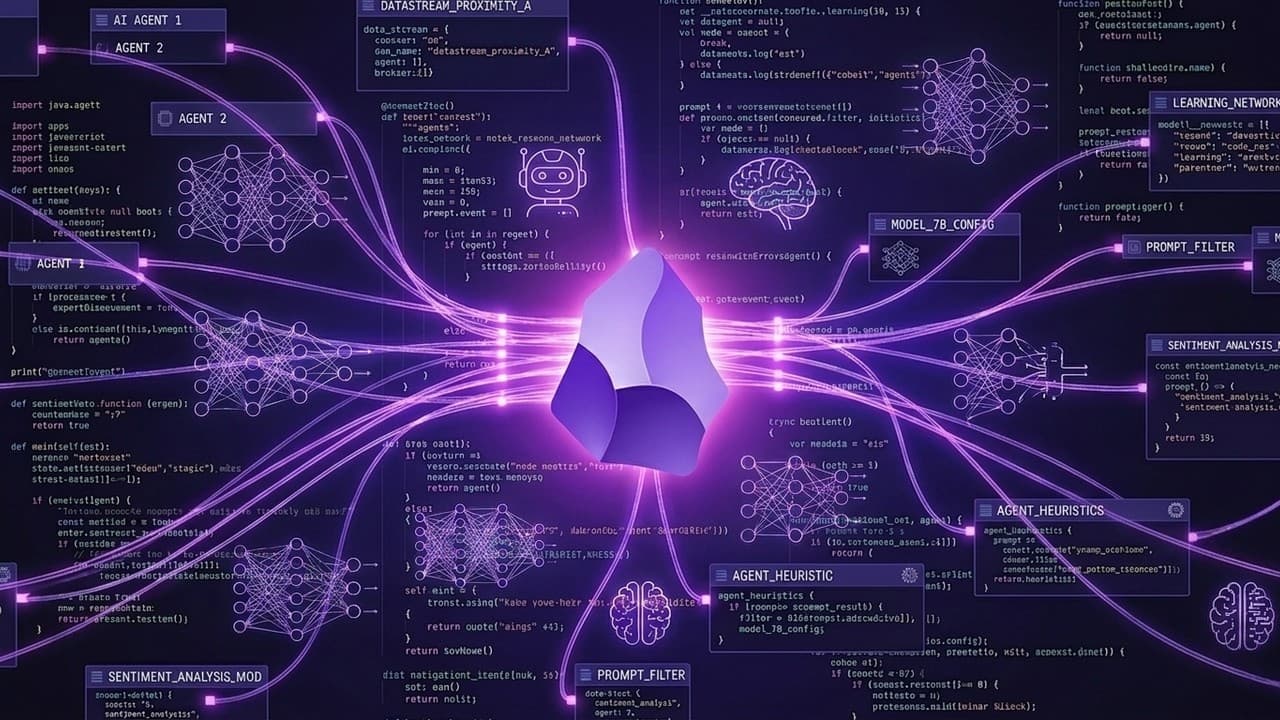
Connect Hermes Agent to an Obsidian vault so it can use organized Markdown notes as skills, memory, references, and task context. Keep only essential preferences in the always-loaded core memory, then retrieve detailed notes on demand to avoid bloating the context window while making the agent’s work visible, editable, reusable, and available across devices.
Transcript
So, this is Obsidian, and it has all the info about my business, life, and goals. And now, I added Hermes agent to it for the best second brain setup you could possibly have. And in this video, I'm going to show you exactly how I set this up, why I believe this is the best second brain setup possible in 2026, and several use cases that you can star... Read More
Key Insights
- Obsidian makes Hermes Agent’s activity visible through readable folders, Markdown files, links, and graph views. This visibility helps the user understand what the agent has created, identify relationships among notes, and remain in control when organizing or revising the system.
- Hermes skills can be customized by editing Obsidian notes instead of changing code configuration files or working in a terminal. The agent can use the revised file immediately, making Obsidian a practical interface for maintaining both built-in and personally created skills.
- Living files are files that an AI agent can access and use as skills, references, memories, prompt context, or task inputs. Files that remain inaccessible to agents are described as dead files, even when they are stored on a computer, hard drive, or Google Drive.
- Markdown makes an Obsidian vault readable by multiple AI agents. The transcript states that the same organized vault can be opened with Cursor, OpenCode, Claude Code, Codex, or another agent, allowing the knowledge base to support different tools without requiring a separate structure.
- Core memory should contain only essential information that is useful in every interaction. In Hermes, this always-loaded system prompt is called the SOUL.md file and can include details such as the user’s name and a preference for concise answers.
- Detailed notes and skills should be loaded only when they are relevant to the current task. On-demand retrieval prevents the entire vault from entering memory, reduces unnecessary token use, and avoids filling the context window with unrelated information.
- Obsidian Sync can make the same vault available on a MacBook, phone, and VPS. Keeping copies in multiple locations helps preserve knowledge, standard operating procedures, playbooks, and skills if a device is stolen, damaged, or otherwise unavailable.
- A VPS gives Hermes Agent a dedicated cloud computer for continuous operation. The demonstrated setup connects to the server through SSH from a MacBook, after which the user can manage files, run automations, operate AI agents, and perform other server tasks.
Install to Summarize YouTube Videos and Get Transcripts
Explore YouTube Video Summarizer or Get YouTube Transcript Extractor
Questions & Answers
Q: How do you connect Hermes Agent with Obsidian notes?
Use an Obsidian vault as the organized collection of Markdown files that Hermes Agent can access. Store notes, skills, memories, references, procedures, and prompts inside clearly structured folders, then make the vault available where Hermes runs. The described setup uses Obsidian Sync to place the same files on a MacBook, phone, and VPS, allowing both the user and the agent to work with them.
Q: What are living files in an AI second brain?
Living files are files that an AI agent can access and use to complete work more effectively. A file qualifies when it can serve as a skill, reference, memory, prompt component, or source of context. By contrast, a file is considered dead when no powerful agent can readily access, compare, research, or act on it, regardless of whether it sits on a computer, hard drive, or Google Drive.
Q: Why is Obsidian useful for managing Hermes Agent?
Obsidian gives the user a visible, editable interface for the files that guide Hermes Agent. Its folders, Markdown notes, links, and graph view expose the vault’s structure and semantic connections. Users can inspect created files, notice outdated or unused skills, and revise instructions directly in a note. Hermes can then use the changed version without requiring the user to edit code configuration files.
Q: How should memory be organized for Hermes Agent?
Memory should be divided into a small always-loaded layer and a larger on-demand knowledge layer. The always-loaded system prompt, called the SOUL.md file in Hermes, contains essential information such as the user’s name and response preferences. Notes, skills, and detailed knowledge remain outside that core memory and are retrieved only when relevant, preventing unrelated material from filling the context window.
Q: Why should AI research be saved as Markdown files?
Saving research as accessible Markdown turns a temporary AI output into reusable context. The agent can later reference it, compare it with other notes, or apply it to future tasks without repeating the same research. The transcript argues that research left only in an old chat does not continue working for the user, while a living file on an accessible system can support multiple agents over time.
Q: Why run Hermes Agent on a VPS?
A VPS gives Hermes Agent a dedicated cloud computer that can run independently of the user’s MacBook or phone. The server can host the synchronized vault, operate AI agents, run automations, and perform other ongoing tasks. The demonstrated workflow connects from a MacBook through SSH using the server credentials, giving the user terminal access to manage the VPS and its files.
Q: How does Obsidian reduce repeated work with AI agents?
Obsidian reduces repetition by storing prior knowledge in organized files that both the user and the agent can locate later. Instead of repeatedly asking the agent to remember information or conducting the same research again, the user can reference an existing note. Because the stored material can function as memory, context, or a skill, useful knowledge compounds as more reusable files are added to the vault.
Q: Can one Obsidian vault work with multiple AI agents?
One Obsidian vault can support multiple AI agents because its notes are ordinary Markdown files. The transcript specifically says the vault can be loaded into Cursor, OpenCode, Claude Code, Codex, or another agent. Each tool can read the organized second brain and use relevant files as context, while Hermes can help handle organization so the user can focus on ideas and original thoughts.
Summary & Key Takeaways
-
Connecting Hermes Agent to Obsidian creates a second brain that both humans and AI agents can navigate. Obsidian provides visible folders, Markdown notes, links, and graph views, while Hermes can use those files as skills, memories, references, prompts, and context for completing work more efficiently.
-
The setup separates essential core memory from detailed knowledge. A small system prompt, called the SOUL.md file in Hermes, remains continuously available, while notes and skills are retrieved only when relevant. This approach preserves useful personal context without loading the entire vault and wasting context-window capacity.
-
The recommended deployment uses a VPS so Hermes can operate on a dedicated cloud computer and access synchronized files continuously. Obsidian Sync can place the vault on a MacBook, phone, and VPS, helping preserve knowledge, procedures, playbooks, and custom skills while making them available across multiple devices.
Read in Other Languages (beta)
Share This Summary 📚
Summarize YouTube Videos and Get Video Transcripts with 1-Click
Try YouTube Summary with ChatGPT & Claude or YouTube Transcript Generator
Explore More Summaries from David Ondrej 📚



Summarize YouTube Videos and Get Video Transcripts with 1-Click
Try YouTube Summary with ChatGPT & Claude or YouTube Transcript Generator