How to start a DevOps journey for beginners
TL;DR
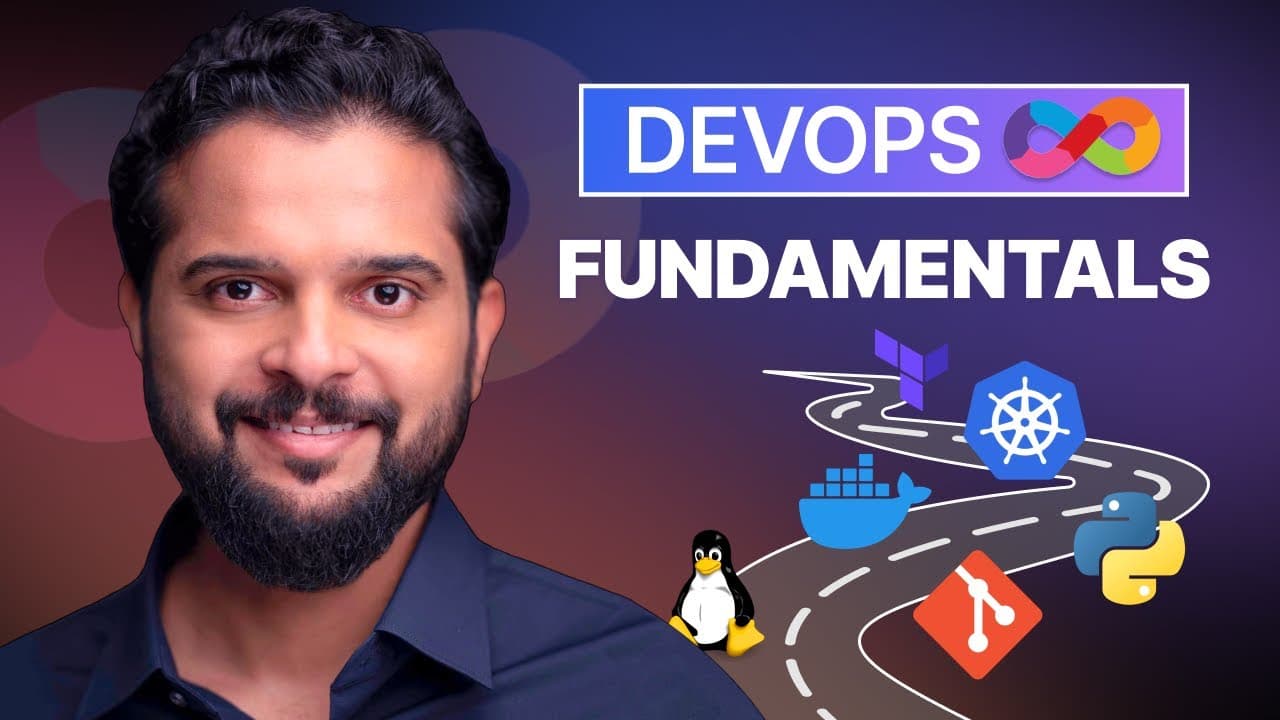
DevOps prerequisites cover Linux basics, networking, and core tools like Docker, Kubernetes, Git, and CI/CD concepts. The course emphasizes building labs in browser, understanding workflows from development to production, and using GitHub for collaboration. It also explains how these tools fit into a real development lifecycle through a practical story.
Transcript
Hello and welcome to the DevOps and cloud prerequisites course. My name is Mumshad Mahamemed and I will be your instructor for this course. DevOps and cloud computing are the most training topics in IT as of today. And at CodeCloud, we have a number of learning paths and courses on DevOps and cloudnative technologies like Docker, Kubernetes and Ope... Read More
Key Insights
- DevOps prerequisites emphasize Linux basics as foundational knowledge for beginners.
- Networking concepts are identified as critical when creating and connecting VMs or labs in DevOps.
- The course uses a browser based lab approach so learners can practice without complex infrastructure.
- Git enables collaboration by allowing multiple developers to work on the same codebase.
- GitHub is presented as a central public repository with project management features.
- A build and deploy workflow is described as a three step process from code to production.
- The story explains how applications move from development laptops to production servers.
- A broad list of tools is introduced to illustrate how they fit at different stages of the lifecycle.
Install to Summarize YouTube Videos and Get Transcripts
Explore YouTube Video Summarizer or Get YouTube Transcript Extractor
Questions & Answers
Q: How can a beginner start learning DevOps with a practical approach
A beginner can start by understanding the core concepts of building, deploying and operating applications, then practice with browser based labs that replicate real environments. Focusing on Linux basics and networking helps learners troubleshoot common issues when setting up VMs or containers. The goal is to gain hands on experience with essential tools like Git, Docker, and Kubernetes while following a simple end to end workflow.
Q: What role does Git play in DevOps education
Git plays a central role in DevOps education by enabling version control and collaboration among multiple developers. Learners are introduced to commands like pull and push to interact with a central repository, and the concept of a public hosting platform such as GitHub is explained for managing code, issues, and documentation. This sets the foundation for team based development workflows.
Q: Why is a browser based lab setup beneficial for beginners
Browser based labs are beneficial because they remove the need to configure physical infrastructure, allowing learners to run real environments directly in their browser. This accelerates practice, provides consistent environments, and offers built in validation and hints. It helps beginners focus on concepts and processes rather than setup details.
Q: What is the difference between build and deploy in DevOps
Build refers to converting development code into an executable or package, often using tools and scripts, while deploy means moving that built artifact into a production environment so end users can access it. Understanding this distinction helps beginners map a clear path from writing code to delivering a usable application.
Q: Which tools are commonly mentioned in DevOps onboarding
Commonly mentioned tools include Docker for containerization, Kubernetes for orchestration, Ansible and Terraform for automation and infrastructure as code, Git and GitHub for version control, and monitoring tools like Prometheus and Grafana. This list illustrates how different tools contribute to code, deployment, and operations at various stages.
Q: How does the video describe the lifecycle from idea to production
The video presents a simple lifecycle: start with an idea, develop locally, build into an executable package, and deploy to a production server. It emphasizes using a domain name, collaborating via Git, and using a lab based approach to validate tasks. This framework helps beginners understand end to end DevOps flow.
Q: What is the benefit of understanding Linux basics early in DevOps
Understanding Linux basics early helps learners manage servers, troubleshoot networking and service issues, and operate common environments used in DevOps practice. It also aids in tasks such as configuring servers, managing packages, and running command line tools that are frequently used across many tools and platforms.
Q: How does the video explain collaboration among developers
Collaboration is explained through the use of Git and GitHub, where multiple developers pull the latest code, push changes, manage issues, and review documentation. This models real world practices and demonstrates how distributed teams coordinate work, merge conflicts, and maintain a centralized code base essential for scalable software delivery.
Summary & Key Takeaways
-
The video introduces a beginner friendly crash course that covers essential DevOps and cloud concepts, outlining why Linux and networking are foundational. It explains how labs in the browser provide hands on practice without managing infrastructure, and how common tools fit into the end to end workflow.
-
A storytelling approach shows how ideas move from development to production, including building, deploying, and collaboration using Git and GitHub. The content stresses practical understanding over theory, preparing learners to tackle real world DevOps challenges.
-
The instructor highlights tool roles in a simplified sequence, from coding locally to deployment on servers, and demonstrates how tools like Docker, Kubernetes, and Terraform help manage complexity in growing applications.
Read in Other Languages (beta)
Share This Summary 📚
Summarize YouTube Videos and Get Video Transcripts with 1-Click
Try YouTube Summary with ChatGPT & Claude or YouTube Transcript Generator
Explore More Summaries from KodeKloud 📚
Summarize YouTube Videos and Get Video Transcripts with 1-Click
Try YouTube Summary with ChatGPT & Claude or YouTube Transcript Generator