How to Create Custom Funko Pops Using Microsoft Designer
TL;DR
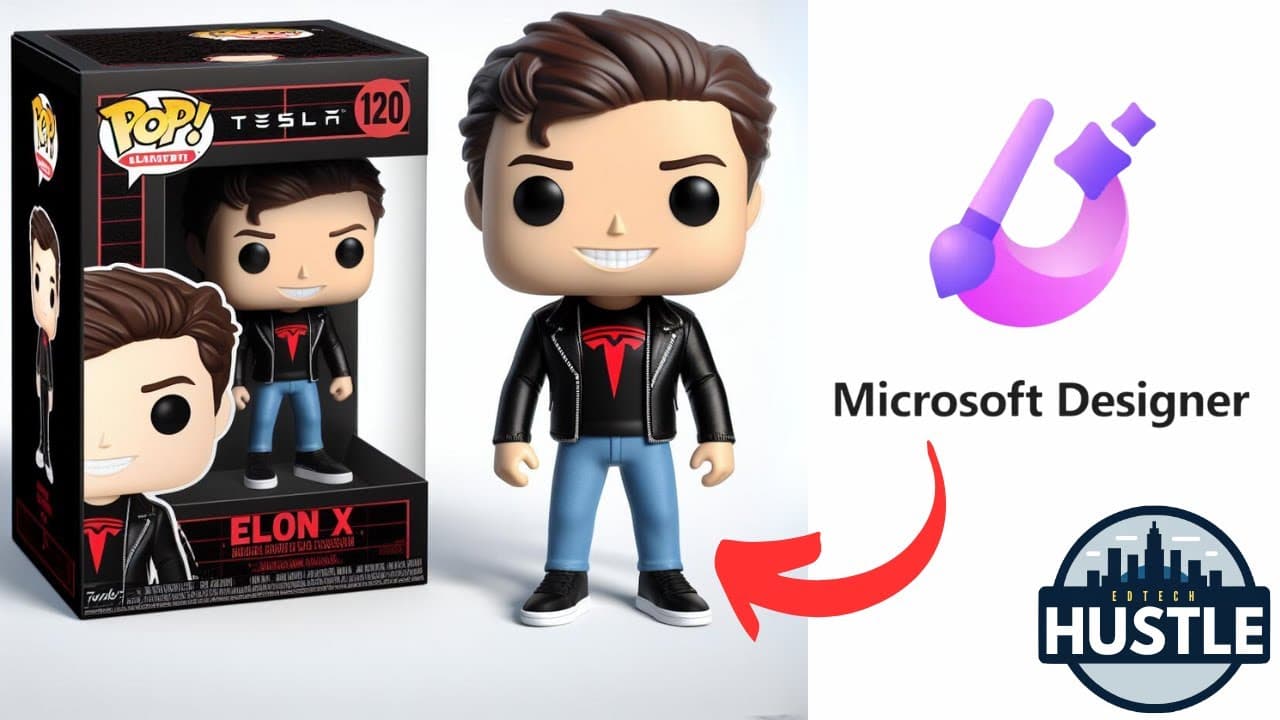
You can create custom Funko Pops using Microsoft Designer's generative AI by starting with a free account and editing a pre-existing text prompt. Simply modify the prompt to your liking, generate the Funko Pop, and download the final image. Note that images of public figures cannot be generated due to responsible AI guidelines.
Transcript
welcome to edtech hustle in this video we are going to create our own Funko Pop using AI with the program Microsoft designer let's go ahead and get started so to do this you will need a free designer. microsoft.com account you can sign up at that website and once you're here there's a lot of really cool things you can do with generative AI but for ... Read More
Key Insights
- 🎨 Microsoft Designer is a program that utilizes AI to generate various designs, including custom Funko Pops.
- 😑 Users can create their own Funko Pops by completing a pre-existing text prompt available in the video's description.
- 🧘 The generated Funko Pop can be customized by editing the prompt and removing unwanted elements.
- 🚫 Microsoft Designer ensures responsible AI usage by prohibiting the generation of images of specific public figures.
- 👤 Users can download the final image of their created Funko Pop from Microsoft Designer.
- 💨 The program offers a fun and creative way to design personalized Funko Pops.
- 😒 The video provides a step-by-step guide on how to use Microsoft Designer for Funko Pop creation.
Install to Summarize YouTube Videos and Get Transcripts
Explore YouTube Video Summarizer or Get YouTube Transcript Extractor
Questions & Answers
Q: What is Microsoft Designer and how does it use AI?
Microsoft Designer is a program that utilizes generative AI to create various designs. It can be used to generate custom Funko Pops by completing a text prompt.
Q: Can users modify the pre-existing text prompt to customize their Funko Pops?
Yes, users have the flexibility to edit the prompt and remove elements they don't want, such as specific clothing or accessories.
Q: Is the generated image of the Funko Pop available for download?
Yes, users can download the image of their created Funko Pop from Microsoft Designer.
Q: Can Funko Pops of public figures be generated?
No, Microsoft Designer's responsible AI policies prevent the generation of images of specific public figures like Elon Musk. However, it is possible to create parodies by changing the names.
Summary & Key Takeaways
-
The video demonstrates how to use Microsoft Designer to create custom Funko Pops using generative AI.
-
Users need a free Microsoft account and can access a pre-existing text prompt provided in the video's description.
-
The prompt can be edited to customize the Funko Pop's appearance, and the final image can be downloaded.
Read in Other Languages (beta)
Share This Summary 📚
Summarize YouTube Videos and Get Video Transcripts with 1-Click
Try YouTube Summary with ChatGPT & Claude or YouTube Transcript Generator
Explore More Summaries from EdTech Hustle 📚

![Keynote: Remove The Background of Any Photo [Using Instant Alpha] thumbnail](/_next/image?url=https%3A%2F%2Fi.ytimg.com%2Fvi%2F0Ji-uTffzJE%2Fhqdefault.jpg&w=750&q=75)




Summarize YouTube Videos and Get Video Transcripts with 1-Click
Try YouTube Summary with ChatGPT & Claude or YouTube Transcript Generator