How to Copy Text from Photos Using Your iPhone
TL;DR
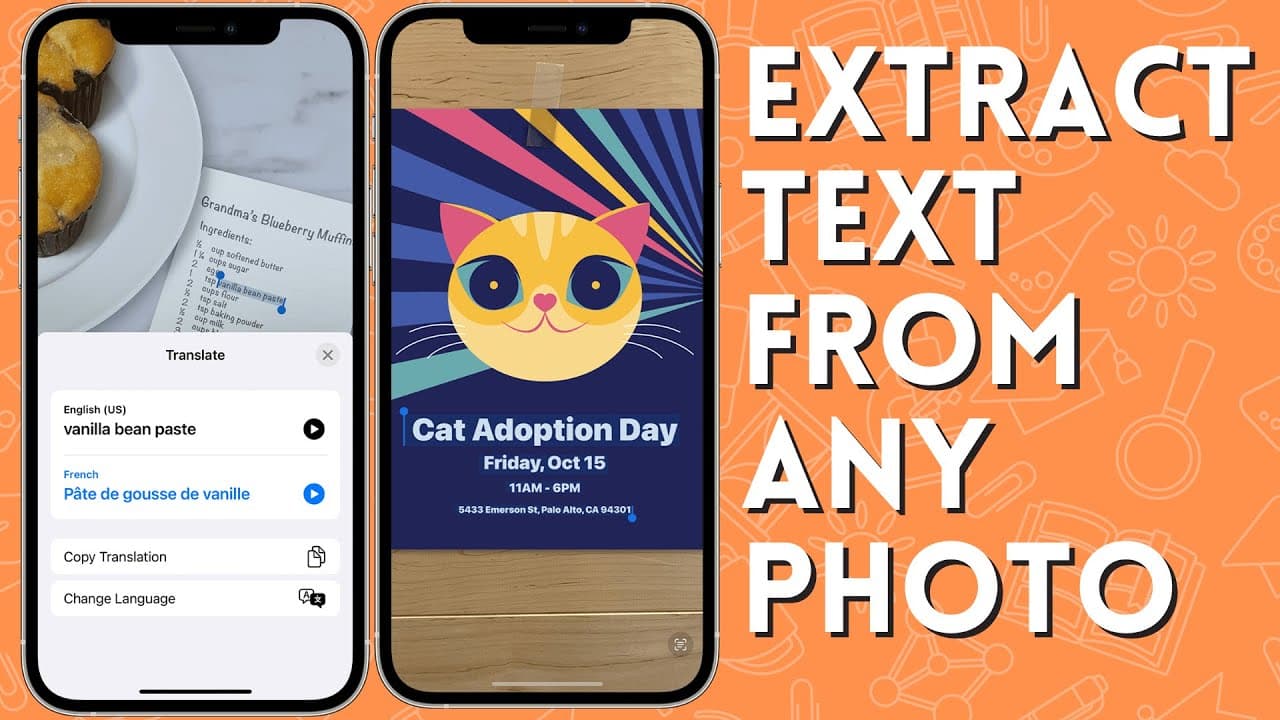
To copy text from photos using your iPhone, use the Live Text feature in iOS 15 by pointing your camera at the text until a yellow box appears. Capture the image, then tap the Live Text icon to highlight and copy the text, which you can then paste into apps like Google Drive or Notes. This feature works on any text in photos, screenshots, or documents.
Transcript
so i want to show you one of the coolest features for your iphone if you've upgraded to ios 15 it's called live text and it will let you pull text off any photo so let's get started here's an example of a situation that you might have someone handed you a hard copy of a document without a digital copy so now you have to go in and edit that so what ... Read More
Key Insights
- 👻 Live Text is a powerful tool on iOS 15 that allows users to extract text from various sources, including physical documents, books, screenshots, and images.
- ©️ The extracted text can be copied and pasted into other applications for editing, such as Google Drive or Notes.
- 🫒 Live Text can recognize different fonts and lettering, making it versatile for extracting text from various sources.
- 🫒 While Live Text may not always be 100% accurate in its extraction, it excels at finding and extracting plain text.
- 🫒 Live Text eliminates the need to manually type text from physical documents or images, saving time and effort.
- 💄 The feature is a valuable tool for digitizing paper documents and making them editable.
- 🫒 Live Text is available on both iPhones and iPads with iOS 15 or later installed.
Install to Summarize YouTube Videos and Get Transcripts
Explore YouTube Video Summarizer or Get YouTube Transcript Extractor
Questions & Answers
Q: What is Live Text and how does it work?
Live Text is a feature on iOS 15 that allows users to extract text from photos by using their iPhone or iPad camera. By hovering the camera over the text, a yellow box appears, indicating that the device recognizes the text. Taking a photo of the text allows users to view and copy it separately.
Q: Can Live Text recognize text from books with different fonts?
Yes, Live Text is capable of recognizing text from different fonts, including those found in books. Even if the fonts and lettering are not similar to a typical document, Live Text can still extract the text. Users can copy and paste the extracted text into other applications for editing.
Q: Do I need to take a photo to use Live Text?
No, Live Text can also extract text from screenshots or images. By tapping on the screenshot or image, users can press on the text and select and copy it. This allows for easy transfer of text to other programs or applications.
Q: Is Live Text available on all iOS devices?
Live Text is available on any iOS device running iOS 15 or a later version. This includes not only iPhones but also iPads.
Summary & Key Takeaways
-
Live Text is a feature on iOS 15 that allows users to extract text from photos and transfer it to other applications.
-
Users can use the camera on their iPhone or iPad to capture text from physical documents, books, or even screenshots.
-
The extracted text can then be copied and pasted into text-editing applications like Google Drive or Notes.
Read in Other Languages (beta)
Share This Summary 📚
Summarize YouTube Videos and Get Video Transcripts with 1-Click
Try YouTube Summary with ChatGPT & Claude or YouTube Transcript Generator
Explore More Summaries from EdTech Hustle 📚





![Keynote: Remove The Background of Any Photo [Using Instant Alpha] thumbnail](/_next/image?url=https%3A%2F%2Fi.ytimg.com%2Fvi%2F0Ji-uTffzJE%2Fhqdefault.jpg&w=750&q=75)
Summarize YouTube Videos and Get Video Transcripts with 1-Click
Try YouTube Summary with ChatGPT & Claude or YouTube Transcript Generator