How to Set Up n8n: Free Self-Hosted Automation Guide
TL;DR
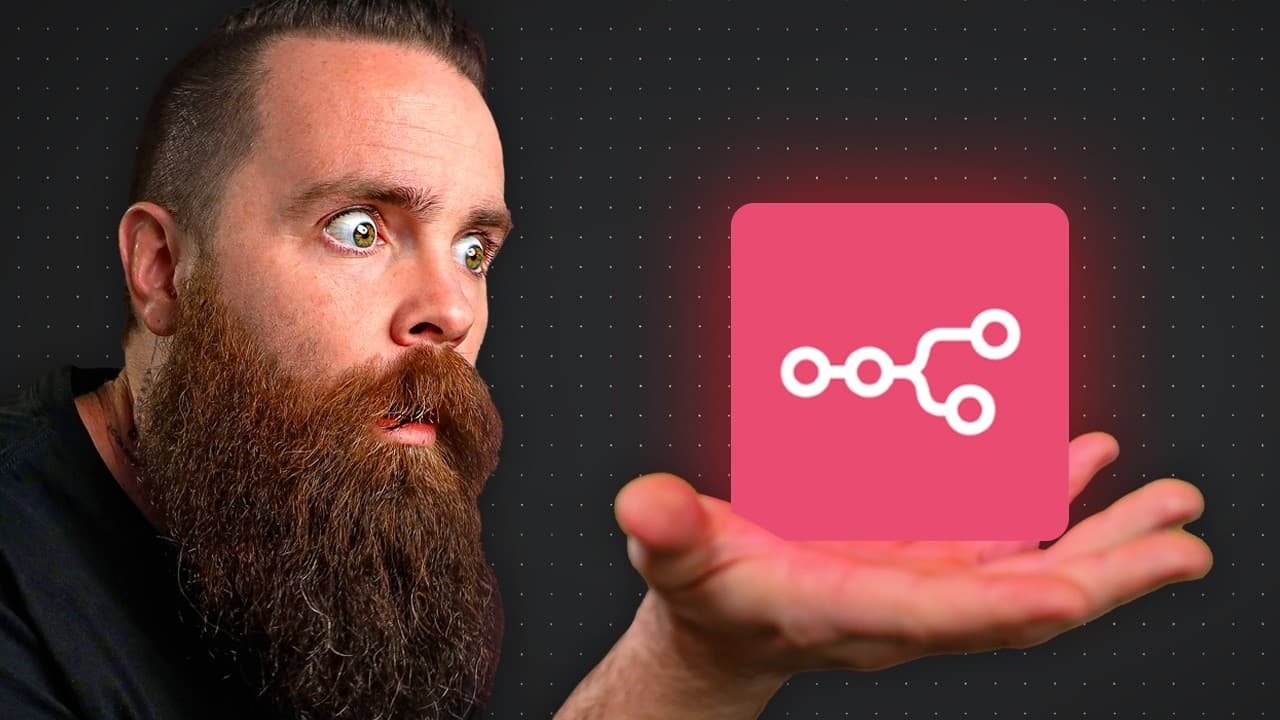
n8n is a free, open-source automation tool you can run locally or in the cloud, connecting to nearly every service you use. You build automations called workflows out of nodes: a trigger (manual or scheduled) starts the flow, and downstream nodes like RSS Read or Discord act on the data. It processes each item individually, so an RSS feed of 13 articles fires 13 separate downstream actions.
Transcript
You need to use NAN right now. It's the most powerful automation tool I've ever seen. On top of that, it's open source, local, private, and free. It makes Zapier and I-F-T-T-T crop the holdup. I'm warning you, NAN is addicting because you can automate everything right here from this beautiful gooey. We can start with something simple, aggregating y... Read More
Key Insights
- n8n is an open-source, local, private, and free automation tool positioned as a more powerful alternative to Zapier and IFTTT, letting you automate news aggregation, home lab commands, email, social media, and AI agents from one interface.
- n8n is lightweight and not CPU intensive, so it can run on modest hardware including a Raspberry Pi, and the recommended install method uses Docker regardless of the hardware chosen.
- Two install paths exist: on-prem in your own home lab on Linux, or the cloud on a VPS. The cloud option is less complex and faster to get running, using a Hostinger KVM 2 plan that can host an entire home lab.
- A workflow is what n8n calls an automation, built by adding nodes. Every workflow starts with a trigger, and 99% of the time you begin with a manual trigger, though a single workflow can hold multiple triggers such as a schedule.
- A schedule trigger can run a workflow automatically, for example every one day at midnight, and multiple triggers can connect into the same downstream node to feed it.
- The RSS Read node fetches all available articles from a feed, and you do not control the item count. Reading Bleeping Computer's feed pulled in 13 articles because that was how many the feed made available.
- n8n is very JSON-heavy, and each node's output can be viewed as JSON or as a schema showing all available fields. You configure downstream nodes by dragging these fields directly into message content.
- n8n processes data item by item, so when 13 RSS articles are handed to a Discord node, it performs 13 individual send actions. Nodes connect to services through credentials, such as a Discord webhook URL.
Install to Summarize YouTube Videos and Get Transcripts
Explore YouTube Video Summarizer or Get YouTube Transcript Extractor
Questions & Answers
Q: What is n8n and why use it?
n8n is an automation tool the creator describes as the most powerful he has ever seen. It is open source, local, private, and free, positioned as a stronger alternative to Zapier and IFTTT because of its power and privacy. It has connections to virtually every service you use, and if a connection does not exist you can build your own. You can automate news aggregation, home lab commands, AI troubleshooting agents, email inboxes, and social media posts, all from one graphical interface.
Q: How do I install n8n?
There are two install paths. The first is on-prem in your own home lab, running on Linux hardware ranging from a server or desktop down to a Raspberry Pi, installed with Docker. n8n is lightweight and not CPU intensive, so it does not need much hardware. The second, recommended path is the cloud using a VPS. The creator uses Hostinger, choosing a KVM 2 plan, which is less complex and gets you running quickly. Both paths end at the same n8n signup page.
Q: What hardware do I need to run n8n?
n8n is light and not CPU intensive, so you do not need powerful hardware. For an on-prem install you need some Linux, which can be a server, a desktop computer, or something as small as a Raspberry Pi, and the creator notes it can run on much smaller hardware than that. n8n's own official documentation downplays the requirements. No matter which hardware you choose, the install is done with Docker. For the cloud path, a single Hostinger KVM 2 VPS can host an entire home lab.
Q: What is a workflow in n8n?
A workflow is what n8n calls an automation. You build one by clicking Create Workflow and then adding steps called nodes. Every workflow begins with a trigger that makes it flow, and nodes chain together to perform actions. A workflow can contain multiple triggers, for example both a manual trigger and a schedule trigger, and different nodes can connect into the same next node. You configure each node individually, save your work often using the save button, and test nodes with the execute step button.
Q: What is a trigger and what types are there?
A trigger is the first step that makes a workflow run. About 99% of the time you start with the manual trigger, labeled trigger manually. A workflow can hold more than one trigger at the same time. In the video the creator adds a second trigger on a schedule, set to run every one day at midnight. Multiple triggers can each connect into the same downstream node, so either firing the manual trigger or hitting the scheduled time can start the flow that follows.
Q: How does the RSS Read node work in n8n?
The RSS Read node fetches articles from a feed you specify, such as Bleeping Computer. When executed, it goes out and pulls all the articles available, returning fields like the creator, the title, and the entire content. You do not control how many items it returns; that depends on the feed. In the example it pulled 13 articles because that is how many were available in the RSS feed. That set of 13 items is what gets handed off to the next node in the workflow.
Q: Why did the Discord node send 13 messages instead of one?
n8n processes data item by item. The RSS Read node handed off 13 articles, so the Discord node went through each of those 13 items and performed 13 individual send actions, posting the same message 13 times. This is simply how n8n handles items passed between nodes. The creator demonstrated it deliberately by predicting there would be 13 messages. To make each message unique, you add content specific to each article, such as dragging in the creator field, rather than a fixed sentence.
Q: How do I connect n8n to a service like Discord?
Nodes connect to services using credentials, which is something that lets a node authenticate to a service. Many services can be connected this way, including Gmail, Google Calendar, Notion, OpenAI, and Grok. For Discord, the creator chose a simple webhook connection type to post to one channel. You create a Discord server and channel, open the server settings, go to integrations, create a webhook pointing to that channel, copy its URL, and paste it into the credential in n8n. You can store multiple credentials and pick one from a dropdown.
Summary & Key Takeaways
-
n8n is an open-source, local, private, and free automation tool the creator calls the most powerful he has seen, claiming it beats Zapier and IFTTT. It connects to nearly every service, lets you build your own connections, and can automate news digests, home lab commands, email, and AI agents.
-
There are two installation paths. On-prem runs in your own home lab on Linux (even a Raspberry Pi) using Docker. The recommended cloud path uses a Hostinger VPS, where a KVM 2 plan can host a full home lab; after setup you activate n8n with a free activation key entered in the usage and plan area.
-
Automations are called workflows made of nodes. You start with a trigger (manual or scheduled), then add nodes like RSS Read, which pulled 13 articles from Bleeping Computer. Because n8n handles items individually, sending those to a Discord node via a webhook credential produced 13 separate messages, and fields are dragged in as JSON.
Read in Other Languages (beta)
Share This Summary 📚
Summarize YouTube Videos and Get Video Transcripts with 1-Click
Try YouTube Summary with ChatGPT & Claude or YouTube Transcript Generator
Explore More Summaries from NetworkChuck 📚

Summarize YouTube Videos and Get Video Transcripts with 1-Click
Try YouTube Summary with ChatGPT & Claude or YouTube Transcript Generator