How to Create Professional Layouts in GraphPad Prism
TL;DR
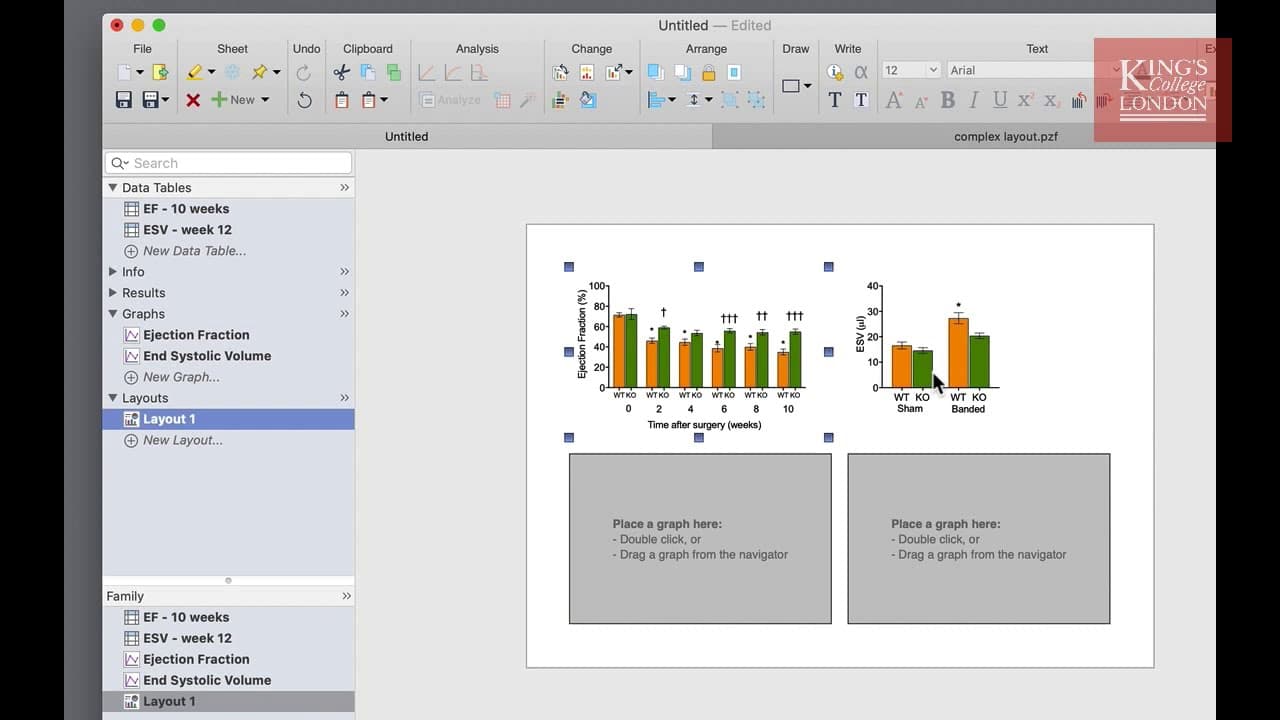
To create professional layouts in GraphPad Prism, use the layouts tool to arrange multiple figures on a single page. You can customize the aspect ratio, background color, and graph arrangement, and easily insert graphs by double-clicking placeholders or dragging from the navigation panel. This feature facilitates the organization of complex multi-panel figures for publication or presentation.
Transcript
hello I'm James Clark from King's College London and in this short video I'm going to show you how to use the layouts in graphpad prism once you've entered all of your data and created graphs you're probably going to want to present them or create figures for publication the way graphpad prism handles multiple figures on single pages is using the l... Read More
Key Insights
- 👻 GraphPad Prism's layouts tool allows users to create figures with multiple graphs on a single page.
- 🥳 Users can choose the aspect ratio, background color, and arrangement of graphs on the page.
- 💦 Graphs can be inserted by double-clicking on a placeholder or by dragging and dropping from the navigation panel.
- 🪜 Other graphical objects, such as images, can also be added to the layout.
- 📽️ Graphs and images can be edited within the layout, but if a graph is inserted from another project, changes must be made in the original project.
- 👻 Layouts offer convenient organization and allow for complex multi-panel figures.
- ❓ Figures created in Prism can be exported for publication or presentation.
Install to Summarize YouTube Videos and Get Transcripts
Explore YouTube Video Summarizer or Get YouTube Transcript Extractor
Questions & Answers
Q: How can I create a new layout in GraphPad Prism?
To create a new layout, click on "new layout" in the layouts section of the navigation panel. From there, you can choose the aspect ratio, background color, and graph arrangement options.
Q: Can I add graphs from other projects to my layout?
Yes, you can add graphs from other projects by double-clicking on the placeholder and selecting "pick graph from another project". This is useful if you want to use a figure from another project in your current layout.
Q: Can I add other graphical objects, such as images, to my layout?
Yes, you can import pictures by clicking on the placeholder and selecting "import picture" from the insert menu. You can resize the image and place it wherever you want on the layout page.
Q: Can I edit the graphs and images in the layout?
Yes, you can edit the graphs and images by double-clicking on them. However, if a graph is inserted from another project, you will need to go back to the original project to make any changes.
Summary & Key Takeaways
-
GraphPad Prism has a layouts tool that allows users to arrange multiple figures on a single page.
-
Users can choose the aspect ratio, background color, and arrangement of graphs on the page.
-
Graphs can be inserted by double-clicking on a placeholder or by dragging and dropping from the navigation panel.
Read in Other Languages (beta)
Share This Summary 📚
Summarize YouTube Videos and Get Video Transcripts with 1-Click
Try YouTube Summary with ChatGPT & Claude or YouTube Transcript Generator
Explore More Summaries from Dory Video 📚






Summarize YouTube Videos and Get Video Transcripts with 1-Click
Try YouTube Summary with ChatGPT & Claude or YouTube Transcript Generator