How to Reach Inbox Zero Faster With Superhuman
TL;DR
Reach inbox zero faster in Superhuman by archiving the entire inbox, using AI-powered search instead of folders, and processing new messages with AI writing tools. Ask AI supports natural-language questions and cites its source emails, while instant replies, autocomplete, and Write with AI reduce drafting effort. Remind Me, Smart Send, and read statuses then make follow-up easier. Read on for the exact workflow and controls.
Transcript
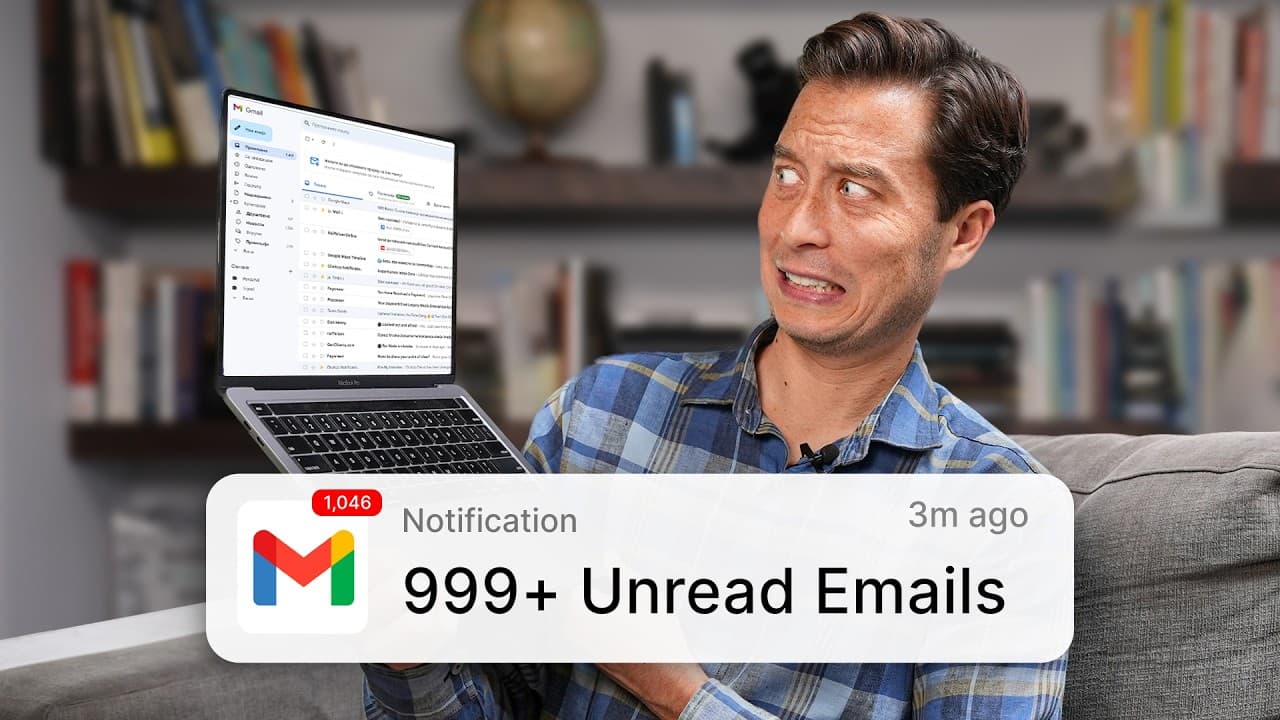
we've tried to kill it slack teams WhatsApp they were all supposed to replace email yet here we are still staring at inboxes with hundreds of unread messages email the 50-year-old dinosaur of communication refuses to die but maybe we've been looking at it all wrong What If instead of trying to replace email we could revolutionize it in this video I... Read More
Key Insights
- Archiving the entire inbox is the recommended starting point for reaching inbox zero. The method applies whether the inbox contains ten unread messages, hundreds, or thousands, because it creates a clean slate without requiring each old message to be manually sorted into folders.
- AI-powered search is an alternative to maintaining email folders. Users can ask natural-language questions and receive a succinct answer extracted from relevant messages, rather than opening search results one by one, while cited sources provide direct access to the underlying emails.
- Ask AI is accessible in three ways on the desktop interface. Users can select the AI button, press the question-mark key, or begin a traditional search with the forward-slash key and type a question that the application recognizes as suitable for an AI answer.
- Instant replies are designed for messages that require only a quick confirmation or response. Superhuman offers three suggested replies based on the email, and selecting one inserts it into a draft that the user can review and send.
- Autocomplete assists users who still want to compose their own response. As the user types, it suggests the next word or sometimes a complete sentence based on the message context, and pressing Tab accepts the proposed text before writing continues.
- Write with AI creates a complete customized email from a small set of instructions or bullet points. The resulting draft can be retried, improved, shortened, lengthened, simplified, corrected for spelling and grammar, rewritten in the user's voice, or revised through additional directions.
- Remind Me supports follow-up without requiring the sender to remember every outstanding request. Before sending a message, the user can choose a future time, such as tomorrow, Monday, the weekend, or two days later, for a reminder if no reply arrives.
- Smart Send and read statuses provide additional information for follow-up decisions. Smart Send recommends a customized delivery time using factors including location, time zone, and past email behavior, while read statuses show whether a message was opened and how many times it was viewed.
- Related book: Building a Second Brain
- Related book: The PARA Method
- Export your Kindle highlights to Glasp: How to Download Highlights and Notes from Kindle
Install to Summarize YouTube Videos and Get Transcripts
Explore YouTube Video Summarizer or Get YouTube Transcript Extractor
Questions & Answers
Q: How do you reach inbox zero faster with Superhuman?
Start by archiving every message in the inbox, whether there are 10 unread emails, hundreds, or thousands. Then use AI-powered search instead of rebuilding folders, and process new messages with instant replies, autocomplete, or Write with AI. Remind Me, Smart Send, and read statuses can support follow-up without relying on memory.
Q: How do you start over with an overloaded email inbox?
Hover over the latest message, press Command+A, and then press E to archive everything in the inbox. This creates a blank slate without requiring you to sort each old message manually. From then on, retrieve older information through search.
Q: How can AI-powered email search replace folders?
Superhuman lets you ask questions in natural, everyday language rather than remembering a folder, sender, subject line, or exact keyword. Ask AI returns a succinct answer extracted from relevant messages and cites its sources. You can open those source emails when you need more context.
Q: How do you open Ask AI in Superhuman?
On desktop, click the AI button, press the question-mark key, or press the forward-slash key and type a question into traditional search. Superhuman can detect the question and offer an AI-generated answer. On mobile, drag the screen down and tap the Ask AI option.
Q: How do instant replies reduce email writing effort?
Instant replies provide three suggested responses for emails that need a quick confirmation or short answer. Selecting one inserts it directly into a draft. You can review it and then send it instead of composing a routine response from scratch.
Q: What is the difference between autocomplete and Write with AI?
Autocomplete assists while you write by suggesting the next word or sometimes an entire sentence based on the email context; pressing Tab accepts the suggestion. Write with AI does more of the composition by turning a few instructions or bullet points into a complete customized draft. It can then revise, shorten, expand, simplify, or correct that draft.
Q: How does Remind Me help with email follow-up?
Before sending a message, you can set Remind Me for a future time such as tomorrow, Monday, the weekend, or two days later. If no reply arrives by the selected time, the message returns as a reminder. This moves follow-up responsibility from memory into the email system.
Q: How do Smart Send and read statuses support follow-up?
Smart Send recommends a delivery time using factors such as the recipient's location, time zone, and past email behavior. The sender can schedule the message for that recommended time. Read statuses show whether the message was opened and how many times it was viewed.
Summary & Key Takeaways
-
The recommended reset is to archive every message currently sitting in the inbox, regardless of whether there are ten, hundreds, or thousands. After creating this blank slate, users should stop organizing email with folders and retrieve old information through search, including natural-language questions answered by Superhuman's AI with links to its source messages.
-
Superhuman provides three levels of AI writing assistance. Instant replies generate quick responses for simple messages, autocomplete suggests words or sentences while the user writes, and Write with AI turns a few requested points into a complete draft that can be shortened, expanded, simplified, corrected, retried, or rewritten in the user's voice.
-
Reliable follow-up depends on systems instead of memory. Remind Me brings a sent message back if no response arrives by a selected time, Smart Send recommends a delivery time based on factors such as the recipient's location and past email behavior, and read statuses indicate whether and how often a message was opened.
Read in Other Languages (beta)
Share This Summary 📚
Summarize YouTube Videos and Get Video Transcripts with 1-Click
Try YouTube Summary with ChatGPT & Claude or YouTube Transcript Generator
Explore More Summaries from Tiago Forte 📚



Summarize YouTube Videos and Get Video Transcripts with 1-Click
Try YouTube Summary with ChatGPT & Claude or YouTube Transcript Generator