How to Install Touchscreen Drivers for Raspberry Pi
TL;DR
To install touchscreen drivers for Raspberry Pi screens, first ensure you can download the specific drivers, usually around 50-60 MB, before purchasing any screen. Transfer the downloaded drivers to your Raspberry Pi and install them via terminal commands after extracting the files. This process works best on a fresh Raspbian setup to avoid losing existing projects.
Transcript
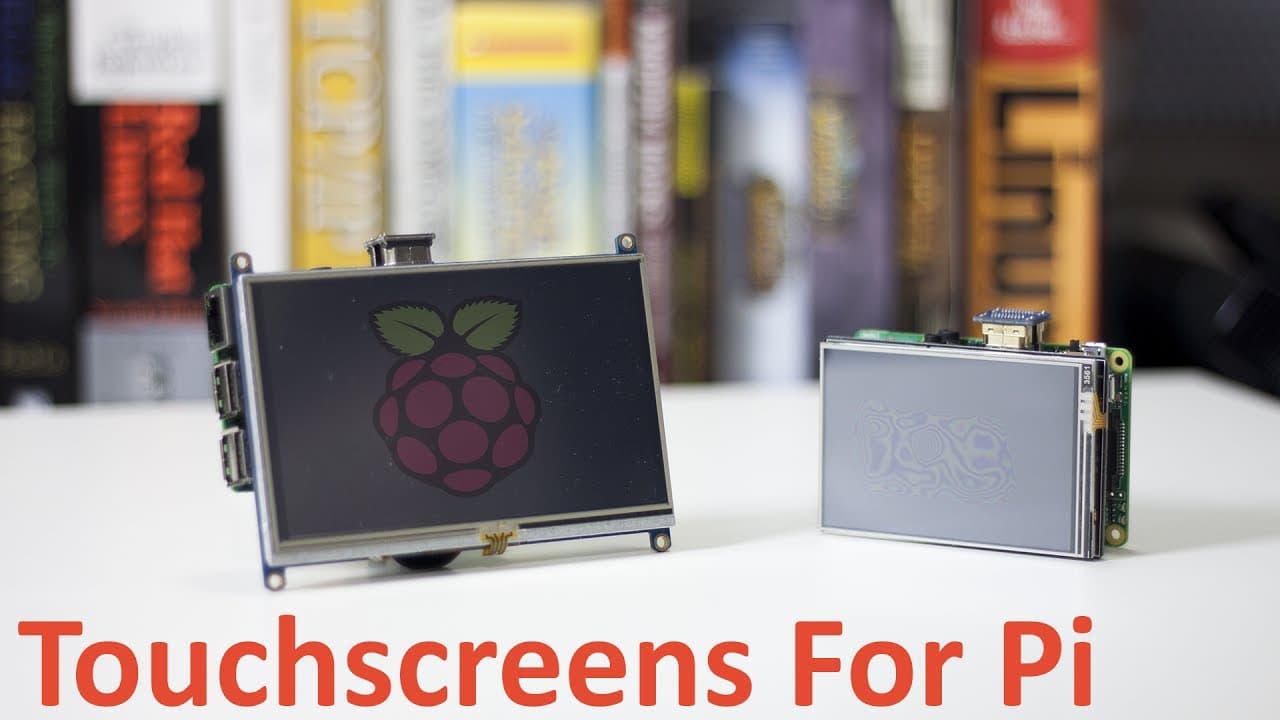
Hey guys what's going on it's Don here from Novaspirit Tech and welcome back to my channel Now a lot of you guys been asking me how install the touchscreen drivers for these little three inch and five inch screens for the Raspberry Pi So that's what we're going to be doing today now I'm going to leave all the links in the description on the screens... Read More
Key Insights
- 💻 Ensure compatibility for Raspberry Pi screens by checking if the appropriate drivers are available for download before purchase.
- 🤌 Small touchscreen screens of three and five inches can be effective and manageable when paired with Raspberry Pi for various projects.
- 🪛 A proper installation process requires transferring the driver files to a USB drive and executing commands through the terminal in Raspbian.
- 🫠 Thoroughly read the specifications and description of any screen purchased to ascertain that it includes drivers specifically for Raspberry Pi use.
- 👤 The installation command varies based on screen resolution and model, and users should follow a systematic approach for successful integration.
- 🏆 After installation, testing the screen is essential to confirm that everything operates correctly, even in the absence of calibration settings.
- 💬 Engaging with the content creator via comments can provide additional clarity and information for those who have further questions or require assistance.
Install to Summarize YouTube Videos and Get Transcripts
Explore YouTube Video Summarizer or Get YouTube Transcript Extractor
Questions & Answers
Q: What should be checked before purchasing a Raspberry Pi touchscreen?
Before buying a touchscreen for Raspberry Pi, it’s crucial to ensure that the drivers can be downloaded. This is fundamental because without the appropriate drivers, the screen will be unusable, essentially becoming a paperweight. Make sure to find screens that provide manageable driver files of about 50 to 60 megabytes, rather than large installation images.
Q: How do you know if the downloaded file is actually a driver?
To verify that the downloaded file is indeed an actual driver, check its size. A driver file typically ranges about 50 to 60 megabytes. This is in contrast to installation images, which may exceed a gigabyte and contain full operating system installations instead of the necessary drivers for your touchscreen.
Q: What is the recommended operating system for installation?
The recommended operating system for installing touchscreen drivers on your Raspberry Pi is a fresh installation of Raspbian. This is important because using a pre-configured or production SD card can risk losing previous projects or configurations that have been set up.
Q: Can the installation process affect existing Raspberry Pi projects?
Yes, performing the installation of touchscreen drivers on a production or existing Raspberry Pi setup can lead to unwanted changes or data loss. Therefore, it is advised only to utilize a fresh Raspbian installation to avoid complications while ensuring the new touchscreen works smoothly.
Summary & Key Takeaways
-
The video tutorial by Don from Novaspirit Tech focuses on installing touchscreen drivers for small screens compatible with Raspberry Pi, specifically three-inch and five-inch models.
-
Viewers are advised to check the screen specifications for manageable driver files before purchasing, as larger installation images won't suffice.
-
The installation process is demonstrated using a fresh Raspbian setup, ensuring users do not risk losing existing projects.
Read in Other Languages (beta)
Share This Summary 📚
Summarize YouTube Videos and Get Video Transcripts with 1-Click
Try YouTube Summary with ChatGPT & Claude or YouTube Transcript Generator
Explore More Summaries from Novaspirit Tech 📚






Summarize YouTube Videos and Get Video Transcripts with 1-Click
Try YouTube Summary with ChatGPT & Claude or YouTube Transcript Generator