OpusClip Review: A Useful Start for Social Clips
TL;DR
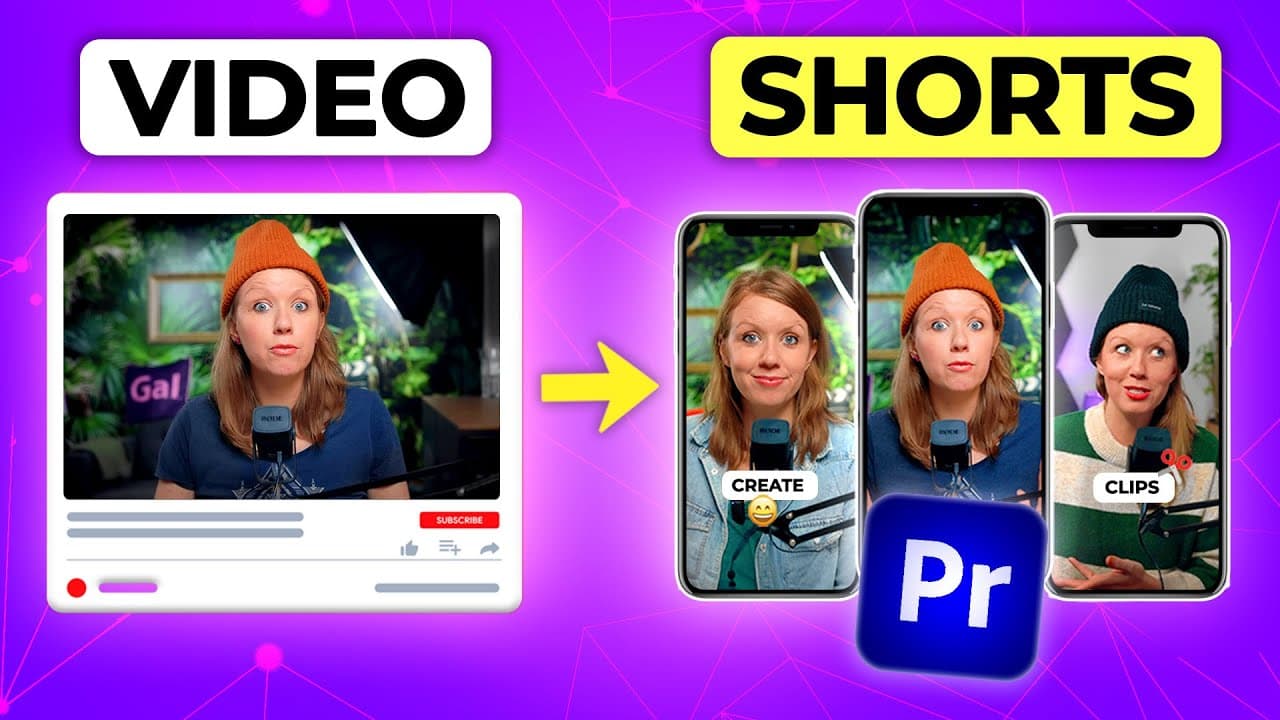
OpusClip is a useful starting point for turning long-form videos into social clips, especially when the source contains conversational dialogue. Its AI-generated selections still require human review, but automatic captions, reframing, stock B-roll, social scheduling, and Premiere Pro XML export can substantially reduce the initial editing workload.
Transcript
in one click Opus clip can generate dozens of social media clips from a long form YouTube video link and you can customize it further or better yet you can export it directly to Premiere Pro for more tweaking but the question is are these clips actually useful is Opus actually worth your time to look into or is it better just to record separate con... Read More
Key Insights
- OpusClip is an AI-powered clipping tool that converts long-form videos into shorter social media clips. It can process clips up to 15 minutes long, although the reviewed workflow focused on selections of 60 seconds or less for YouTube Shorts.
- Conversational content is the strongest source material for automatic clipping because OpusClip relies heavily on dialogue from its generated transcript. Interviews and podcast-style recordings give the system clearer self-contained ideas to identify than videos containing little spoken material.
- The test interview produced 14 clips from a nine-minute source, and about six were considered useful. Some selections worked immediately, while others needed adjustments, demonstrating that automatic generation provides candidates rather than consistently finished, publication-ready videos.
- Other formats still produced usable results, although at a lower rate than the interview. A six-minute dolly zoom tutorial yielded nine clips with about three usable, while a nine-minute direct-to-camera video yielded 10 clips with approximately three to four usable.
- The virality score evaluates generated clips and provides comments about elements such as hooks and current trends. OpusClip also suggests titles, but the reviewer found that some titles did not accurately fit the underlying video, so editorial judgment remained necessary.
- Credit usage is controlled by selecting how much of the original video OpusClip should analyze. Trimming unwanted source sections lowers the displayed credit requirement, making targeted processing a practical way to avoid spending credits on irrelevant portions.
- The built-in editor supports transcript corrections, removal of words, clip boundary changes, emojis, layout selection, manual resizing, repositioning, and timeline splits. Multi-speaker footage can be automatically arranged in split layouts that accommodate two, three, or four people.
- Premiere Pro XML export provides a path for detailed refinement in an editor familiar to Premiere Pro users. OpusClip also offers HD downloads, social account scheduling, automatic stock B-roll suggestions, and replacement searches when the selected footage does not fit.
Install to Summarize YouTube Videos and Get Transcripts
Explore YouTube Video Summarizer or Get YouTube Transcript Extractor
Questions & Answers
Q: How does OpusClip turn long videos into social clips?
OpusClip begins with a pasted YouTube video link and analyzes the video's generated transcript, dialogue, speaker location, and mood. Users can choose the language, caption style, video genre, source range, preferred clip lengths, and optional topics or keywords. After processing, it presents multiple short selections that can be reviewed, edited, downloaded, scheduled, or exported to Premiere Pro as XML.
Q: Is OpusClip useful for Premiere Pro editors?
OpusClip is useful as a starting point for Premiere Pro editors because it automates the initial search for potentially valuable moments and can export selected clips as XML for further editing. The reviewer normally preferred Premiere Pro for extensive refinement, but also found OpusClip's built-in editor more capable than expected. Generated selections still need review for accuracy, relevance, pacing, titles, and brand fit.
Q: What type of video works best with OpusClip?
Interview and podcast-style videos work best because OpusClip relies on dialogue in the generated transcript to identify self-contained short segments. The strongest test used a conversational interview and produced about six useful clips from 14 candidates. Tutorials and direct-to-camera videos also generated usable material, but their useful selections represented a smaller portion of the total clips produced.
Q: How many usable clips did OpusClip generate in the tests?
A nine-minute interview generated 14 clips, and about six were judged useful. A six-minute tutorial about creating a dolly zoom vertigo effect produced nine clips, with about three considered usable. A separate nine-minute direct-to-camera video generated 10 clips, with approximately three to four usable. The results show that source format affects the proportion of worthwhile selections.
Q: What can be changed in the OpusClip built-in editor?
The built-in editor allows users to review and correct transcript words, remove unwanted text, change the clip's starting and ending points, add emojis at selected words, and remove filler words or pauses when present. It also provides portrait and landscape layouts, automatic multi-speaker arrangements, manual resizing and positioning, timeline splitting, and controls for independently moving clip segments.
Q: What is the OpusClip virality score?
The virality score is an AI-generated evaluation attached to each proposed clip. It provides a score and comments about qualities such as whether the clip has a good hook or follows current trends, and OpusClip can also suggest a catchy title. The reviewer treated this information as a starting point because some suggested titles did not fit the source material particularly well.
Q: How can creators reduce credit usage in OpusClip?
Creators can reduce credit usage by limiting the portion of the long-form source that OpusClip analyzes. The dashboard includes a slider for choosing how much of the original video should be turned into clips, and the displayed credit usage decreases when source material is trimmed out. This makes it useful to exclude introductions, irrelevant sections, or other areas unlikely to contain suitable short clips.
Q: Can OpusClip add captions, layouts, and B-roll?
OpusClip can generate captions for individual clips or for the entire source video, allowing it to function as a captioning tool even when clips are not required. Its layout controls can reframe horizontal footage for portrait output and automatically split the frame for multiple speakers. It can also suggest stock B-roll, show the search used, and let users search for replacements.
Summary & Key Takeaways
-
OpusClip analyzes a long-form YouTube video and automatically produces shorter clips for social platforms. Users can select caption styles, video genres, preferred clip lengths, source ranges, and optional keywords. Trimming the analyzed source reduces credit usage, while selecting lengths of 60 seconds or less supports a YouTube Shorts workflow.
-
The test results varied by source format. A nine-minute interview produced 14 clips, with about six considered useful. A six-minute tutorial generated nine clips, with about three usable, while a nine-minute direct-to-camera video created 10 clips, with roughly three to four usable selections. Conversational material performed best.
-
Generated clips can be downloaded in HD, scheduled to connected social accounts, refined in OpusClip, or exported to Premiere Pro as XML. The built-in editor supports transcript corrections, trimming, filler-word and pause removal, emojis, portrait layouts, automatic speaker framing, timeline adjustments, and stock B-roll that users can search for and replace.
Read in Other Languages (beta)
Share This Summary 📚
Summarize YouTube Videos and Get Video Transcripts with 1-Click
Try YouTube Summary with ChatGPT & Claude or YouTube Transcript Generator
Explore More Summaries from Premiere Gal 📚

Summarize YouTube Videos and Get Video Transcripts with 1-Click
Try YouTube Summary with ChatGPT & Claude or YouTube Transcript Generator