How to Build AI Agents with MCP in Cursor
TL;DR
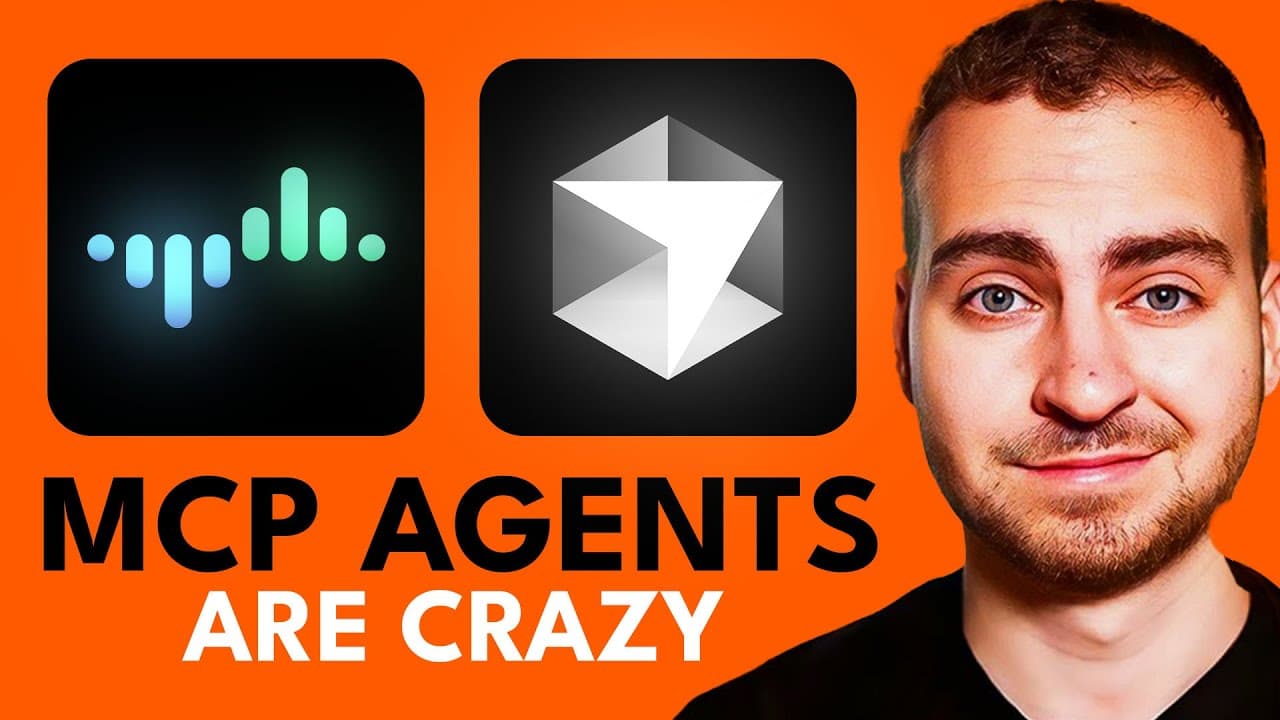
MCP gives AI agents a standardized way to communicate with tools, reducing the need for separate custom integrations. In Cursor, you can connect MCP servers for tasks such as web scraping, cryptocurrency price retrieval, and sequential reasoning. Install Cursor and Node.js first, then configure the desired servers through Cursor settings and allow the agent to select their tools automatically.
Transcript
Let's talk about MCP or the Model Context Protocol. This has been blowing up recently. A ton of people are covering it, especially on YouTube, but unfortunately most people talking about this have no idea what it actually is, how it works, and how to explain it in a way where they're not going to confuse the heck out of you. So in today's video, I'... Read More
Key Insights
- MCP is a standardized method for communication between an AI agent and a set of tools. It addresses the earlier problem of every tool using a different implementation, which forced developers to create custom code whenever they wanted to connect databases, search functions, storage services, or other capabilities.
- REST APIs illustrate why communication standards matter. A web client sends HTTP requests to a server, the server performs an operation or retrieves data, and it returns a result. Because developers follow consistent practices, many APIs can communicate through a broadly shared approach instead of unrelated methods.
- The main benefit of MCP is simpler tool integration at scale. Connecting 10, 20, 30, or 40 differently implemented tools can create substantial complexity, while a common protocol lets providers design services that AI applications can connect to through the same general communication model.
- MCP servers can run locally or remotely. A local server can communicate through standard input and output in a terminal, while a remote server can communicate across a network using the SSE transport described in the presentation. The appropriate connection method depends on the server architecture.
- Cursor can automatically use enabled MCP tools when its agent determines that they are relevant. The interface can show which tool was called, the arguments supplied to it, and the result returned, giving the user visibility into how external capabilities contributed to the agent's response.
- Node.js is required for the commands demonstrated in the Cursor setup. Users should download the correct installer for Mac, Windows, or Linux and choose a compatible architecture, such as Arm64 for newer chips or x86/x64 where appropriate, before attempting to configure the servers.
- MCP is not restricted to Cursor. The protocol can also be used with Windsurf, Claude Desktop, and other AI agent frameworks that support it. Cursor is featured because it provides a seamless early implementation for adding servers and making their tools available to an agent.
- The demonstrated MCP servers provide distinct capabilities. Firecrawl enables web scraping, CoinCap retrieves current cryptocurrency information, and sequential thinking helps models work through problems in sequence. These examples show how one agent can gain multiple specialized abilities through separately configured servers.
Install to Summarize YouTube Videos and Get Transcripts
Explore YouTube Video Summarizer or Get YouTube Transcript Extractor
Questions & Answers
Q: What is the Model Context Protocol for AI agents?
The Model Context Protocol, or MCP, is a standardized way for AI agents to communicate with external tools. Instead of requiring a unique implementation for every database, search feature, storage service, or other capability, MCP gives providers a common protocol to follow. Compatible agents can then connect to those services through a more consistent integration model.
Q: Why does MCP make AI tool integration easier?
MCP makes integration easier because tools previously used different implementations and required custom code. That becomes difficult when an agent needs access to 10, 20, 30, or 40 tools. A shared protocol gives tool providers a consistent target, reducing the need to switch among unrelated communication methods whenever another capability is added to an agent.
Q: How is MCP similar to a REST API?
MCP and REST APIs both establish standardized communication practices. In a typical web application, a client sends an HTTP request to a secure server, the server updates or retrieves data, and it returns a result. MCP applies the same broad idea of standardization to communication between AI agents and their tools, although its architecture and transports differ.
Q: What do I need before setting up MCP in Cursor?
The demonstrated setup requires Cursor and Node.js to be installed on the computer. Node.js is available from its official download site, where users select Mac, Windows, or Linux and the correct system architecture. The presentation specifically mentions Arm64 for newer chips and x86/x64 for Windows. Without Node.js, the demonstrated commands may return an error.
Q: Can MCP servers run locally and remotely?
MCP servers can run either on the user's computer or on a remote provider's server. A local configuration can use standard input and output, meaning commands and text pass through a terminal process. A remote configuration communicates over a network through the SSE transport described in the presentation. The connection procedure varies according to the chosen transport and location.
Q: How does Cursor use tools from an MCP server?
When an MCP server is configured and enabled, the Cursor agent can automatically choose its tools when they match a request. Cursor can show the selected tool, the arguments passed into it, and the data returned. In the demonstration, these visible calls include a query and limit for one tool and a cryptocurrency name for another.
Q: What MCP server examples are demonstrated in Cursor?
The demonstration includes three MCP servers with different purposes. Firecrawl allows the agent to scrape the web, CoinCap retrieves current cryptocurrency information such as an asset's name, supply, and price, and sequential thinking helps a model reason through a problem in sequence. Together, they illustrate how specialized services can expand one agent's available capabilities.
Q: Is MCP limited to Cursor AI agents?
MCP is not limited to Cursor. The presentation states that it can work in Windsurf, Claude Desktop, other tools supporting the protocol, and AI agent frameworks more generally. Cursor is used for the demonstration because it supports a seamless setup, but the central value of MCP is its standardized approach across compatible agents and tool providers.
Summary & Key Takeaways
-
The Model Context Protocol is presented as a common communication standard between AI agents and external tools. Its purpose is comparable to the role of REST APIs in web applications: providers follow one consistent protocol, allowing clients to exchange requests and results without inventing an entirely different integration for every service.
-
Before MCP, databases, search systems, Google Drive, GitHub, Stripe, Notion, memory services, and other tools could require separate implementations. A shared protocol reduces this integration complexity. Tool providers can build compatible services that work with environments supporting MCP, including Cursor, Claude Desktop, Windsurf, and AI agent frameworks.
-
The Cursor demonstration uses MCP servers for Firecrawl web scraping, CoinCap cryptocurrency data, and sequential thinking. Cursor can display the tool call, its input, and the returned data. Cursor and Node.js must be installed before the demonstrated commands work, and servers can be configured through an mcp.json file or Cursor settings.
Read in Other Languages (beta)
Share This Summary 📚
Summarize YouTube Videos and Get Video Transcripts with 1-Click
Try YouTube Summary with ChatGPT & Claude or YouTube Transcript Generator
Explore More Summaries from Tech With Tim 📚
Summarize YouTube Videos and Get Video Transcripts with 1-Click
Try YouTube Summary with ChatGPT & Claude or YouTube Transcript Generator