How Does Obsidian's Graph View Enhance Thinking?

TL;DR
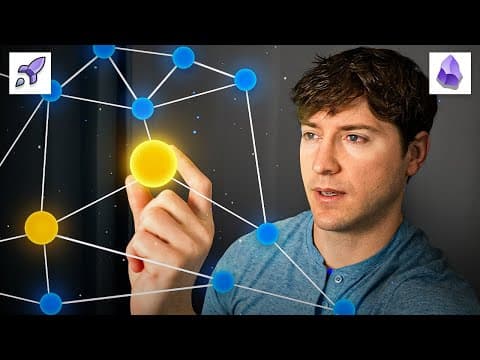
Obsidian's graph view enhances thinking by enabling users to visualize connections between notes, facilitating the generation of valuable insights at the crossroads of unexpected ideas. This spatial context complements linear lists, encouraging lateral and metaphorical thinking, which can enrich understanding and stimulate creativity.
Transcript
okay i'm a little tired of the arguments out there against the graph view essentially they go like this because i use a different application that doesn't have obsidian's incredible graph u it means graph use are dumb it kind of sounds like sour grapes well that mixed in with the stubbornness people like copernicus were all too familiar with but we... Read More
Key Insights
- 💄 Note making involves actively engaging with ideas and making connections, leading to valuable insights.
- 🫵 Insights are generated at the intersections of unexpected ideas, which can be facilitated by the graph view.
- 🫵 The graph view in Obsidian complements a linear list view by providing spatial context and encouraging lateral and metaphorical thinking.
- 🫵 The graph view enables users to visualize and explore connections between notes, stimulating creativity and generating valuable insights.
- 🥺 Insights can lead to a deeper understanding of concepts, the discovery of unique perspectives, and the development of new ideas.
- 🤔 Spatial context, whether in the physical or mental realm, enhances memory recall and promotes lateral thinking.
- 🤔 The graph view encourages users to think fluidly, flexibly, and joyfully, enhancing their overall thinking abilities.
Install to Summarize YouTube Videos and Get Transcripts
Explore YouTube Video Summarizer or Get YouTube Transcript Extractor
Questions & Answers
Q: What is the difference between note taking and note making?
Note taking involves passively recording information, while note making involves actively engaging with the ideas encountered, making connections, and generating insights.
Q: How does the graph view in Obsidian enhance thinking?
The graph view allows users to visualize connections between notes and make sense of ideas by providing spatial context. This enables lateral thinking, metaphorical reasoning, and the generation of valuable insights.
Q: What are insights, and where do they come from?
Insights are valuable nuggets of understanding that result from trying to make sense of things. They come from the intersections of unexpected ideas, where connections are made and new perspectives are formed.
Q: How does the graph view facilitate the generation of insights?
The graph view in Obsidian allows users to visualize and explore the connections between notes, sparking new ideas and facilitating the discovery of unexpected relationships between concepts.
Summary & Key Takeaways
-
Note making is an active process that involves wrestling with ideas and making connections, leading to valuable insights.
-
Insights are generated at the intersections of unexpected ideas, which can be facilitated by the graph view in Obsidian.
-
The graph view complements a linear list view by providing spatial context and allowing users to think laterally and metaphorically.
Read in Other Languages (beta)
Share This Summary 📚
Summarize YouTube Videos and Get Video Transcripts with 1-Click
Try YouTube Summary with ChatGPT & Claude or YouTube Transcript Generator
Explore More Summaries from Linking Your Thinking with Nick Milo 📚





Summarize YouTube Videos and Get Video Transcripts with 1-Click
Try YouTube Summary with ChatGPT & Claude or YouTube Transcript Generator