Is the Raspberry Pi 3 B+ Worth the Upgrade?
TL;DR
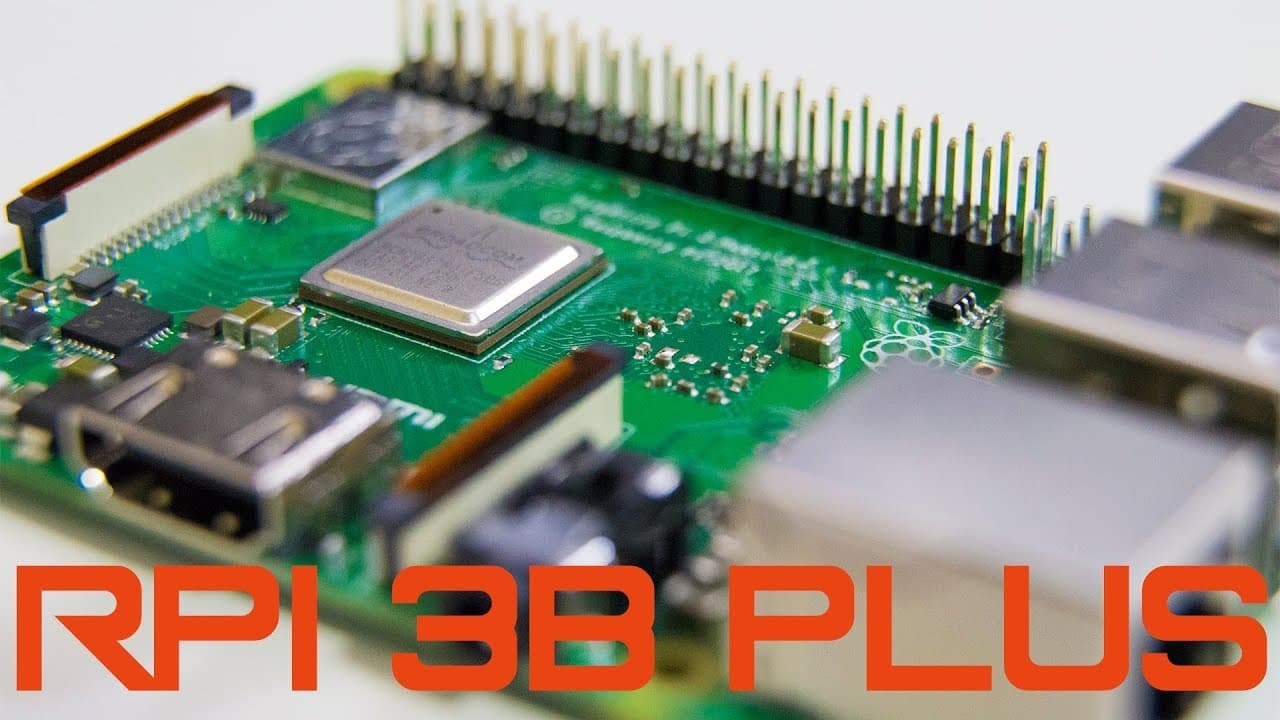
The Raspberry Pi 3 B+ features a faster 1.4 GHz CPU, improved dual-band Wi-Fi, and Gigabit Ethernet over USB 2.0, all while maintaining the same $35 price. Key upgrades include Power Over Ethernet (POE) and enhanced thermal management, making it a solid choice for users looking to enhance their projects, despite the RAM remaining at 1 GB.
Transcript
Hey guys, what's going on? It's Don here from NovaSpiritTech and as you all know on 3/14 Which is Pi day Raspberry Pi decided to release an upgraded version of the Raspberry Pi 3 Called the B+ or Raspberry Pi 3 B+ And that's all we're gonna be talking about so let's get started Alright, so have you guys already been doing a lot of research and you ... Read More
Key Insights
- 👀 The Raspberry Pi 3 B+ retains the same price of $35 while offering notable upgrades, adding value to users looking to enhance their projects.
- 🤗 Enhanced connectivity options with dual-band Wi-Fi and POE opens a range of applications for home automation and IoT initiatives.
- 💨 The introduction of the PMIC may pave the way for advanced control features, which could appeal to tech enthusiasts and developers seeking optimization.
- 🧑🏭 Stability and cooling were major factors in overclocking efforts, indicating that effective thermal management is crucial for maximizing performance.
- 🏃 The Gigabit LAN feature, while improved, still runs below true Gigabit speeds, a reminder for users about real-world performance limitations.
- 🪛 Feedback and engagement from the audience are encouraged, demonstrating the creator's commitment to community-driven content development.
- 💪 The longevity of Raspberry Pi devices remains strong, thanks to features designed to curb overheating and maintain operational integrity under load.
Install to Summarize YouTube Videos and Get Transcripts
Explore YouTube Video Summarizer or Get YouTube Transcript Extractor
Questions & Answers
Q: What are the main hardware upgrades included in the Raspberry Pi 3 B+?
The Raspberry Pi 3 B+ includes an upgraded CPU running up to 1.4 GHz, dual-band Wi-Fi capabilities, an improved Gigabit Ethernet interface operating over USB 2.0, and support for Power Over Ethernet (POE). These enhancements provide better connectivity, speed, and performance than previous models.
Q: How does the thermal management of the Raspberry Pi 3 B+ compare to older models?
The Raspberry Pi 3 B+ features upgraded thermal management, including an aluminum heatsink and automatic downclocking procedures when temperatures exceed 70 degrees Celsius. This allows for maintaining performance under strain while reducing the risk of overheating, which helps in extending the device's lifespan.
Q: Can the Raspberry Pi 3 B+ be overclocked, and what are the results of such attempts?
Yes, the Raspberry Pi 3 B+ can be overclocked, and tests showed that it could reach speeds of 1.6 GHz. However, stability issues arose, leading the user to find a stable setting at 1.5 GHz. With further cooling solutions, even better performance might be achievable.
Q: What limitations were noted regarding the Raspberry Pi 3 B+'s upgrade?
One notable limitation is that the RAM size remains unchanged at 1 GB, which may restrict certain applications when compared to competitors. Additionally, while the Ethernet speed is labeled as Gigabit, it actually operates through a USB 2.0 controller and achieves around 300 Mbps, not true Gigabit speeds.
Q: Is there potential for improved voltage control in the Raspberry Pi 3 B+?
Yes, the Raspberry Pi 3 B+ features a Power Management Integrated Circuit (PMIC) that may allow for voltage control adjustments to the CPU. Although it requires further exploration, this could enable advanced user customization of performance.
Q: What future content can viewers expect regarding the Raspberry Pi 3 B+?
Viewers can expect future videos that explore the Raspberry Pi 3 B+’s performance in tasks such as cryptocurrency mining and in-depth hardware testing. This continued exploration can help in realizing the full potential of the upgraded features.
Summary & Key Takeaways
-
The Raspberry Pi 3 B+ offers an upgraded CPU capable of 1.4 GHz and improved heat management with an aluminum heatsink, making it a more efficient option than its predecessor.
-
Key enhancements include dual-band Wi-Fi support, a Gigabit LAN interface running over USB 2.0, and the addition of Power Over Ethernet (POE) capabilities for versatile power options.
-
Despite these upgrades, the RAM remains at 1 GB, but the introduction of a power controller allows potential new control features for users interested in fine-tuning performance.
Read in Other Languages (beta)
Share This Summary 📚
Summarize YouTube Videos and Get Video Transcripts with 1-Click
Try YouTube Summary with ChatGPT & Claude or YouTube Transcript Generator
Explore More Summaries from Novaspirit Tech 📚






Summarize YouTube Videos and Get Video Transcripts with 1-Click
Try YouTube Summary with ChatGPT & Claude or YouTube Transcript Generator