How to Set Up KVM Over IP with Raspberry Pi
TL;DR
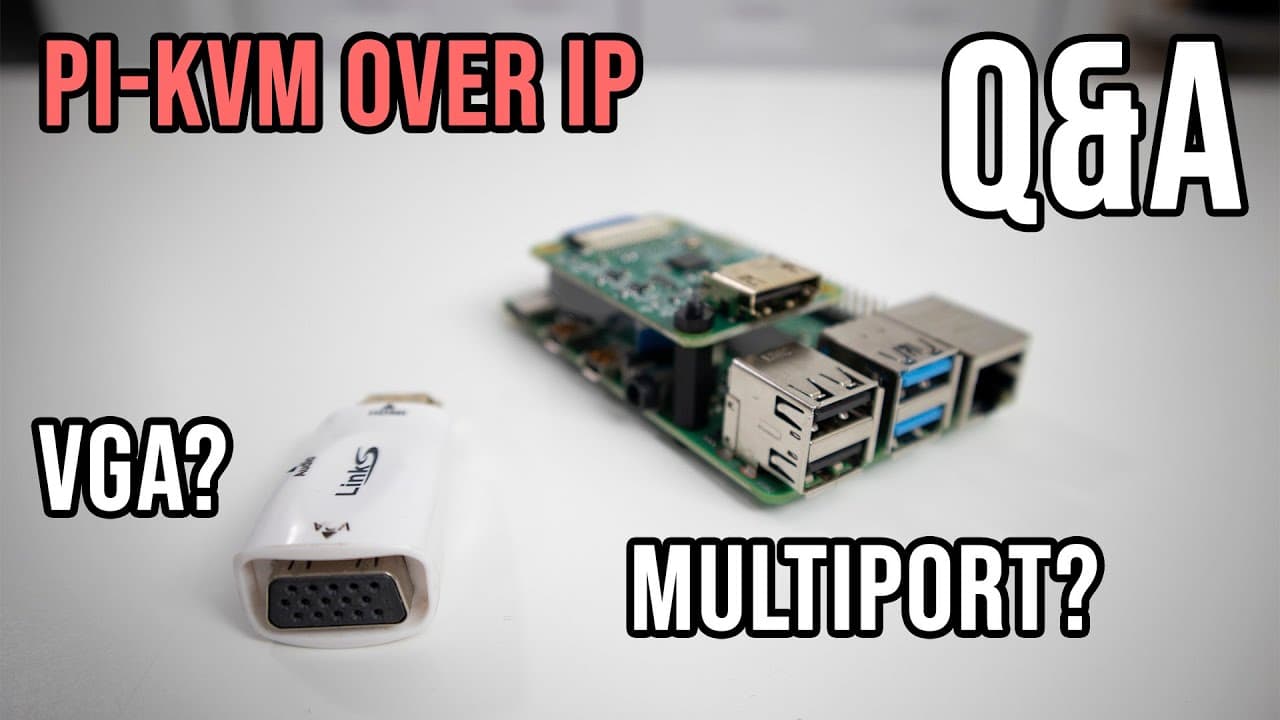
To set up KVM over IP with Raspberry Pi, use an HDMI to VGA converter for older monitors and consider multi-port capabilities by pairing with a compatible KVM switch. This setup allows remote access to your computer, including BIOS management, and future updates will add audio support via HDMI.
Transcript
hey guys what's going on it's don here from nova sphere tech and welcome back to the channel and today we are going to answer some questions you guys asked on my previous video which is the kvm over ip so let's get started now if you guys haven't watched that video i'm going to leave a card right over here and on down in the description below so yo... Read More
Key Insights
- 👻 KVM over IP technology allows comprehensive remote management, including BIOS access, unlike VNC.
- 👤 HDMI to VGA converters are readily available for users needing VGA support with Raspberry Pi.
- 🎮 Multi-device setups are achievable by leveraging KVM switches and either GPIO or USB controls from the Raspberry Pi.
- ♿ The option for VPN with KVM setups simplifies remote access without complex routing requirements.
- ❓ Future updates to KVM over IP will incorporate audio via HDMI, further enhancing usability.
- ♓ Proper setup requires understanding USB-C power needs and HDMI connections based on the chosen Raspberry Pi model.
- ☠️ Limitations exist in terms of video frame rates on different Raspberry Pi models, affecting performance levels for KVM operations.
Install to Summarize YouTube Videos and Get Transcripts
Explore YouTube Video Summarizer or Get YouTube Transcript Extractor
Questions & Answers
Q: What is KVM over IP and how does it differ from VNC?
KVM over IP allows for remote control of a computer as if you were physically present, including BIOS access, by using specialized hardware. In contrast, VNC typically only provides access once an operating system is running, lacking the ability to interact with the BIOS settings or power on the device remotely.
Q: Can I use VGA with the Raspberry Pi for KVM?
Yes, you can connect VGA displays to the Raspberry Pi by using an HDMI to VGA converter. This adapter can be purchased for a modest price and will allow the KVM setup to work with older VGA monitors while maintaining the benefits of the KVM over IP system.
Q: How can I enable multi-device connections using KVM over IP?
Multi-device connections can be achieved by employing an existing KVM switch that can interface with the Raspberry Pi. Utilizing GPIO pins or USB connections allows the Pi to control the switch, enabling the management of multiple screens, depending on the hardware's capability.
Q: Is it possible to access the KVM setup remotely via VPN?
Yes, utilizing solutions like Tailscale, a VPN can be configured to securely connect to your KVM setup over the internet. This makes it simpler to access your devices remotely without needing to expose them by opening multiple ports on your router.
Q: Will audio support be available in future KVM updates?
The developer has indicated that audio support through HDMI will be added in a future update, enhancing the functionality of KVM over IP setups to include audio alongside video, making it a more comprehensive solution for remote access.
Q: What connections are necessary for setting up KVM over IP?
To set up KVM over IP with Raspberry Pi, you will need a USB-C power connection to the Raspberry Pi, as well as HDMI ports to connect displays and other devices. HDMI CSI connections must also be managed according to the specifications of the Raspberry Pi model being used.
Summary & Key Takeaways
-
The video discusses the functionality of KVM over IP, specifically highlighting its ability to control a computer remotely and access the BIOS, distinguishing it from traditional remote desktop applications like VNC.
-
Viewers inquired about using VGA connectors with the Raspberry Pi; the host explains that HDMI to VGA converters are available, thus enabling this connection for users needing compatibility with VGA displays.
-
Queries on multi-port capabilities of the KVM were answered, stating that with the right hardware, such as KVM switches or USB controls, connections for multiple screens can effectively be managed using a Raspberry Pi.
Read in Other Languages (beta)
Share This Summary 📚
Summarize YouTube Videos and Get Video Transcripts with 1-Click
Try YouTube Summary with ChatGPT & Claude or YouTube Transcript Generator
Explore More Summaries from Novaspirit Tech 📚






Summarize YouTube Videos and Get Video Transcripts with 1-Click
Try YouTube Summary with ChatGPT & Claude or YouTube Transcript Generator