What Is Cute Fish OS and How Does It Compare to macOS?
TL;DR
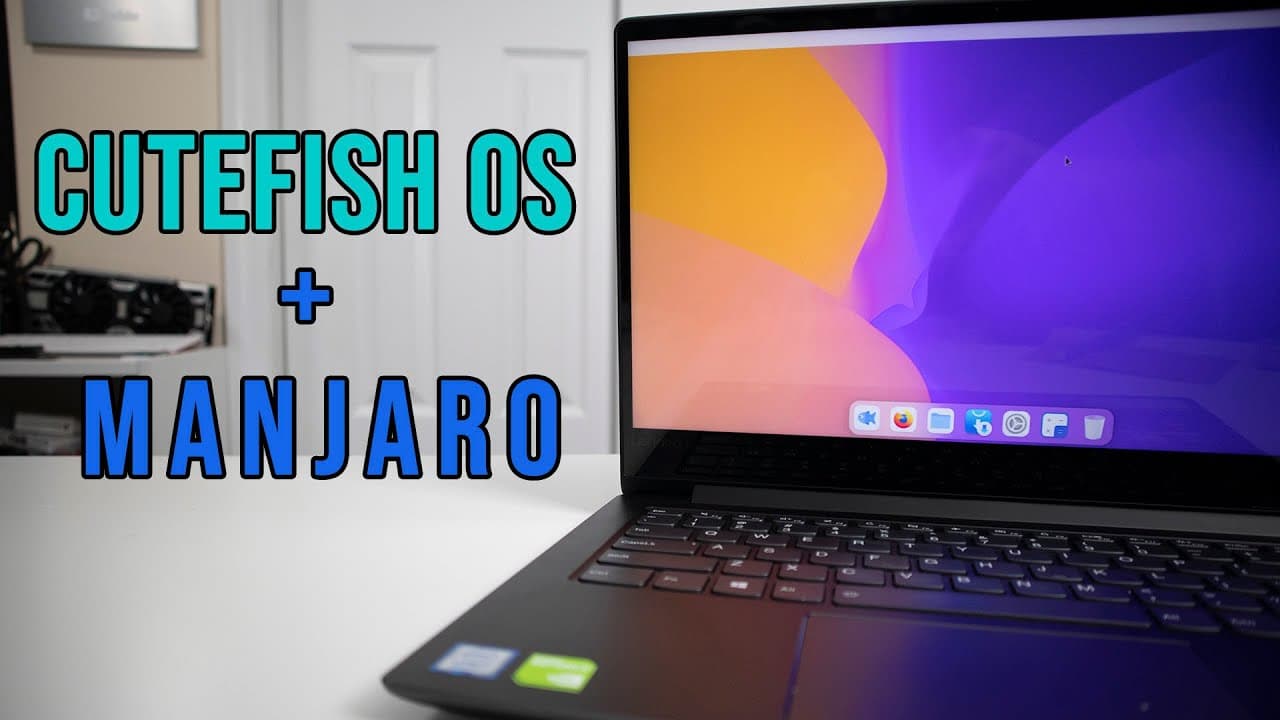
Cute Fish OS is a beta Linux distribution built on Manjaro and KDE, designed to provide a macOS-like user experience. While its installation is quick and the interface is visually appealing, it currently lacks essential applications and system monitoring tools, limiting its use as a primary operating system.
Transcript
hey guys what is going on it's don here from nova spare tech and welcome back to your channel and today we are going to be checking out cute fish os so let's get started all right i don't know if it's because of my search history or the fact that i look up a lot of linux operating systems but this came onto my radar called cute fish os and it's act... Read More
Key Insights
- 👤 Cute Fish OS is based on Manjaro and KDE, aimed at delivering a macOS-like user interface, appealing to aesthetic-focused users.
- 👤 The operating system is still classified as beta, meaning its performance and reliability may not yet meet regular user needs for long-term usage.
- 😚 The quick installation process (approximately five minutes) simplifies the onboarding experience for users new to Linux or interested in Cute Fish OS.
- 👤 Users noted the absence of critical applications and tools typically found in an established distribution, which could limit practical usability.
- 🙂 The system utilizes approximately 1GB of RAM on first boot, which indicates a relatively light performance considering it is a KDE-based system.
- 👻 The customizable nature of KDE allows users to significantly personalize their operating system, making Cute Fish OS an attractive option for those who enjoy modifications.
- 😤 Smooth initial performance suggests the potential for future enhancements, provided that the development team addresses beta limitations in upcoming releases.
Install to Summarize YouTube Videos and Get Transcripts
Explore YouTube Video Summarizer or Get YouTube Transcript Extractor
Questions & Answers
Q: What is Cute Fish OS, and what are its main features?
Cute Fish OS is a Linux distribution developed on the Manjaro base using KDE, aiming to provide an interface that closely resembles macOS. Its main features include a user-friendly design, various customization options, and a focus on aesthetic appeal, although it currently lacks several standard applications and tools typically expected in a full operating system.
Q: How does Cute Fish OS compare to traditional Linux distros?
Cute Fish OS distinguishes itself with its macOS-like appearance while being built on Manjaro, which utilizes the Arch Linux framework. It targets users looking for a visually appealing and modern interface, unlike many traditional Linux distributions that may prioritize functionality over aesthetics. However, it currently lacks certain essential features and applications.
Q: Is Cute Fish OS suitable for everyday use?
While Cute Fish OS showcases a polished design and performs well during initial usage, it is still in beta and lacks many applications and system monitoring tools. Therefore, it might not be ideal for everyday use at this stage, as users may encounter limitations compared to more stable, fully developed distributions.
Q: How is the installation process for Cute Fish OS?
The installation process for Cute Fish OS is described as quick and efficient, taking around five minutes, much like a typical Manjaro installation. Users will encounter a standard welcome screen, allowing them to access various resources after completing the install, making it a user-friendly experience.
Q: What are some limitations of Cute Fish OS identified in the video?
Limitations of Cute Fish OS include its beta status, which introduces instability and a lack of certain applications such as system monitoring and management tools. Additionally, the operating system does not have a diverse library of software available, which might hinder some users' productivity.
Q: What improvements or features does the host hope to see in future updates for Cute Fish OS?
The host expresses excitement about the potential for Cute Fish OS and hopes to see further development, such as the addition of essential applications, improved system monitoring features, and a broader software library. There is an emphasis on maintaining a balance between aesthetic appeal and functional robustness.
Q: What advice does the host give to those interested in trying Cute Fish OS?
The host advises viewers to consider trying Cute Fish OS knowing it is still in beta and may have limitations. They recommend downloading it from GitHub for exploration and experimentation rather than relying on it as a primary operating system due to its incomplete feature set and potential instability.
Q: Can users customize the Cute Fish OS experience?
Yes, users have the opportunity to customize their experience with Cute Fish OS significantly, as it is based on KDE. This flexibility allows for various themes, layout changes, and personalization of settings, appealing to those who enjoy tweaking their operating system for a more unique look and feel.
Summary & Key Takeaways
-
Cute Fish OS is a visually appealing Linux distribution based on Manjaro and KDE, designed to mimic the look and feel of macOS, making it attractive for users preferring a sleek interface.
-
Despite its stylish design, the operating system is still in beta, lacking some common applications and necessary system monitoring tools, which may limit its early adoption for daily use.
-
The installation of Cute Fish OS is quick and seamless, offering a smooth experience initially, but users should expect periodic updates and further development before it can be utilized as a stable desktop solution.
Read in Other Languages (beta)
Share This Summary 📚
Summarize YouTube Videos and Get Video Transcripts with 1-Click
Try YouTube Summary with ChatGPT & Claude or YouTube Transcript Generator
Explore More Summaries from Novaspirit Tech 📚






Summarize YouTube Videos and Get Video Transcripts with 1-Click
Try YouTube Summary with ChatGPT & Claude or YouTube Transcript Generator