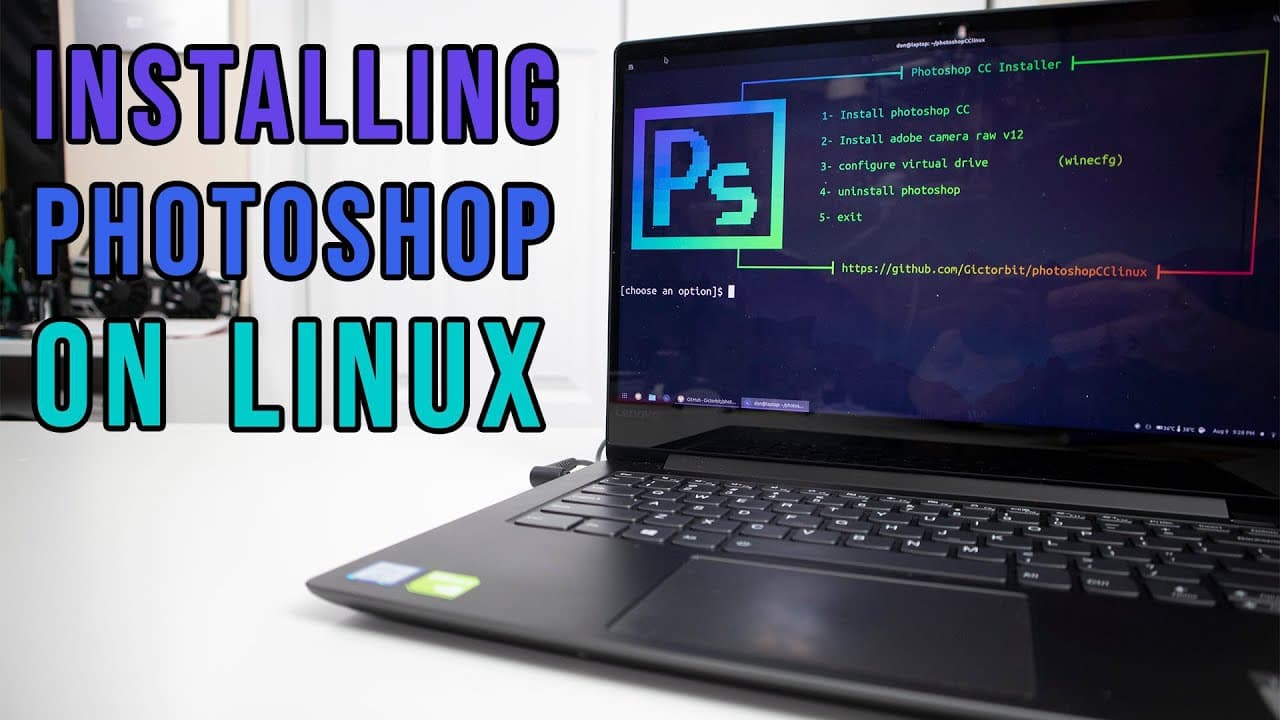
How To Install PhotoShop CC on Linux
TL;DR
Install Photoshop CC 19 on a 64-bit Linux distribution by cloning GatorBit’s Photoshop CC Linux script, entering its directory, and running ./setup.sh. Choose option 1, keep the default Wine settings and destination folder, and allow roughly 10–15 minutes for the approximately 900 MB download and setup. Read on for requirements, troubleshooting, Camera Raw support, and uninstallation options.
Transcript
hey guys what's going on it's don here from nova spirit tech and welcome back to the channel and today i'm going to be showing you guys how to install photoshop cc on linux so let's get started one of my most favorite applications to use in windows is photoshop and i kind of miss it on my linux laptop i do a lot of video editing and photo editing a... Read More
Key Insights
- 🫦 Installing Photoshop CC on Linux requires users to run a specific setup script and have a 64-bit distribution.
- 👤 The setup process automates installing essential components like Wine and WineTricks, streamlining the experience for users unfamiliar with Linux.
- 🍧 The presenter shares the importance of having familiar software for photo editing, emphasizing his preference for Photoshop over other Linux alternatives.
- 👻 Successful installation allows users to access all features of Photoshop, including popular editing tools and Camera Raw for raw file processing.
- 🈸 Some initial errors may occur when starting Photoshop, but they don’t affect the overall performance of the application afterward.
- 👤 The video highlights the community effort behind creating user-friendly scripts to bridge the gap for Windows applications in Linux environments.
- 👤 An alternative already exists for photo editing on Linux, but it may not provide the same efficiency or toolset that Photoshop does, emphasizing user needs for intuitive software.
Install to Summarize YouTube Videos and Get Transcripts
Explore YouTube Video Summarizer or Get YouTube Transcript Extractor
Questions & Answers
Q: How do you install Photoshop CC on Linux?
Clone GatorBit’s Photoshop CC Linux repository, enter the script directory, and run ./setup.sh. Select option 1 to install Photoshop CC, leave the Wine configuration and destination folder at their defaults, and let the script download and install the required components.
Q: What are the requirements for installing Photoshop CC 19 on Linux?
The script requires a 64-bit Linux distribution. The presenter says it should work with distributions such as Arch Linux, Ubuntu, and Debian.
Q: Which Linux version does the presenter use?
The presenter believes his daily-use laptop is running Ubuntu 20.04 with the GNOME desktop environment. He also uses the Dracula theme, though that theme is not presented as an installation requirement.
Q: What does the Photoshop CC Linux setup script install?
The script downloads the Photoshop CC installer and the components needed to run it on Linux, including Wine. It also works with WineTricks and installs components such as Gecko and Mono during setup.
Q: How long does the Photoshop CC installation take on Linux?
The presenter advises allowing about 10–15 minutes, depending on the internet connection. He says the download is approximately 900 MB, after which the installer proceeds through the remaining setup.
Q: Which installation settings should be changed?
The presenter recommends leaving the Wine configuration at its default settings unless additional drives are needed. When the Photoshop installer appears, do not change the default destination folder.
Q: What should you do if Photoshop shows errors on its first launch?
The presenter says some errors may appear the first time Photoshop starts. In his experience, the error does not appear again, and Photoshop subsequently opens files and performs edits smoothly.
Q: Can Photoshop CC on Linux use Camera Raw and be uninstalled later?
Yes, the presenter confirms that Camera Raw can open and edit raw image files after installation. The script package also includes an uninstaller, and the setup menu provides an option to uninstall Photoshop.
Summary & Key Takeaways
-
The video demonstrates how to install Photoshop CC 19 on a Linux system using a script created by GatorBit, making it accessible for users who previously missed it on Windows.
-
It requires a 64-bit Linux distribution and involves running a setup script that downloads Wine and other dependencies for seamless installation.
-
The presenter also confirms that Photoshop functions correctly, allowing him to edit photos and utilize Camera Raw for raw image editing, enhancing his Linux experience.
Read in Other Languages (beta)
Share This Summary 📚
Summarize YouTube Videos and Get Video Transcripts with 1-Click
Try YouTube Summary with ChatGPT & Claude or YouTube Transcript Generator
Explore More Summaries from Novaspirit Tech 📚






Summarize YouTube Videos and Get Video Transcripts with 1-Click
Try YouTube Summary with ChatGPT & Claude or YouTube Transcript Generator