How Does the m.2 Hat Improve Raspberry Pi 5 Performance?
TL;DR
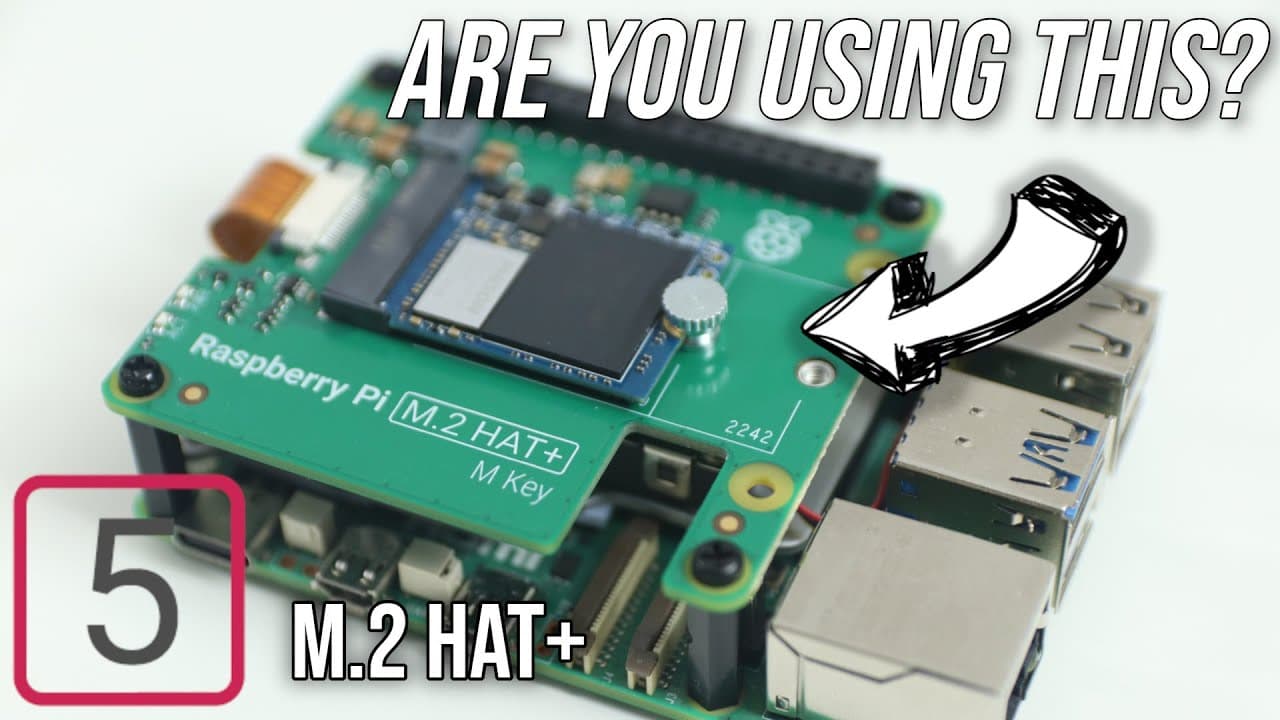
The m.2 hat Plus for Raspberry Pi 5 significantly enhances performance by providing stable NVMe storage, achieving speeds of up to 714 MB/s, which far outpaces traditional SD cards and USB SSDs. This upgrade not only improves data transfer rates but also expands the Raspberry Pi's capabilities, making it a reliable option for home servers and enhanced desktop functionality.
Transcript
so I finally managed to get myself a official Raspberry Pi m.2 hat Plus for the Raspberry Pi 5 so let's check it out now by far this is probably one of the best upgrade attachments you can get for your Raspberry Pi 5 because we finally have some sort of stable storage now for the Raspberry Pi our main sources of storage was either the SD card or a ... Read More
Key Insights
- 🤠 The m.2 hat Plus drastically improves the Raspberry Pi 5's storage options, making it a viable, reliable desktop alternative.
- 🥹 Performance testing revealed NVMe provides up to 714 MB/s, overshadowing older storage methods.
- 🤠 The construction of the m.2 hat allows for further hardware additions, expanding the Raspberry Pi’s functional capabilities.
- 👤 Users can optimize boot order preferences, maintaining versatility while ensuring access to critical recovery options.
- 🏃 Running different operating systems and virtual machines on NVMe significantly enhances the Raspberry Pi's utility in home lab setups.
- 📅 Transitioning to NVMe storage avoids common instability issues found in USB connections, lending reliability to critical applications.
- 🚄 The PCI 3.0 configuration unlocks even higher speed potentials, reinforcing the Raspberry Pi's capability as a modern computing device.
Install to Summarize YouTube Videos and Get Transcripts
Explore YouTube Video Summarizer or Get YouTube Transcript Extractor
Questions & Answers
Q: What is the main advantage of using the m.2 hat Plus with the Raspberry Pi 5?
The m.2 hat Plus provides a connected NVMe slot, allowing users to benefit from much faster and more stable storage options compared to traditional methods like SD cards or USB storage. This improvement significantly enhances the overall performance and reliability of the Raspberry Pi 5, making it suited for more demanding applications.
Q: How does the speed of NVMe storage compare to other storage options on the Raspberry Pi 5?
NVMe storage connected via the m.2 hat Plus achieves impressive speeds, reaching up to 714 MB/s. In contrast, the maximum speed for SD cards is around 100 MB/s, while USB SSDs typically reach speeds of about 275 MB/s. The NVMe option thus offers over double the speed of USB SSDs and quadruples the SD card performance, making it the superior choice for speed and efficiency.
Q: Can the m.2 hat Plus enhance the Raspberry Pi's functionalities beyond just storage upgrades?
Yes, the m.2 hat Plus allows for the addition of various boards and other interface cards, such as AI boards or SATA expansion cards. This versatility not only improves storage capacities but also transforms the Raspberry Pi into an effective NAS or server, accommodating a wide range of applications.
Q: What are the booting options for devices connected through the m.2 hat Plus?
Users have the flexibility to control booting priorities via the Raspberry Pi's configuration settings. They can set the device to boot from the SD card first, which is useful for recovery or formatting, or opt for booting directly from the NVMe storage if they prefer higher speeds and performance right from the start.
Q: How can one install an operating system on the NVMe drive?
To install the OS on an NVMe drive, users should utilize the Raspberry Pi Imager. They can select the NVMe device, choose the appropriate operating system, and proceed with formatting the drive, making it ready for boot or installation.
Q: What were the performance results of the Raspberry Pi 5 using NVMe storage when running applications?
By utilizing NVMe storage, the Raspberry Pi 5 demonstrated significantly improved performance when running applications, with boot times for the operating system and applications like browsers being noticeably faster than both SD card and USB SSD configurations, indicating its capability as a full desktop setup.
Summary & Key Takeaways
-
The m.2 hat Plus for Raspberry Pi 5 introduces stable NVMe storage, improving data transfer speeds and system reliability compared to traditional SD cards and USB flash drives.
-
Performance tests show that the NVMe storage offers speeds up to 714 MB/s, significantly outpacing both SD cards and USB SSDs, making it a viable option for desktop-level functionality.
-
The m.2 slot enables expanded capabilities, including connecting additional boards and storage solutions, enhancing the Raspberry Pi's potential as a home server or NAS.
Read in Other Languages (beta)
Share This Summary 📚
Summarize YouTube Videos and Get Video Transcripts with 1-Click
Try YouTube Summary with ChatGPT & Claude or YouTube Transcript Generator
Explore More Summaries from Novaspirit Tech 📚






Summarize YouTube Videos and Get Video Transcripts with 1-Click
Try YouTube Summary with ChatGPT & Claude or YouTube Transcript Generator