How to Optimize Boot Speed and Battery Life on Linux Laptops
TL;DR
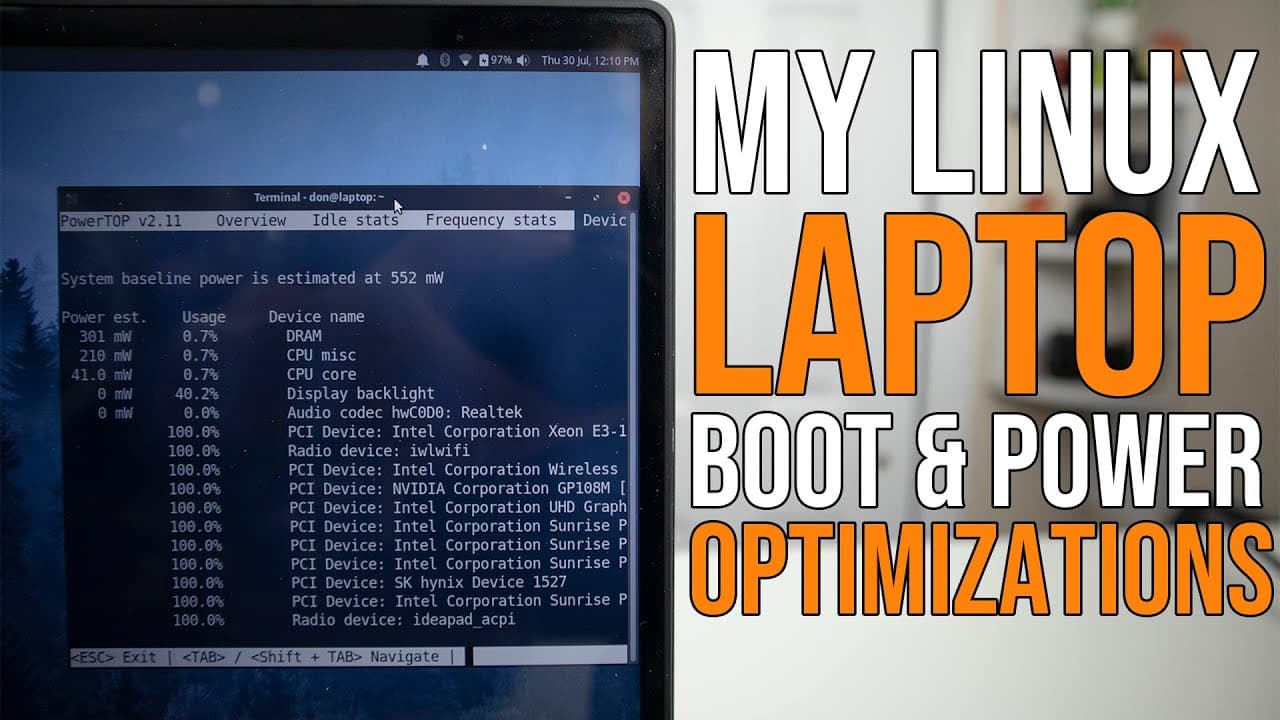
To optimize your Linux laptop's boot speed and battery life, use tools like TLP and PowerTOP to manage power effectively. Disable unnecessary services and adjust BIOS settings to enhance efficiency. Effective hibernation and minimizing active hardware components are key strategies for improving performance without sacrificing usage time.
Transcript
hey guys what's going on it's don here from nova spur tech and welcome back to the channel and today we are going to be taking a look at my linux laptop boot and power optimization so let's get started so what i'm going to be showing you guys today is my linux laptop power and boot optimizations just so you can get the most out of your battery and ... Read More
Key Insights
- 🔋 Effective hibernation is critical for conserving battery life, especially in laptops, as compared to suspend mode which continues to draw power.
- 💨 Utilizing
systemd-analyzecan provide users with valuable insights into boot time, enabling faster access to the operating system. - 🤩 Accessing BIOS settings is essential for optimizing power usage and can be streamlined using specific command lines rather than traditional key pressing.
- 🧑🦽 TLP is widely recommended for automatic battery management due to its preference for background operation and effectiveness compared to manual tools like PowerTOP.
- ✊ TLP UI offers a user-friendly way to adjust power management settings without diving into command lines, making power optimization less technical.
- 🔋 Disabling unnecessary BIOS features can lead to significant power savings for laptop users who need longer battery longevity.
- 😌 PowerTOP’s utility lies in its detailed diagnostics, which serves as a guide for users wanting to manually configure their power efficiency settings based on usage patterns.
Install to Summarize YouTube Videos and Get Transcripts
Explore YouTube Video Summarizer or Get YouTube Transcript Extractor
Questions & Answers
Q: What is the primary purpose of hibernation on a Linux laptop?
Hibernation is crucial for laptops as it saves the current state to the hard drive, allowing the computer to power down completely without using battery. When a laptop hibernates, the content in RAM is stored in a swap drive, conserving power compared to suspend mode, which still drains battery while keeping RAM active.
Q: How can users analyze their boot process to find slow services?
Users can analyze their boot process by running the command sudo systemd-analyze followed by sudo systemd-analyze critical-chain. This provides insights into which services are consuming the most time during boot. Identifying these services allows users to make informed decisions about disabling unnecessary ones to enhance boot speed.
Q: What is the significance of BIOS settings in power optimization?
BIOS settings play a significant role in power optimization as they allow users to disable hardware components that are not being used, such as fingerprint scanners or unused network connections. Changing these settings can reduce power consumption and improve battery life, making it essential to regularly review BIOS configurations.
Q: Why is TLP preferred over PowerTOP for managing battery efficiency?
TLP is often preferred because it runs in the background and automatically manages battery settings without requiring manual adjustments at boot time, whereas PowerTOP is more of a diagnostic tool that informs users about power consumption. TLP also has a reputation for being more effective at optimizing battery life through automated settings.
Q: How can users quickly enter BIOS without guessing keys?
Users can quickly enter the BIOS setup by executing the command sudo systemctl reboot --firmware, which directs the system to reboot and immediately enter the firmware setup. This method eliminates the need to recall specific keys, streamlining access to BIOS settings.
Q: What customization options does TLP provide for power management?
TLP allows users to customize various power management settings through an easy-to-edit configuration file, enabling users to define how the computer behaves on battery versus AC power. Users can adjust settings such as CPU scaling, USB wake status, and other device power states to optimize their laptop's power consumption based on use cases.
Q: How can users utilize TLP UI to manage their TLP settings?
Users can leverage TLP UI, a graphical interface, to simplify the configuration of their TLP settings. By running the Python script python3 -m tlpui, users can access an intuitive interface that helps them view and adjust settings without the need to manually edit configuration files, making it easier to optimize their laptop's power management.
Q: What alternative to TLP was briefly mentioned, and how does it compare?
Laptop mode tools were mentioned as an alternative to TLP. However, it is crucial to note that installing it will overwrite any existing TLP configuration. Laptop mode tools also provide power management features but may not be as widely used or as efficient as TLP, making their performance less familiar to most Linux users.
Summary & Key Takeaways
-
The video focuses on various methods for enhancing the boot speed and battery efficiency of Linux laptops, with an emphasis on practical configurations.
-
Key techniques include disabling unnecessary services and adjusting BIOS settings to improve overall power management without sacrificing performance.
-
Tools like TLP and PowerTOP are discussed for their roles in optimizing battery life and analyzing power consumption, as well as the benefits of using a graphical interface for easier configuration.
Read in Other Languages (beta)
Share This Summary 📚
Summarize YouTube Videos and Get Video Transcripts with 1-Click
Try YouTube Summary with ChatGPT & Claude or YouTube Transcript Generator
Explore More Summaries from Novaspirit Tech 📚






Summarize YouTube Videos and Get Video Transcripts with 1-Click
Try YouTube Summary with ChatGPT & Claude or YouTube Transcript Generator