How to Set Up a Raspberry Pi Monitoring Dashboard with Grafana
TL;DR
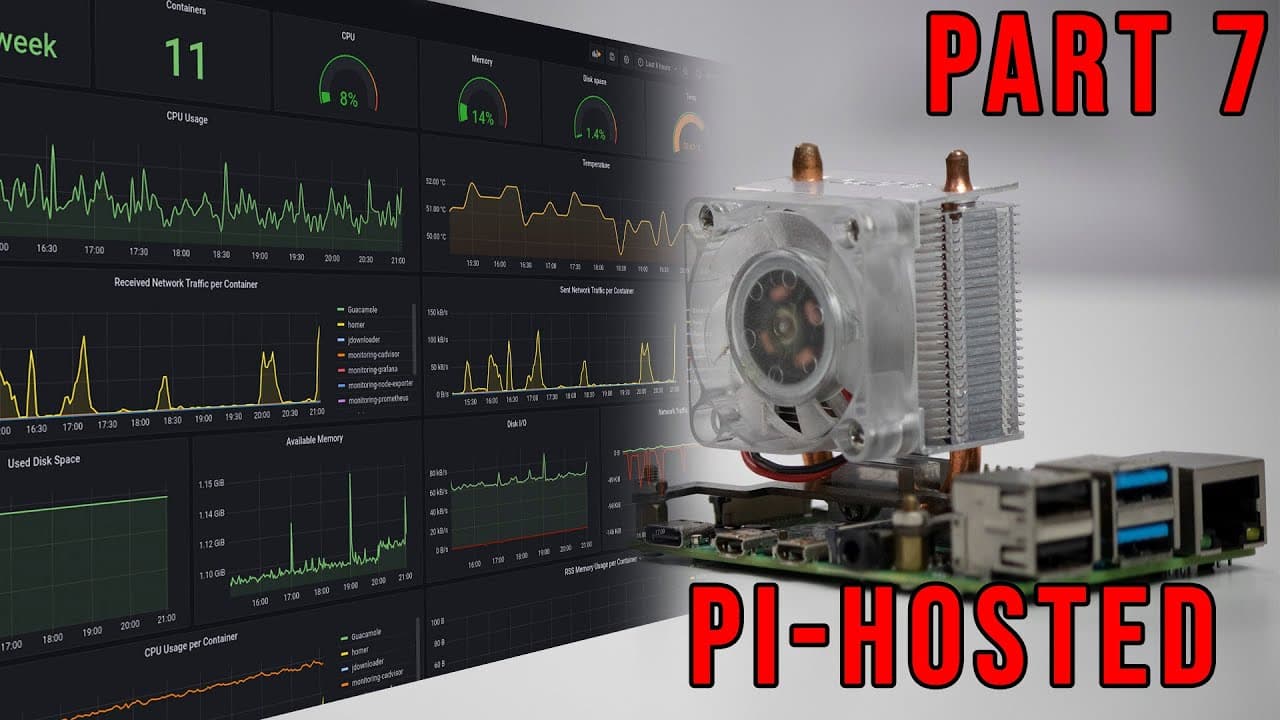
To set up a monitoring dashboard for Raspberry Pi using Grafana, utilize a pre-built template and follow the installation steps involving Docker. The dashboard tracks critical metrics like CPU usage, memory, disk space, and temperature, allowing for detailed system performance analysis. Community support is available through Discord for further assistance.
Transcript
hey guys what's going on it's don here from nova spare tech and welcome back to the channel and as i said before i was going to show you all the stats and everything to the raspberry pi up until this point i'm going to be showing you guys all this on a really cool dashboard we have for the raspberry pi so let's get started now first i do want to th... Read More
Key Insights
- 👤 The Raspberry Pi monitoring dashboard leverages Grafana for visualizing system performance metrics, making it easier for users to comprehend data.
- 🖐️ Community contributions play a significant role in improving the functionality of the monitoring solution, fostering collaboration and innovation.
- 👻 Docker and Docker Compose simplify the deployment process, allowing for easy installation and management of the monitoring stack.
- 👤 Users can track historical data over time, giving them the ability to analyze system performance trends and diagnose potential issues.
- 😫 Setting appropriate permissions during installation is crucial to ensure the Grafana container functions correctly without errors.
- 😥 The dashboard provides interactive capabilities, enabling users to drill down into specific metrics by clicking on data points for detailed analysis.
- 👤 Continued support and updates are available through community channels, encouraging user engagement and knowledge sharing.
Install to Summarize YouTube Videos and Get Transcripts
Explore YouTube Video Summarizer or Get YouTube Transcript Extractor
Questions & Answers
Q: What is the purpose of the monitoring dashboard for Raspberry Pi?
The monitoring dashboard is designed to provide real-time statistics about the performance of a Raspberry Pi system, including CPU usage, memory, disk space, and temperature. This helps users identify bottlenecks and optimize the performance of their applications running on Raspberry Pi.
Q: How does the installation process of the monitoring station differ for users familiar with Docker?
For users familiar with Docker, the installation process is straightforward as it utilizes Docker Compose along with a pre-configured template provided by the community. Users can simply clone the GitHub repository and follow the instructions without needing to set up the monitoring system from scratch.
Q: What kind of data can users expect to monitor through the dashboard?
Users can monitor various metrics such as CPU usage, memory consumption, disk space, network traffic, and historical temperature logs of the Raspberry Pi. This data is crucial for maintaining optimal performance and preventing overheating or resource bottlenecks.
Q: What features does Grafana offer for customizing the monitoring experience?
Grafana allows for extensive customization of the monitoring dashboard. Users can edit existing panels, add new data sources, and import JSON files for tailored visualization. This flexibility enables users to configure their dashboard according to their specific monitoring needs.
Q: What are the potential benefits of engaging with the Discord community mentioned in the video?
Engaging with the Discord community provides users access to a network of individuals working on similar projects. They can exchange tips, get help with troubleshooting issues, and share updates on new features or improvements for the Raspberry Pi monitoring setup.
Q: Why is it important to monitor the temperature of the Raspberry Pi?
Monitoring the temperature is essential to prevent overheating, which can lead to hardware damage, system instability, or performance throttling. By keeping an eye on temperature metrics, users can take proactive measures to cool their devices and ensure they run efficiently.
Summary & Key Takeaways
-
The video demonstrates how to set up a monitoring dashboard for Raspberry Pi that tracks CPU, memory, disk space, and temperatures using Grafana and Docker.
-
It explains the use of an external template developed by a user in the community and how to utilize it without requiring extensive technical setup.
-
Viewers are encouraged to join the Discord community for additional support and updates regarding the ongoing project and potential improvements.
Read in Other Languages (beta)
Share This Summary 📚
Summarize YouTube Videos and Get Video Transcripts with 1-Click
Try YouTube Summary with ChatGPT & Claude or YouTube Transcript Generator
Explore More Summaries from Novaspirit Tech 📚






Summarize YouTube Videos and Get Video Transcripts with 1-Click
Try YouTube Summary with ChatGPT & Claude or YouTube Transcript Generator