Getting started with the Altera DE1 FPGA board: Create and download a simple counter
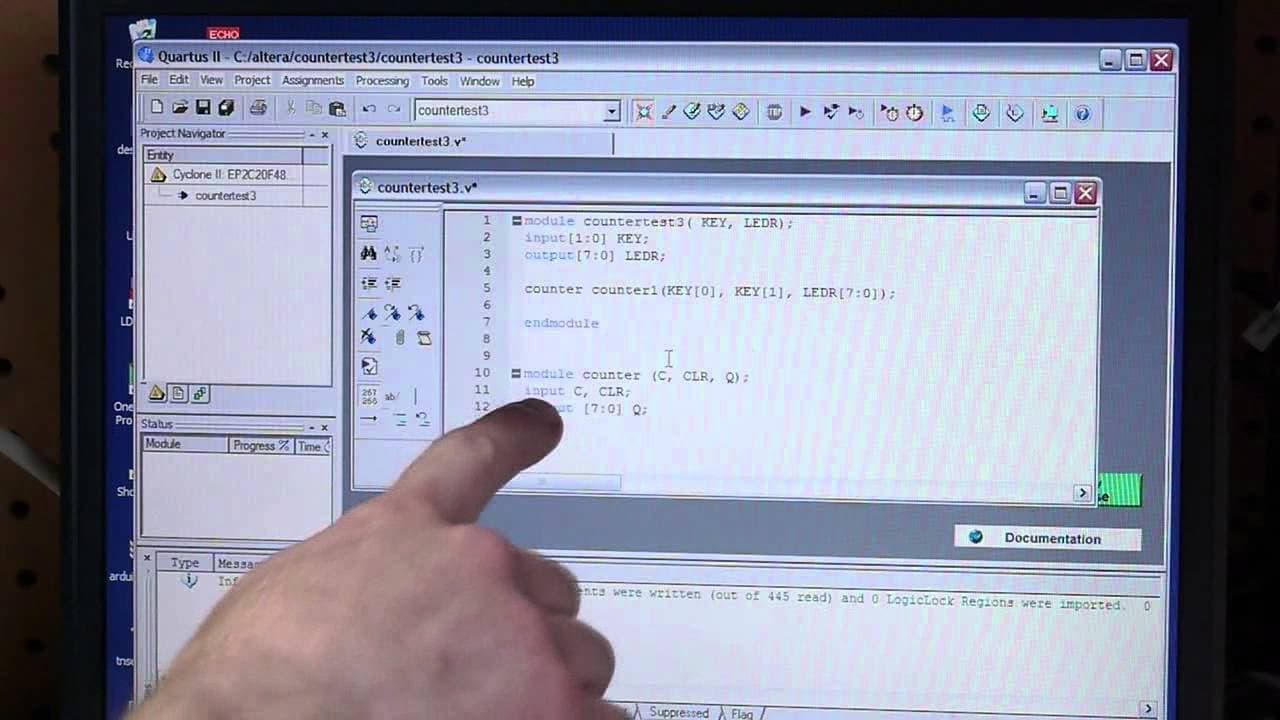
TL;DR
This video showcases the initial experiences of the creator with the Altera DE1 board and their journey in programming FPGAs.
Transcript
hey everyone I'm gonna show you my first experiences with the Altera de 1 board this is an fpga board that I bought and I have no experience with programming FPGAs so I thought I would take you through kind of like what how my first day went so I've already gone through it because the video would be really painful if I was doing this the first time... Read More
Key Insights
- 🏂 QUartus, Altera's development environment, is necessary for programming the Altera DE1 board.
- 😴 Pin assignments can be imported from a CSV file to simplify the programming process.
- 😄 Verilog is a preferred language for programming the DE1 board, providing flexibility and ease of use for beginners.
- 🔄 The counter module showcased in the video demonstrates basic functionality and interaction with the board's buttons and LEDs.
- 📼 The video highlights the importance of practical considerations, such as setting up pin assignments, before diving into more complex programming tasks.
- 🥶 Compilation of the code can take some time, even on older computers.
- ⚠️ Warnings during the compilation process are common and not necessarily indicative of significant issues.
Install to Summarize YouTube Videos and Get Transcripts
Explore YouTube Video Summarizer or Get YouTube Transcript Extractor
Questions & Answers
Q: What software is required for programming the Altera DE1 board?
The main software required is Quartus, Altera's development environment. It is recommended to download the latest version from the web.
Q: How are pin assignments set up for the DE1 board?
Pin assignments can be imported from a CSV file provided with the DE1 board. This allows for the use of friendly names rather than worrying about individual pin numbers.
Q: What programming language did the creator use in this video?
The creator used Verilog for programming the Altera DE1 board. They mentioned that Verilog looked better to their eyes and suited their needs as a beginner.
Q: How did the programming process progress in this video?
The creator started from scratch and wrote a simple counter module using Verilog. They defined the input and output connections and instantiated the counter module.
Summary & Key Takeaways
-
The creator installed the necessary software for the Altera DE1 board and discovered that they were using an outdated version.
-
They started a new project and imported pin assignments from a CSV file to set up the development environment.
-
The creator used Verilog as the programming language and wrote a simple counter module to test the board's functionality.
Read in Other Languages (beta)
Share This Summary 📚
Summarize YouTube Videos and Get Video Transcripts with 1-Click
Try YouTube Summary with ChatGPT & Claude or YouTube Transcript Generator
Explore More Summaries from Applied Science 📚
Summarize YouTube Videos and Get Video Transcripts with 1-Click
Try YouTube Summary with ChatGPT & Claude or YouTube Transcript Generator