Products
Features
YouTube Video Summarizer
Summarize YouTube videos
Web & PDF Highlighter
Highlight web pages & PDFs
Chat with PDF
Ask any PDF questions with AI
Ask AI Clone
Chat with your highlights & memories
Audio Transcriber
Transcribe audio files to text
Glasp Reader
Read and highlight articles
Kindle Highlight Export
Export your Kindle highlights
Idea Hatch
Hatch ideas from your highlights
Integrations
Obsidian Plugin
Notion Integration
Pocket Integration
Instapaper Integration
Medium Integration
Readwise Integration
Snipd Integration
Hypothesis Integration
Apps & Extensions
Chrome Extension
Safari Extension
Edge Add-ons
Firefox Add-ons
iOS App
Android App
Discover
Discover
Ideas
Discover new ideas and insights
Articles
Curated articles and insights
Books
Book recommendations by great minds
Posts
Essays and notes from readers
Quotes
Inspiring quotes collection
Videos
Curated videos and summaries
Explore Glasp
Glasp Newsletter
Weekly insights and updates
Glasp Talk
Interview series with great minds
Glasp Blog
Latest news and articles
Glasp Use Cases
Learn how others use Glasp
Build & Support
Glasp API
Access Glasp's API for developers
MCP Connector
Connect Glasp to Claude & ChatGPT
Community
Glasp Reddit Community
Students
Student discount and benefits
FAQs
Frequently Asked Questions
AboutPricing
DashboardLog inSign up

NYRV Agent VST chainer and editor
1.6K views
•
December 23, 2016
by
Dory Video
YouTube video player
NYRV Agent VST chainer and editor

TL;DR

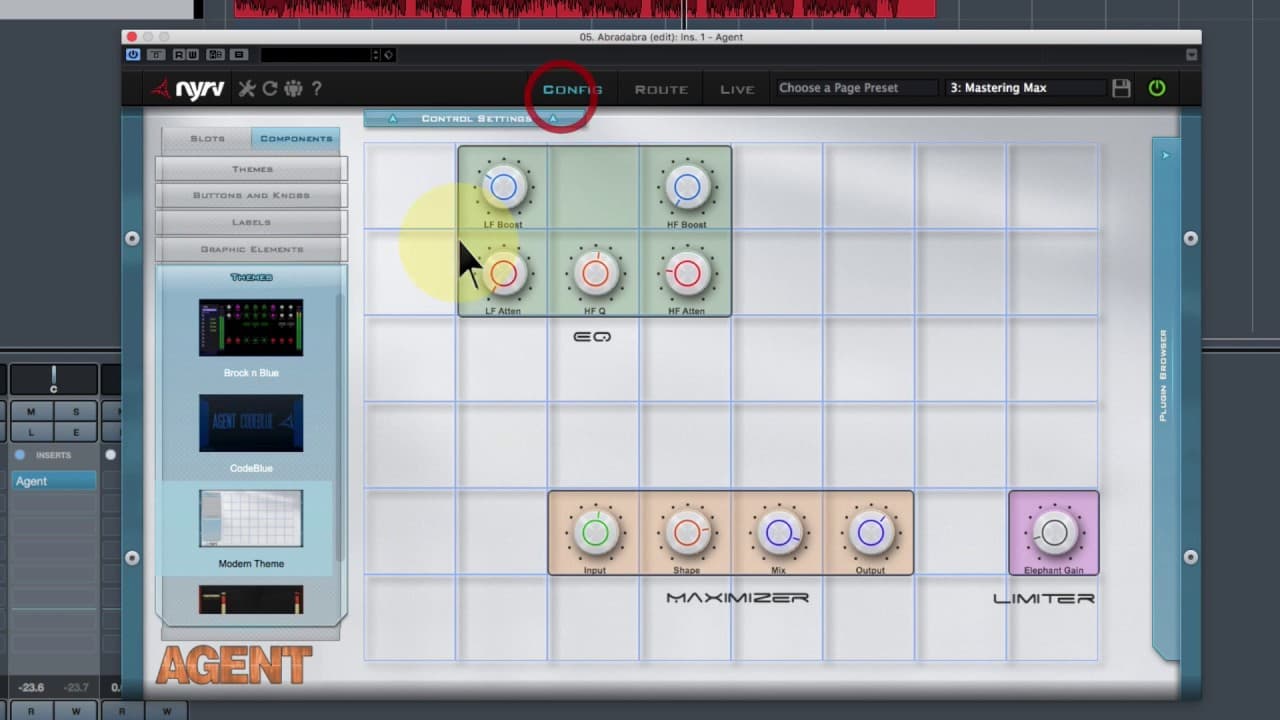
Agent is a channel strip and effects rack plugin manager that allows users to control and tweak multiple plugins simultaneously in real-time.

Transcript

okay so here we have a very common scenario we have a stereo track that we're mastering in some way shape or form so I've got my stereo track up here and then I've loaded in the mix console a few in this case just three inserts from different manufacturers and different plug-in varieties vsts whatever and I've got them up on the screen and normally... Read More

Key Insights

  • 👻 Agent is a plugin manager designed for mastering tasks, allowing users to control and tweak multiple plugins simultaneously.
  • 💦 The interface of Agent provides real-time control of plugin parameters through a drag-and-drop system.
  • 👤 Users can save presets and easily switch between different plugin configurations, increasing efficiency in the mastering process.
  • 💁 Agent supports various plugin formats and can be used with plugins from different manufacturers.

Install to Summarize YouTube Videos and Get Transcripts

Explore YouTube Video Summarizer or Get YouTube Transcript Extractor

Questions & Answers

Q: How does the Agent plugin manager help in mastering a stereo track efficiently?

Agent allows users to control and tweak multiple plugins in real-time, eliminating the need to manually adjust each plugin individually. This saves time and increases efficiency during the mastering process.

Q: Can users save presets and easily switch between different plugin configurations?

Yes, users can save presets in Agent, allowing them to quickly load up a specific set of plugins and settings for different tracks. This makes it easy to switch between different mastering configurations without the need to manually reconfigure each plugin.

Q: Does Agent support different types of plugins?

Yes, Agent supports various plugin formats, including VST and VST3 plugins. Users can load and control plugins from different manufacturers, making it a versatile tool for managing plugins in the mastering process.

Q: Is it possible to customize the interface of Agent?

Yes, users can customize the interface of Agent by changing the colors of knobs and buttons and adding graphic elements. This allows for a more personalized and visually appealing workspace.

Summary & Key Takeaways

  • The video demonstrates how to use the Agent plugin manager to efficiently master a stereo track by controlling and tweaking multiple plugins.

  • The Agent interface allows users to drag and drop controls for each plugin, enabling real-time control of parameters.

  • Users can create presets, customize the interface, and easily switch between different plugin configurations.


Read in Other Languages (beta)

English

Share This Summary 📚

Summarize YouTube Videos and Get Video Transcripts with 1-Click

Download browser extensions on:

Try YouTube Summary with ChatGPT & Claude or YouTube Transcript Generator

Explore More Summaries from Dory Video 📚

Graphpad Prism - using the layout tool to publish your data thumbnail
Graphpad Prism - using the layout tool to publish your data
Dory Video
UVI String Machines (Expansion for UVI Workstation) thumbnail
UVI String Machines (Expansion for UVI Workstation)
Dory Video
Playing Vienna Instruments (VSL) with a ROLI Seaboard RISE thumbnail
Playing Vienna Instruments (VSL) with a ROLI Seaboard RISE
Dory Video
Setting up multi instrument layers in Kontact thumbnail
Setting up multi instrument layers in Kontact
Dory Video
How to Perform Linear Regression in GraphPad Prism thumbnail
How to Perform Linear Regression in GraphPad Prism
Dory Video
WavesFactory MERCURY Piano for Kontakt thumbnail
WavesFactory MERCURY Piano for Kontakt
Dory Video

Summarize YouTube Videos and Get Video Transcripts with 1-Click

Download browser extensions on:

Try YouTube Summary with ChatGPT & Claude or YouTube Transcript Generator

Apps & Extensions

  • Chrome Extension
  • Safari Extension
  • Edge Add-ons
  • Firefox Add-ons
  • iOS App
  • Android App

Key Features

  • YouTube Video Summarizer
  • Web & PDF Summarizer
  • Web & PDF Highlighter
  • Chat with PDF
  • Ask AI Clone
  • Audio Transcriber
  • Glasp Reader
  • Kindle Highlight Export
  • Idea Hatch

Integrations

  • Obsidian Plugin
  • Notion Integration
  • Pocket Integration
  • Instapaper Integration
  • Medium Integration
  • Readwise Integration
  • Snipd Integration
  • Hypothesis Integration

More Features

  • APIs
  • MCP Connector
  • Blog & Post
  • Embed Links
  • Image Highlight
  • Personality Test
  • Quote Shots

Company

  • About us
  • Blog
  • Community
  • FAQs
  • Job Board
  • Newsletter
  • Pricing
Terms

•

Privacy

•

Guidelines

© 2026 Glasp Inc. All rights reserved.


