How to Build a Budget-Friendly NAS and Plex Server
TL;DR
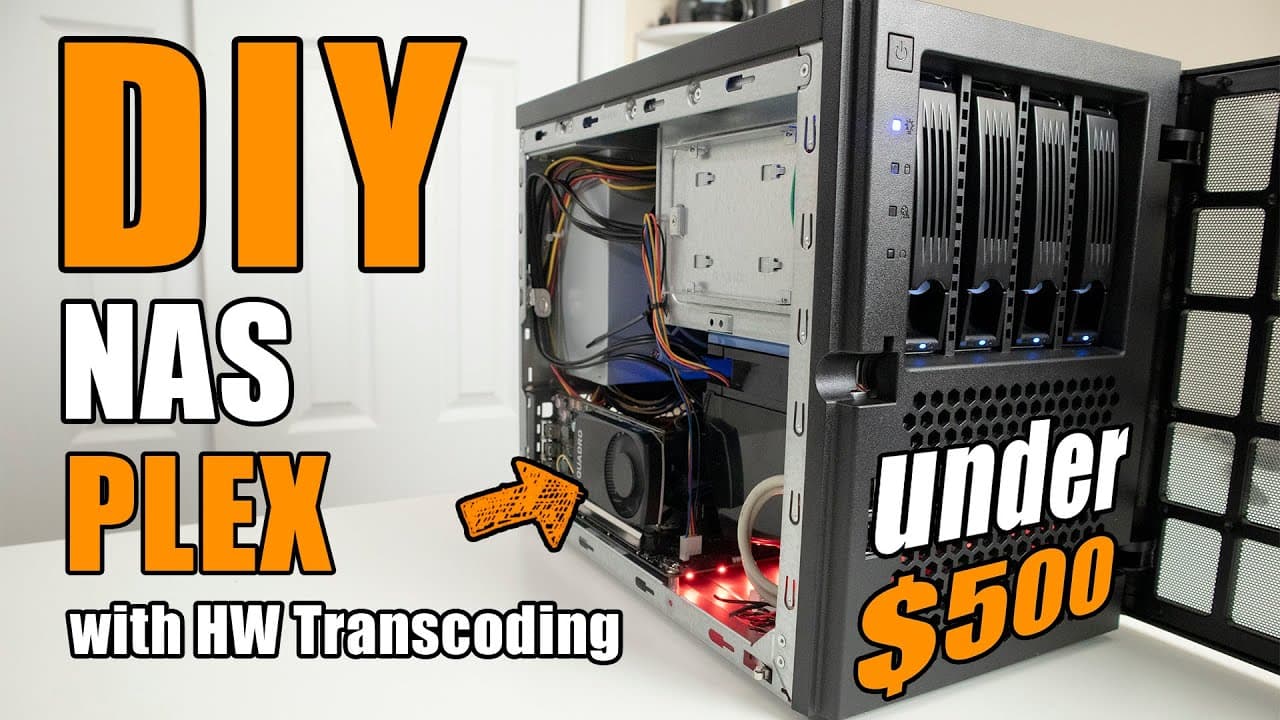
To build a cost-effective NAS and Plex server, use the NVIDIA Quadro P 400 graphics card for efficient 4K hardware transcoding. Combine it with a reliable motherboard, good NAS drives, and budget-conscious components to optimize performance. Effective cable management and an 8 GB RAM module with appropriate speed are also crucial for smooth operation.
Transcript
hey guys what's going on is down here from Nova spirit second today we are gonna be building our budget nads and Plex set up with hardware decoding so let's get started I want to thank mikaël Center for sponsoring this build they're the ones that actually provided the hard drives motherboard CPU RAM and everything now for the case and the graphic c... Read More
Key Insights
- 😜 The NVIDIA Quadro P 400 is an economical solution for hardware transcoding, suitable for transcoding 4K content effectively.
- 👋 Good hardware choices, like a solid motherboard and reliable NAS drives, significantly enhance system performance and durability.
- 🤔 Budget builds promote creative problem-solving, compelling builders to think critically about component selection.
- 🫵 The video encourages viewer engagement by inviting feedback on software options, emphasizing a community-oriented approach to building setups.
- 🏛️ Effective cable management can be a challenge in budget builds, yet it’s crucial for maintaining airflow and aesthetics.
- 🥳 Price-to-performance ratios are essential for choosing components in budget builds, with careful consideration needed for each part's role.
- 🐎 Using an 8 GB RAM module with optimal speed supports efficient functioning alongside the CPU and GPU during transcoding tasks.
Install to Summarize YouTube Videos and Get Transcripts
Explore YouTube Video Summarizer or Get YouTube Transcript Extractor
Questions & Answers
Q: What is the main focus of the video?
The main focus of the video is to build a budget NAS and Plex setup that utilizes hardware decoding for effective performance. The presenter stresses the importance of choosing cost-effective components that do not compromise quality, showcasing specific parts and their benefits for a successful build.
Q: Why did the presenter choose the NVIDIA Quadro P 400 graphics card?
The presenter opted for the NVIDIA Quadro P 400 graphics card due to its price of $75 and its capability to handle 4K transcoding for multiple streams. Despite being less powerful than alternatives like the P2000, it provides significant value for budget-conscious users, demonstrating satisfactory performance for media transcoding tasks.
Q: What issues did the presenter encounter during the build?
The presenter faced challenges with cable management in the case, indicating the layout wasn’t conducive for tidy wiring. Despite working to manage cables, the complexity meant that it didn’t look very neat. However, they were pleased with the overall functionality and quiet operation of the setup.
Q: What software options are being considered for the NAS setup?
The presenter is weighing software options such as Debian and OpenMediaVault (OMV) for the NAS setup, considering their functionalities and user interfaces. They are still undecided and are inviting viewers to share their experiences with different operating systems to explore viable alternatives.
Q: What makes budget builds appealing to the presenter?
The presenter finds budget builds intriguing because they foster innovation and problem-solving skills. Unlike high-end builds where one can simply purchase expensive components, budget builds require thoughtful selection of parts, which enhances the creative process and technical knowledge of the builder.
Q: What type of hard drives does the presenter recommend for longevity?
The presenter recommends using high-quality NAS drives, like Western Digital’s Red series, for their durability and reliability over cheaper alternatives. These drives are designed specifically for network attached storage, suggesting a preference for longevity and performance over capacity for the same price.
Q: How does the presenter assess the value of the motherboard selected?
The presenter discusses the Gigabyte B450 motherboard's features, specifically noting its M.2 slot that facilitates future upgrades and additional SATA connections. This ability to expand storage and the overall design enhance its value, making it a sound choice for a budget-conscious setup.
Summary & Key Takeaways
-
The video showcases a budget NAS and Plex setup, highlighting the importance of selecting affordable yet effective hardware components for performance efficiency.
-
The presenter specifically focuses on the NVIDIA Quadro P 400 graphics card for effective transcoding, especially for 4K content, emphasizing the value of budget builds.
-
The discussion includes building tips, parts selection, and software options for users interested in setting up their own media servers.
Read in Other Languages (beta)
Share This Summary 📚
Summarize YouTube Videos and Get Video Transcripts with 1-Click
Try YouTube Summary with ChatGPT & Claude or YouTube Transcript Generator
Explore More Summaries from Novaspirit Tech 📚






Summarize YouTube Videos and Get Video Transcripts with 1-Click
Try YouTube Summary with ChatGPT & Claude or YouTube Transcript Generator