How to Plot Multiple XY Data Sets in GraphPad Prism
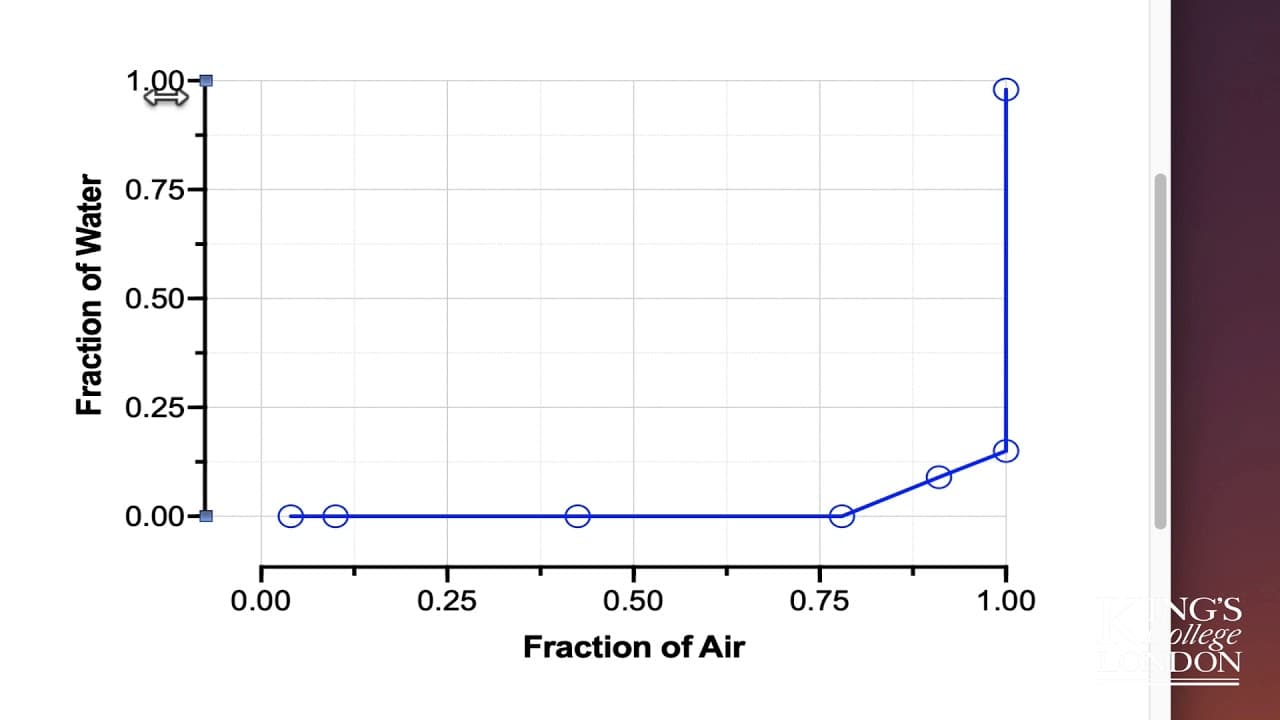
TL;DR
To plot multiple XY data sets in GraphPad Prism, import your data from Excel, ensuring each set has a corresponding Y column with a single X-axis. Utilize offset frames and properly label your data to create clear and organized visualizations, making your graphical presentation more appealing than in Excel.
Transcript
hello what we're doing today is a slight departure from my usual tutorials I've been sent some data from a student who wants to know how to plot it in graphpad prism the data consists of five sets called Junction one two Junction five and the data are an XY plot where they have fraction of air versus fraction of water if you see on the table in fro... Read More
Key Insights
- 😫 Excel can be used to create a graph with multiple data sets, but GraphPad Prism offers a more organized and aesthetically pleasing plotting option.
- ☺️ GraphPad Prism allows the user to plot composite XY datasets with a single X-axis and multiple Y-axes.
- 📈 Copying and pasting data from Excel into GraphPad Prism simplifies the process of reproducing the desired graph.
- 🖼️ By using the offset frame style and adjusting the scales, the data can be accurately and neatly plotted in GraphPad Prism.
Install to Summarize YouTube Videos and Get Transcripts
Explore YouTube Video Summarizer or Get YouTube Transcript Extractor
Questions & Answers
Q: How can I plot composite XY data sets in GraphPad Prism?
To plot composite XY data sets in Prism, create a new project file, choose XY as the plot type, and enter or import the data. Each data set should have a single Y value for each point.
Q: How can I copy and paste data from Excel into GraphPad Prism?
In GraphPad Prism, highlight the X column, right-click and choose paste to import the data. Repeat the process for each data set, and ensure that the data is pasted into the corresponding X and Y columns.
Q: How can I format the graph in GraphPad Prism?
You can format the graph in GraphPad Prism by double-clicking on the X or Y axis, selecting "Offset X and Y-Axes" in the frame style, and adjusting the scales to fit the data range (e.g., 0 to 1 for fractions).
Q: Can I customize the appearance of the data sets in GraphPad Prism?
Yes, you can customize the appearance of the data sets in GraphPad Prism. By double-clicking on each data set, you can choose different shapes, thickness, and colors for the data points and lines.
Summary & Key Takeaways
-
The content provides instructions on how to plot composite XY data sets in GraphPad Prism.
-
The data consists of fraction of air versus fraction of water readings for different junctions.
-
The tutorial demonstrates copying and pasting the data from Excel into Prism to create the desired graph.
Read in Other Languages (beta)
Share This Summary 📚
Summarize YouTube Videos and Get Video Transcripts with 1-Click
Try YouTube Summary with ChatGPT & Claude or YouTube Transcript Generator
Explore More Summaries from Dory Video 📚






Summarize YouTube Videos and Get Video Transcripts with 1-Click
Try YouTube Summary with ChatGPT & Claude or YouTube Transcript Generator