How Does Sora 2 Generate Realistic AI Videos?
TL;DR
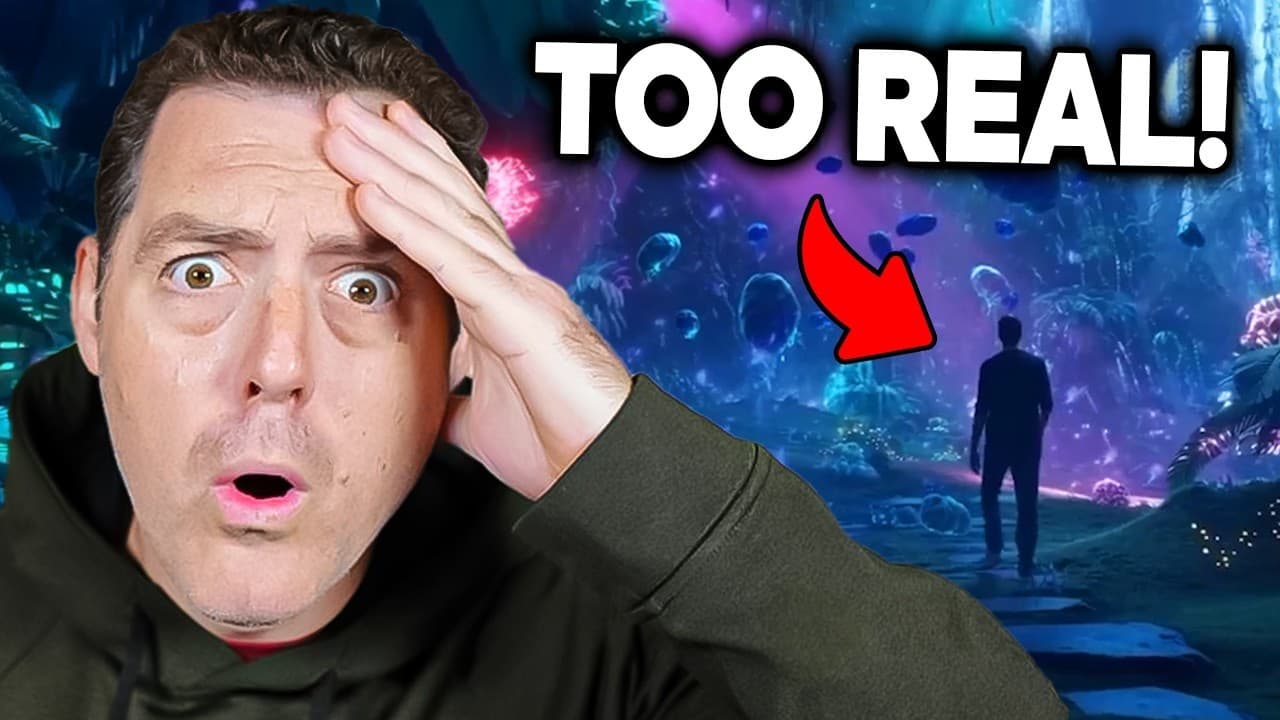
Sora 2 generates controllable videos with synchronized dialogue, sound effects, improved motion physics, and more realistic body mechanics. Available through the invite-only Sora app and a web interface shown in the review, it also introduces Cameo for placing captured likenesses into generated scenes, although examples still reveal occasional morphing and unnatural movement.
Transcript
Everything you're about to see in this clip was created by Sora. Remember that. Check it out. One year ago, Sora 1 redefined what was possible with moving images. Today, we're announcing the Sora app, powered by the allnew Sora 2. It's the most powerful imagination engine ever built, and it's packed with new features. I'll pass it to Bill for more ... Read More
Key Insights
- Sora 2 is an AI video-generation model that produces synchronized dialogue, sound effects, and environmental audio alongside moving images. The demonstrations combine voices, echoes, wind noise, music, and visuals within generated clips rather than treating sound as a separate addition.
- Sora 2 is presented as more physically accurate, realistic, and controllable than prior systems. Its demonstrations emphasize motion physics, body mechanics, water behavior, sports movements, weather, subtle muscle motion, and consistent handling of many small objects within a scene.
- Cameo is a feature that lets users place captured likenesses into generated worlds or scenes. The onboarding process asks a user to speak three numbers, move their face in different directions, and complete a capture that can reproduce their face, clothing, lighting, and background.
- The Sora app is structured like a short-form social feed containing AI-generated videos. Users can browse clips, select themselves or other available people for a creation, receive notifications, and see participants tagged after a generated video finishes processing.
- Sora 2 is designed to respect unsuccessful physical actions instead of altering reality to satisfy a prompt. The cited example contrasts an older model teleporting a missed basketball into the hoop with Sora 2 allowing the ball to rebound naturally from the backboard.
- World simulation is a central goal of Sora 2 research because OpenAI believes models that understand the physical world can support broader AI development. The transcript also connects simulated environments with safer, cheaper experimentation before embodied AI systems or robots enter real environments.
- Sora 2 is impressive but still displays visible generation errors. The reviewed clips include awkward wrist movement, some object morphing, an issue with running through water, unusual forehead motion, and a mobile playback bug that prevented videos from streaming after selection.
- Sora 2 is initially described as invite-only rather than publicly available to everyone. The reviewer demonstrates both web and mobile interfaces, reports that generated videos take about 5–10 minutes, and notes that the mobile app appears to be the primary promoted access method.
Install to Summarize YouTube Videos and Get Transcripts
Explore YouTube Video Summarizer or Get YouTube Transcript Extractor
Questions & Answers
Q: What is Sora 2 and what can it generate?
Sora 2 is OpenAI’s video-generation model for creating moving scenes with synchronized dialogue, sound effects, and environmental audio. It is presented as more realistic, physically accurate, and controllable than earlier systems. Demonstrations include realistic people, sports, animation, water, weather, multilingual dialogue, facial performances, and complex scenes containing many small objects.
Q: How does Sora 2 improve physical realism?
Sora 2 improves physical realism by modeling motion physics, body mechanics, object interactions, water, weather, and the consequences of failed actions. The transcript gives a missed basketball shot as an example: rather than teleporting the ball into the hoop to satisfy the prompt, the model allows it to rebound from the backboard.
Q: What is Cameo in the Sora app?
Cameo is a Sora feature that lets people insert captured likenesses into generated scenes and allows friends to cast those likenesses in their creations. The initial capture asks the user to say three numbers and move their face in several directions. The resulting likeness can reproduce details such as facial appearance, clothing, lighting, and background.
Q: How do users create a video in the Sora mobile app?
Users create a video by selecting the plus button, choosing themselves or another available person, and entering a scene request. The demonstrated prompt places three selected people in a UFC fight. According to the review, generation takes about 5–10 minutes, and people appearing in the completed video are tagged and receive notifications.
Q: Does Sora 2 generate audio with its videos?
Sora 2 generates audio as part of its video output, including synchronized dialogue, sound effects, music, echoes, and environmental noise. One demonstration includes wind noise over a speaker’s voice, while another reproduces the echo expected in a lecture hall. The reviewed examples also show generated commercials, character dialogue, and multilingual speech.
Q: What limitations or errors appear in Sora 2 videos?
Sora 2 still produces visible imperfections despite its strong realism. The reviewer identifies awkward wrist movements, limited morphing around an object, an issue with a person running through water, and unusual movement near a speaker’s forehead. The mobile app also had a playback bug that stopped selected clips from streaming during the demonstration.
Q: Why is world simulation important to Sora 2?
World simulation is important because the Sora team is training models to develop a deeper understanding of the physical world. The transcript connects this capability to embodied AI and robots, which could experiment and learn inside simulated environments before deployment. Such simulation is described as potentially cheaper and safer than immediately testing a robot in a factory.
Q: How can people access Sora 2?
Sora 2 is described as invite-only and not yet publicly available to everyone at the time covered by the transcript. It can be used through the new Sora app, and the reviewer also demonstrates a web interface. The mobile application appears to be the primary promoted experience, although the reviewer expresses a preference for desktop access.
Summary & Key Takeaways
-
Sora 2 combines video generation with synchronized dialogue, environmental sound, and sound effects. Demonstrations include realistic people, animation, sports, water, weather, multilingual speech, and simulated camera scenes. The reviewer finds the visual consistency, voices, lighting, facial detail, and physical behavior substantially more convincing than earlier AI-generated footage.
-
OpenAI presents Sora 2 as a world-simulation system that models physical outcomes instead of forcing every prompt to succeed. A missed basketball shot, for example, should rebound from the backboard instead of teleporting into the hoop. The transcript connects this simulation research to training embodied AI safely in simulated environments before deployment.
-
The Sora app resembles a short-form social video feed where users browse AI-generated clips and create new ones. Cameo captures a person’s likeness through spoken numbers and guided face movements, then lets that person or approved friends place the likeness into scenes. Generations reportedly take about 5–10 minutes and automatically tag participants.
Read in Other Languages (beta)
Share This Summary 📚
Summarize YouTube Videos and Get Video Transcripts with 1-Click
Try YouTube Summary with ChatGPT & Claude or YouTube Transcript Generator
Explore More Summaries from Matthew Berman 📚






Summarize YouTube Videos and Get Video Transcripts with 1-Click
Try YouTube Summary with ChatGPT & Claude or YouTube Transcript Generator