How to Transform Your Doodles Into Art Using AI
TL;DR
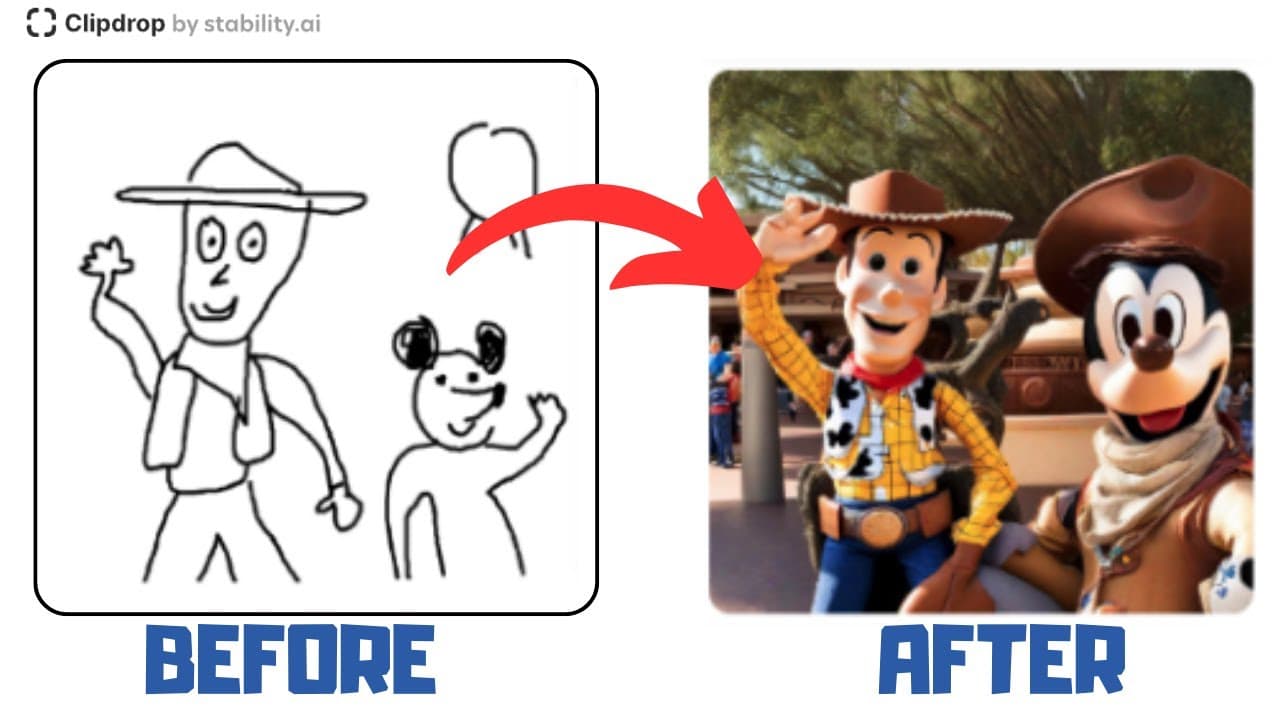
You can transform your doodles into realistic images using Clipdrop's Stable Doodle feature, powered by Stability AI. Simply draw your doodle, provide a prompt, and choose a style to generate visually appealing artworks in seconds. Clipdrop offers various tools for a subscription of about $7 per month.
Transcript
hey everyone welcome to attack hustle my name is Rich today I'm going to be sharing with you stable doodle this is a component of stability Ai and it will allow you to take your Doodles and turn them into a work of art so we're going to access stable doodle through clip drop you want to go to clipdrop.co staple Doodle With The Hyphen in the middle ... Read More
Key Insights
- 🤗 Stable Doodle, powered by Stability AI, transforms hand-drawn doodles into visually appealing images.
- 👤 Users can select from various styles to further enhance the artistic rendition of their doodles.
- 🧡 Clipdrop offers a subscription-based pricing model, providing access to a range of features and tools.
- 🤵 The technology behind Stable Doodle still has room for improvement, but it showcases the progress being made in this field.
- 👤 Users can download the transformed images for further use and exploration.
- 👻 Creating an account with Clipdrop allows users to bypass usage limits and enjoy uninterrupted access to Stable Doodle.
- 🤱 Clipdrop's pricing is affordable, with a monthly subscription fee of $7.
Install to Summarize YouTube Videos and Get Transcripts
Explore YouTube Video Summarizer or Get YouTube Transcript Extractor
Questions & Answers
Q: How does Stable Doodle work?
Stable Doodle utilizes Stability AI to analyze and convert doodles into realistic images. Users draw their desired doodles and Stable Doodle does the rest.
Q: Can I choose a specific style for my transformed doodle?
Yes, Stable Doodle provides numerous style options for users to choose from, allowing them to customize the artistic rendition of their doodles.
Q: Is there a limit to using Stable Doodle?
Yes, there is a usage cap, but users can create an account with Clipdrop to continue using the feature without any restrictions.
Q: What other features does Clipdrop offer?
Clipdrop offers a variety of tools beyond Stable Doodle, providing users with additional options for their creative projects.
Summary & Key Takeaways
-
Stable Doodle, accessed through Clipdrop, utilizes Stability AI to convert doodles into realistic images.
-
Users can select from various styles to transform their doodles into different artistic renditions.
-
Clipdrop offers a range of tools and features, with a monthly subscription fee of $7.
Read in Other Languages (beta)
Share This Summary 📚
Summarize YouTube Videos and Get Video Transcripts with 1-Click
Try YouTube Summary with ChatGPT & Claude or YouTube Transcript Generator
Explore More Summaries from EdTech Hustle 📚






Summarize YouTube Videos and Get Video Transcripts with 1-Click
Try YouTube Summary with ChatGPT & Claude or YouTube Transcript Generator