How to Export RAW Data from LabChart to Excel
TL;DR
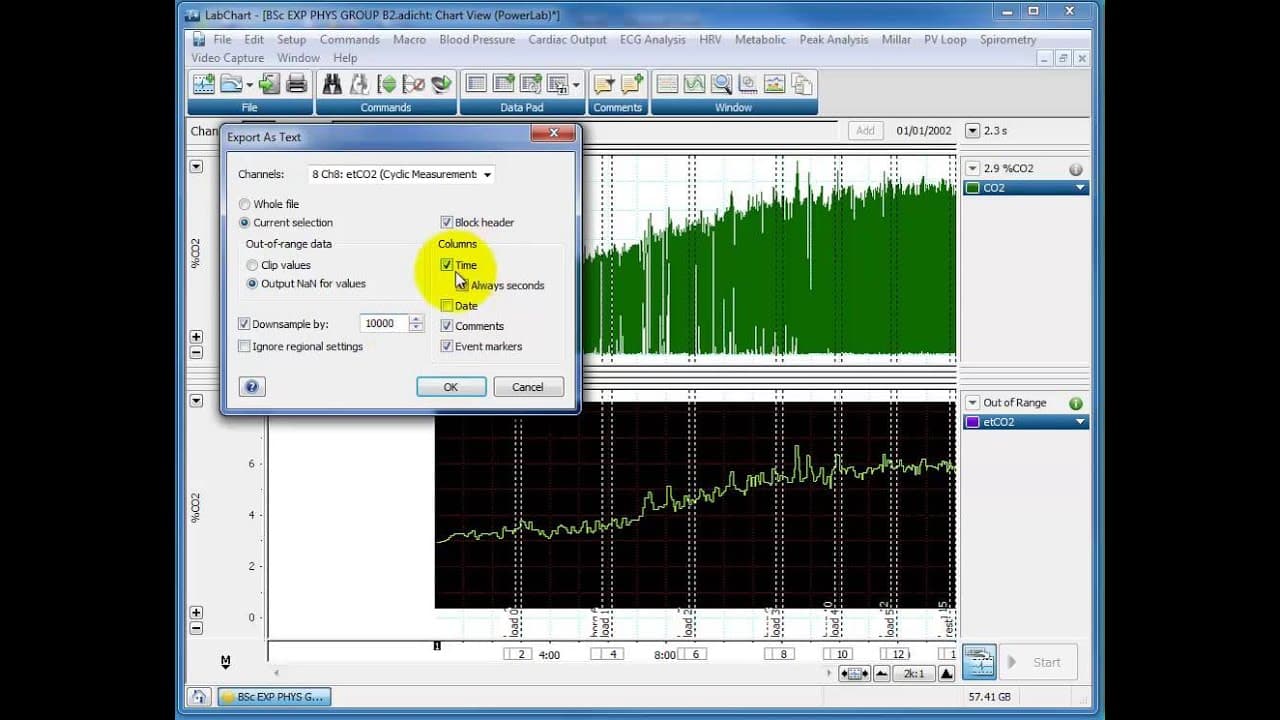
To export RAW data from LabChart to Excel, first delete any unwanted data points to isolate the desired channels. Then, select the data and export it as a text file, choosing the appropriate settings like downsampling for a manageable file size. The exported file can be easily imported into Excel for analysis and visualization.
Transcript
hello dr. Clark here again I've had a few requests from students wanting to know if it's possible to export raw data from lab chart here to be able to use an excel or prism or any other program and of course you can raw data is very easy to export and there's just a window up here go to file go to export and even export as a txt file a datapad file... Read More
Key Insights
- 👻 Lab Chart allows users to export raw data in various formats, including txt files.
- 😥 Deleting unwanted data points in Lab Chart makes exporting specific data easier.
- 🌥️ Downsampling the exported data can prevent large file sizes and ensure smoother analysis in programs like Excel.
- ❓ The exported data can be easily imported into Excel for visualization and further analysis.
- 🫥 Scatter graphs and lines of best fit can be used to visualize the exported data in Excel.
- 👻 The exported data retains the original timestamps, allowing for accurate time-based analysis.
- 🍓 Raw data exported from Lab Chart can be utilized in various programs beyond Excel, such as Prism.
Install to Summarize YouTube Videos and Get Transcripts
Explore YouTube Video Summarizer or Get YouTube Transcript Extractor
Questions & Answers
Q: Can raw data be exported from Lab Chart for use in Excel or other programs?
Yes, raw data can easily be exported from Lab Chart by selecting the desired data and exporting it as a txt file.
Q: How can I export only specific data points from Lab Chart?
In Lab Chart, delete any unwanted data points from the screen before exporting the data. This makes the process easier and ensures only the desired data is exported.
Q: What does downsampling the data mean, and why is it recommended?
Downsampling reduces the number of data points in the exported file, making it more manageable and preventing Excel from crashing. It selects data points at specific intervals, such as every 10 seconds, instead of exporting every single data point.
Q: Can I plot the exported data in Excel?
Yes, once the data is exported to Excel, you can plot it using scatter graphs or other chart types. You can also apply formatting and add a line of best fit to visualize the data.
Summary & Key Takeaways
-
It is possible to export raw data from Lab Chart to use in Excel or other programs.
-
To export specific data, delete any unwanted data points from the screen in Lab Chart.
-
Select the desired data and export it as a txt file, choosing the desired channel and downsampling if necessary.
-
The exported data can be imported into Excel and used for analysis or visualization.
Read in Other Languages (beta)
Share This Summary 📚
Summarize YouTube Videos and Get Video Transcripts with 1-Click
Try YouTube Summary with ChatGPT & Claude or YouTube Transcript Generator
Explore More Summaries from Dory Video 📚






Summarize YouTube Videos and Get Video Transcripts with 1-Click
Try YouTube Summary with ChatGPT & Claude or YouTube Transcript Generator