How to Build an AI Voice Assistant in 5 Minutes
TL;DR
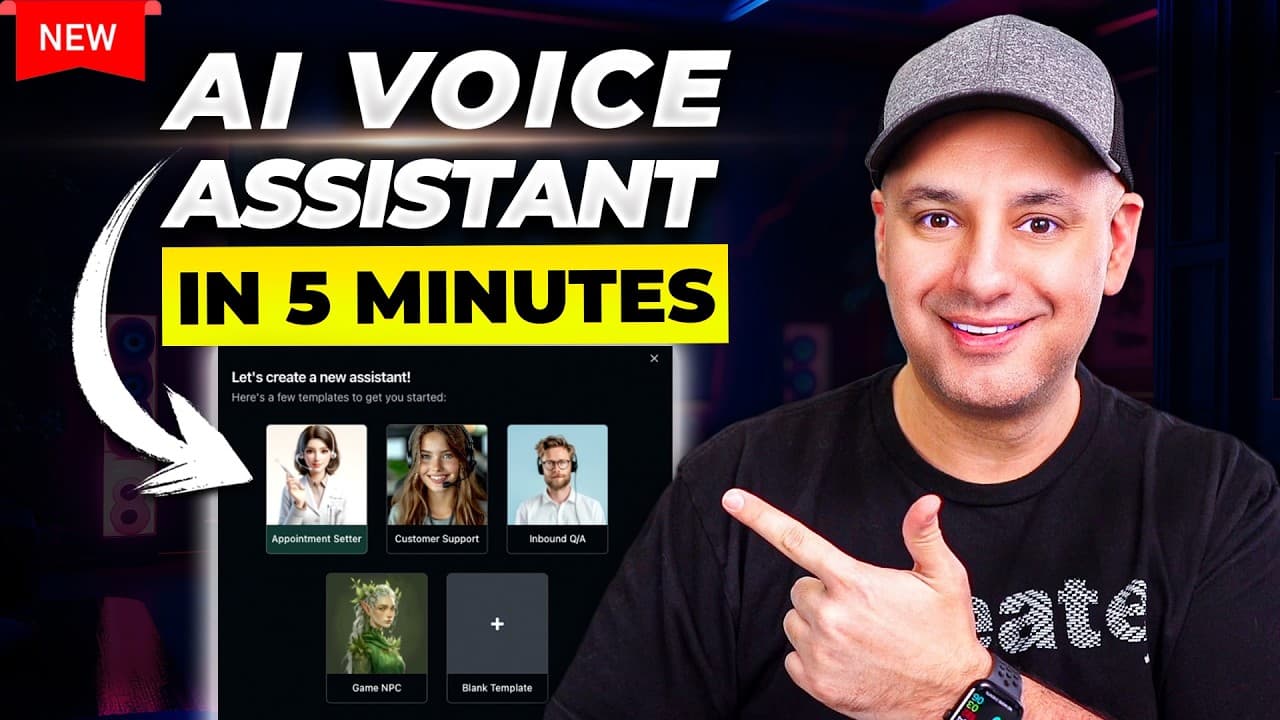
The video shows a non technical method to build an AI powered voice assistant using a platform called Vapy. It covers creating an assistant, uploading a knowledge base, configuring a system prompt, and testing the setup. It also explains cost factors and model choices to balance speed and accuracy.
Transcript
I found a really simple non-technical way for building an AI powered voice assistant and this is going to be powered by chat GPT I'm going to show you a quick demo then I'll show you in a few minutes how to set this up for yourself it has ton of customizable options depending on your use case so if you need this for yourself or your company or if y... Read More
Key Insights
- Vapi is the primary platform used to build the AI voice assistant and manage the workflow from input to voice output.
- The system prompt is crucial because it defines how the chatbot should respond and what rules to follow.
- A knowledge base file, such as a pricing document, is uploaded to constrain the AI answers to accurate information.
- Latency and per minute cost are affected by model choice, transcription, and text to voice services.
- GPT 4 based models offer higher quality at higher cost and latency compared to GPT 3.5 or open source options.
- Deep Gram is used for transcription and is a key part of the input processing pipeline.
- 11 Labs provides text to voice and allows selection of different voices for output.
- Testing can be done without a live phone number to verify the flow before going live.
Install to Summarize YouTube Videos and Get Transcripts
Explore YouTube Video Summarizer or Get YouTube Transcript Extractor
Questions & Answers
Q: How do you start building the AI voice assistant in this approach
To start, create a free account on Vapi, then choose the assistant type such as an appointment setter or customer service, name your bot, and create it. This initializes the workflow and lets you access settings to customize behavior, prompts, and the knowledge base. You can test the setup locally before connecting a number.
Q: What is the role of the system prompt in this setup
The system prompt provides the set of instructions that guide how the AI should respond. It includes details like the bot should not tell jokes, handle pricing from a knowledge base, and follow specific rules. This prompt remains behind the scenes and shapes every response the bot generates.
Q: Why is a knowledge base important for the bot
A knowledge base is important because it contains the information the bot uses to answer questions accurately, such as pricing and services. By uploading a document like a pricing file, the bot can reference exact figures and details during a call, reducing the chance of fabricating information.
Q: How does the video describe handling pricing information
The video explains that pricing should be pulled from the uploaded pricing document in the knowledge base. The bot is instructed to refer to this document for any pricing questions, ensuring consistent and accurate responses rather than making up prices.
Q: What are the main cost components discussed
The main cost components discussed include fixed platform costs, transcription costs from Deep Gram, model charges for GPT, and text to voice costs from 11 Labs. These costs combine to determine the price per minute and overall latency for the service.
Q: What models are compared and how do they affect cost and speed
The video compares GPT 4 based models with GPT 3.5 and open source alternatives. GPT 4 offers higher quality but higher cost and latency, while GPT 3.5 is cheaper and faster. Open source models could be faster and cheaper but may require different setup and trade offs.
Q: What is the role of Deep Gram in the pipeline
Deep Gram handles transcription of the caller's speech to text. This transcription is then sent to the language model for processing, and the resulting text is converted back to speech for playback to the caller, forming the core input pathway.
Q: How is the output delivered to the caller
The output is delivered via a text to speech service, specifically 11 Labs, which converts the AI response into voice. The chosen voice can be customized from a library, and the pipeline also involves routing through a platform that handles the call and response flow.
Summary & Key Takeaways
-
A basic workflow is demonstrated for creating an appointment setter voice bot built with Vapi, a platform that handles the AI processing and voice output.
-
The presenter emphasizes uploading a knowledge base document with pricing and service details to guide the AI responses.
-
The video discusses cost and latency trade offs and how model choice affects performance and price.
Read in Other Languages (beta)
Share This Summary 📚
Summarize YouTube Videos and Get Video Transcripts with 1-Click
Try YouTube Summary with ChatGPT & Claude or YouTube Transcript Generator
Explore More Summaries from Skill Leap AI 📚





Summarize YouTube Videos and Get Video Transcripts with 1-Click
Try YouTube Summary with ChatGPT & Claude or YouTube Transcript Generator