How to Automate Daily Work with n8n AI Agents
TL;DR
n8n AI agents can reduce repetitive work by connecting conversational interfaces with calendars, lead sources, phone calls, email, spreadsheets, and task managers. The showcased workflows can check scheduling conflicts, collect leads, classify messages, process receipts, create tasks, and support website visitors, although voice agents remain better suited to simple calls than complicated sales or customer service conversations.
Transcript
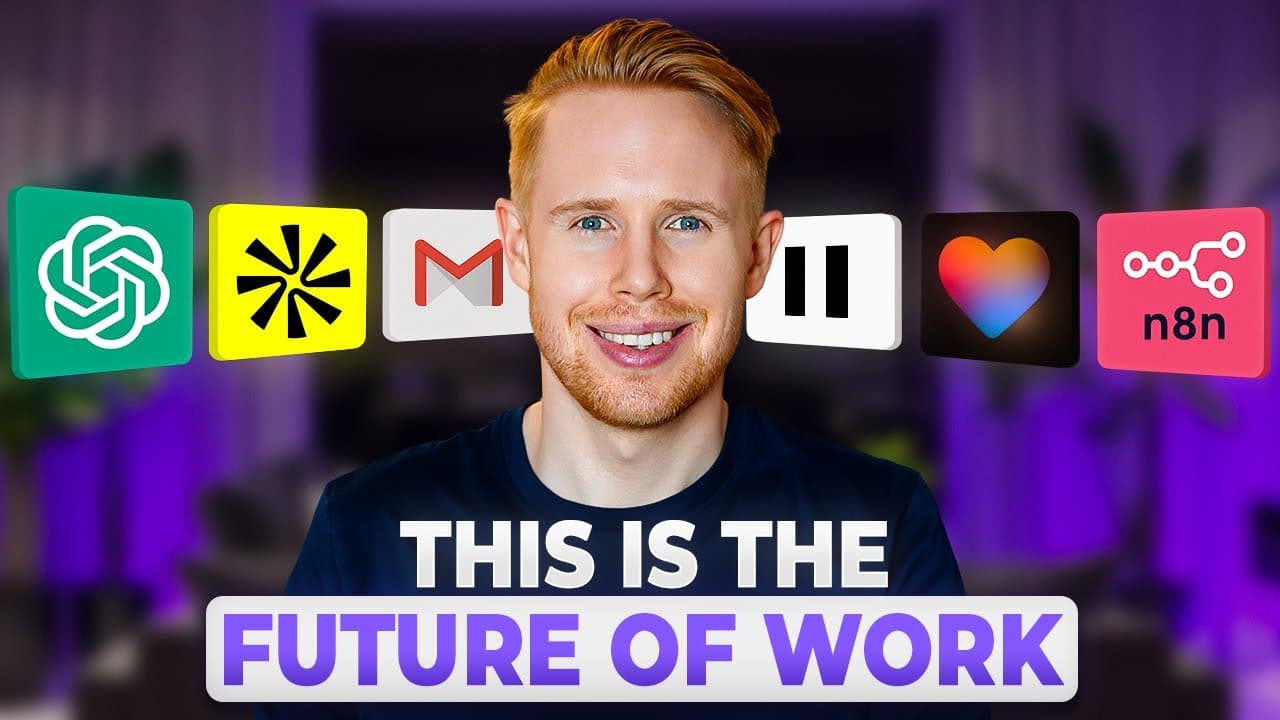
so if you're anything like me you're probably drowning in work right now And in this video we're going to be talking about 10 AI agents that will help you win back so much time every single day Let's dive into this right now The first AI agent that I want to showcase is connecting ChatGpt into an NAN AI agent allowing you to integrate this NAND AI ... Read More
Key Insights
- ChatGPT can communicate with an n8n AI agent in both directions, allowing a conversational request to trigger actions in connected applications. The calendar demonstration gathers missing details, checks for scheduling conflicts, creates the event, and returns confirmation with the calendar invitation.
- Automated web scraping can collect lead information from sources including Google Maps, TikTok, Instagram, Apollo, and Yellow Pages. The demonstrated n8n sub-agent places results into Google Sheets and sends a completion message back through the interface used to initiate the request.
- Small test samples are important when validating data-collection workflows because large searches can increase expenses quickly. The presenter deliberately configures low limits during testing, and a hard limit of two searches explains why the Google Maps demonstration returns only two additional listings.
- Outbound voice agents can place calls after receiving instructions through Telegram and wait for the conversation to finish before continuing the workflow. The Vapi demonstration negotiates an available appointment time, confirms the booking details, and asks how the recipient should receive a reminder.
- Voice AI is best reserved for relatively simple tasks in its demonstrated state. The presenter says it is not nearly as effective as a human cold caller and warns that complicated customer service or sales conversations may produce weaker results than direct human calls.
- An email-management agent can classify incoming messages into categories such as promotions, social notifications, personal correspondence, sales, and recruitment. It can apply labels, remove selected messages from the general inbox, create drafts, forward invoices, and send Slack notifications for important items.
- Receipt and invoice processing can convert information from images or PDFs into structured spreadsheet records. In the demonstration, a receipt image sent through Telegram is processed by an image-focused sub-agent, which extracts text, identifies individual line items, and inserts them into Google Sheets.
- A Telegram-based personal assistant can coordinate several connected tools through n8n. The described capabilities include making calls, managing calendar events, handling Gmail, publishing social posts, updating to-do items, and dealing with contracts or invoices, with a grocery-shopping task demonstrated in real time.
Install to Summarize YouTube Videos and Get Transcripts
Explore YouTube Video Summarizer or Get YouTube Transcript Extractor
Questions & Answers
Q: How can ChatGPT create calendar events through n8n?
ChatGPT can send a conversational scheduling request to an n8n AI agent through a connector. If required information is missing, the interaction can ask follow-up questions, such as the event name. The n8n workflow then checks for conflicts, creates the calendar event, and returns confirmation to ChatGPT. The demonstrated result also includes a calendar invitation and appears on the connected calendar.
Q: How can an n8n AI agent collect leads automatically?
An n8n AI agent can call a specialized web-scraping sub-agent that collects listings or contact information from sources such as Google Maps, TikTok, Instagram, Apollo, and Yellow Pages. The collected data can be written directly into Google Sheets while the workflow is running. After processing, the agent can also return a message confirming the result through the interface that received the original request.
Q: Why should n8n scraping workflows be tested with small samples?
Scraping workflows should initially use small sample sizes because requesting very large amounts of data can increase expenses quickly. The presenter tests with low limits before expanding a workflow. In the Google Maps example, the request mentions five leads, but the workflow returns only two additional listings because a hard limit of two searches had already been configured for testing.
Q: How does an outbound voice AI agent work with n8n?
The demonstrated workflow receives call instructions through Telegram, schedules an outbound call, and waits until the call is completed before continuing. Vapi provides the voice-calling capability. During the example, the agent asks about appointment availability, checks the proposed time against the user's schedule, confirms the date and time, books the appointment, and requests a text-message reminder for the recipient.
Q: When should a voice AI agent be used instead of a human caller?
The showcased voice agent is most appropriate for simple, clearly defined tasks such as arranging an appointment. The presenter cautions that the technology is still in its infancy and is not nearly as effective as a human cold caller. Complicated customer service or sales calls may therefore produce worse results, so users should be careful when deciding which conversations to automate.
Q: How can an AI agent organize an email inbox?
An inbox agent can inspect incoming email text and classify each message into categories such as promotional, social, personal, sales, or recruitment. Based on that classification, the workflow can apply labels, keep messages in the general inbox, or remove them from it. It can also create draft replies, forward detected invoices to accounting software, and send Slack notifications when important messages arrive.
Q: How can n8n extract receipt and invoice data into Google Sheets?
A user can send an image receipt or PDF invoice to the workflow through Telegram. An image-processing sub-agent extracts the text, processes the document, identifies the individual line items, and writes the structured information into Google Sheets. The demonstration uploads a receipt image with an instruction to place it in the spreadsheet, after which the extracted entries appear in the connected sheet.
Q: What tasks can an n8n personal assistant automate through Telegram?
A Telegram-based personal assistant can route natural-language requests to connected n8n tools. The described agent can make calls, create or modify calendar events, handle Gmail, publish social media posts, manage a to-do list, and work with contracts or invoices. In the demonstration, a request to schedule grocery shopping for tomorrow at 2 p.m. creates a new item in the connected to-do application.
Summary & Key Takeaways
-
The first workflow connects ChatGPT with an n8n AI agent and other applications. A user can request a calendar appointment conversationally, answer follow-up questions, and let the workflow check for conflicts before creating the event. Confirmation and the resulting calendar invitation are then returned through ChatGPT using two-way communication.
-
A lead-generation agent can scrape sources such as Google Maps, TikTok, Instagram, Apollo, and Yellow Pages, then place collected information into Google Sheets. The presenter recommends testing workflows with very small samples because large requests can quickly increase expenses. A demonstrated hard limit produced only two Google Maps listings.
-
Additional agents automate calls, email management, document processing, and personal tasks. The voice workflow uses Vapi to book a simple appointment, while an inbox agent classifies and routes messages. Another workflow extracts receipt or invoice line items into a spreadsheet, and a Telegram assistant updates a connected to-do list.
Read in Other Languages (beta)
Share This Summary 📚
Summarize YouTube Videos and Get Video Transcripts with 1-Click
Try YouTube Summary with ChatGPT & Claude or YouTube Transcript Generator
Explore More Summaries from Jono Catliff 📚
Summarize YouTube Videos and Get Video Transcripts with 1-Click
Try YouTube Summary with ChatGPT & Claude or YouTube Transcript Generator