Icewhale Zima Board Review: Is It the Best SBC for Servers?
TL;DR
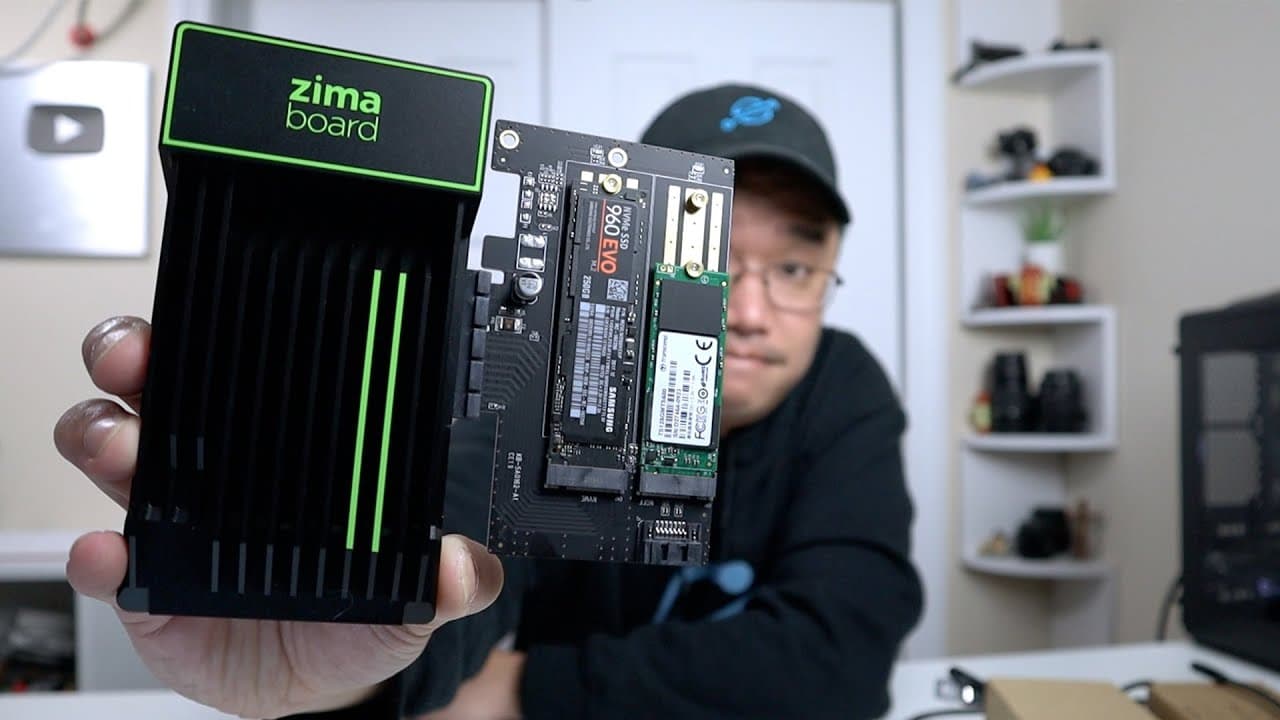
The Icewhale Zima Board is a versatile single-board computer (SBC) suitable for various server applications, featuring multiple models with different RAM and storage configurations. Its passive cooling system ensures silent operation, while PCIe expansion allows for additional hardware. The included Casa OS simplifies Docker management, making it an excellent choice for home networking, media streaming, or server tasks, with prices starting at $99.
Transcript
hey guys what's going on it's don here from nova spirit tech and welcome back to the channel and today i got a really cool spc to show you guys which is from ice world called the zima board so let's get started now for the last week i've been actually having a lot of fun with this board because there's just so much you can do and i'll explain that ... Read More
Key Insights
- 🕴️ The Zima Board provides a versatile platform for single-board server tasks with varying configurations to suit different user needs.
- 🤭 The absence of a fan allows for a quiet operation, making it ideal for home or office environments where noise can be a distraction.
- 👻 Its PCIe capability allows for potential expansion with additional storage or graphics cards, enhancing its functionality significantly.
- 🏃 Casa OS simplifies server management by centralizing application installation and monitoring, catering particularly to users interested in running containers.
- 🧡 The board is suitable for a range of applications, from basic server roles to more complex tasks including network management and media streaming.
- 👀 With competitive pricing starting at $99 on Kickstarter, it offers accessibility for technology enthusiasts looking for a budget-friendly computing solution.
- 🚙 The dual Ethernet ports enable various networking capabilities, which increases its value as a router alternative or as a multi-functional network device.
Install to Summarize YouTube Videos and Get Transcripts
Explore YouTube Video Summarizer or Get YouTube Transcript Extractor
Questions & Answers
Q: What are the specifications of the different Zima Board models?
Zima Board comes in three models: the 216 with 2GB RAM and 16GB eMMC storage, the 432 with 4GB RAM and 32GB storage, and the 832 with 8GB RAM and 32GB storage. Each model offers varying performance based on the Intel processors used, making it adaptable for different levels of server tasks and applications.
Q: How does the passive cooling mechanism work on the Zima Board?
The Zima Board employs a large heatsink as its sole cooling solution, ensuring silent operation without the need for a fan. This design allows for effective thermal management under typical workloads, which is beneficial for a server environment where noise reduction is often a priority.
Q: Can the Zima Board be used for network applications?
Yes, the Zima Board has dual Ethernet ports allowing for network configurations such as routers. Users can install software like pfSense or OpenWRT to transform the board into a dedicated router, making it suitable for both home and small office networking requirements.
Q: What operating system does the Zima Board come with and what are its main features?
The Zima Board is pre-loaded with Casa OS, a Debian-based operating system designed specifically for running Docker applications. It has a user-friendly interface, making it easy to manage and install various applications, which is appealing for users who prioritize streamlined server management.
Q: What are the potential use cases for the Zima Board?
The Zima Board can be utilized as a NAS device, home server for applications like Plex, or a development board for Docker containers. Its flexibility allows users to adapt it based on specific needs, making it a powerful tool for hobbyists and professionals alike.
Q: Why is the 432 model recommended for most users?
The 432 model balances performance and cost effectively, featuring a more powerful CPU and adequate RAM to handle various tasks. It is versatile enough for applications such as media servers, network routing, or running multiple Docker containers, making it a solid choice for general use.
Summary & Key Takeaways
-
The Zima Board features multiple models with varying specifications for RAM and storage, catering to a diverse range of needs from basic server functions to advanced applications.
-
It utilizes a passive cooling system, eliminating the need for fans, while providing numerous connectivity options including PCIe expansion for additional hardware.
-
The included Casa OS is targeted for Docker applications, streamlining software installations and management for users building their server setups.
Read in Other Languages (beta)
Share This Summary 📚
Summarize YouTube Videos and Get Video Transcripts with 1-Click
Try YouTube Summary with ChatGPT & Claude or YouTube Transcript Generator
Explore More Summaries from Novaspirit Tech 📚






Summarize YouTube Videos and Get Video Transcripts with 1-Click
Try YouTube Summary with ChatGPT & Claude or YouTube Transcript Generator