Seeed Studio Odyssey x86 Review: Is It Worth Buying?
TL;DR
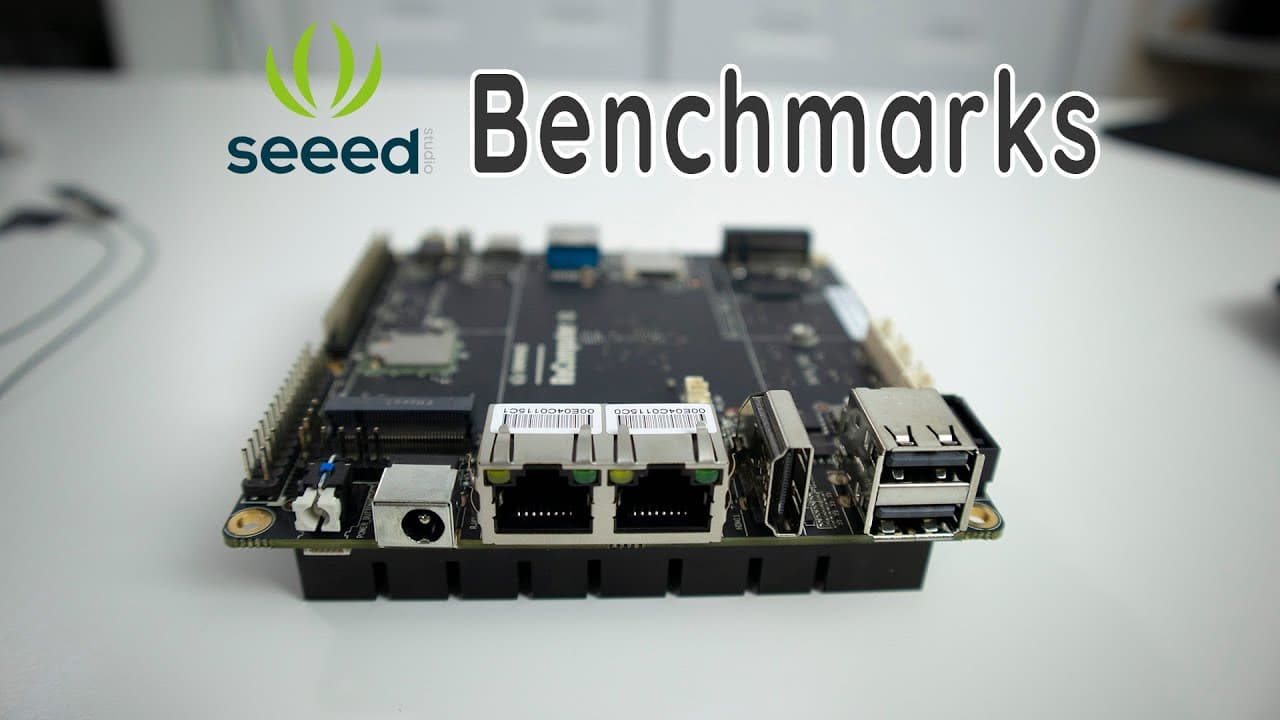
The Seeed Studio Odyssey x86 SBC offers impressive features, including dual Ethernet ports and an Intel Celeron J4105 CPU, making it ideal for projects like pfSense and home servers. With 8GB of RAM, extensive connectivity options, and a user-friendly package, it's a great choice for developers seeking versatility and performance at a competitive price.
Transcript
hey guys what's going on it's down here from Nova spirit tech and welcome back to our Channel and today we are gonna be checking out seed studios Odyssey x86 SBC board that they just recently released so let's get started now before we can I do want to thank siege Studios for sending me over this board for review and all the links will be down in t... Read More
Key Insights
- 👤 The build quality of the Odyssey X86 SBC's packaging and included components reflects the commitment to user convenience with everything needed to start efficiently included.
- 👻 The board’s dual Ethernet ports and robust CPU allow it to handle demanding tasks such as network routing and server applications effectively.
- 🤭 The inclusion of a quiet cooling solution and ample RAM suggests a focus on thermals and performance stability, crucial for prolonged device use.
- 👥 With three available models upping the price for more features, users can choose based on budget and project requirements, with recommendations leaning towards the mid-tier option for better value.
- 🤗 The board's versatility is enhanced by its compatibility with Linux and potential for various projects, opening up opportunities for hobbyists and professionals alike.
- 🏂 The review underscores the unexpected performance capabilities of the board given its competitive pricing, making it an attractive option for budget-conscious developers.
- 😥 A point of interest is the board’s unique BIOS feature allowing GPIO control, which appeals to developers focusing on hardware projects that require GPIO management.
Install to Summarize YouTube Videos and Get Transcripts
Explore YouTube Video Summarizer or Get YouTube Transcript Extractor
Questions & Answers
Q: What are the key specifications of the Odyssey X86 SBC?
The Odyssey X86 SBC features an Intel Celeron J4105 CPU, 8GB of RAM across all models, dual Ethernet ports, and a variety of connectivity options including USB 3.1, GPIO compatibility with Raspberry Pi, and M.2 expansion slots. The board also supports 4K video output and includes a SATA connector for storage expansion.
Q: How does the performance of the Odyssey X86 compare to other SBCs?
The Odyssey X86 competes well, especially considering its pricing. It has the fastest write and read speeds in its category for eMMC storage. In benchmarks, it shows strong performance in CPU tasks and reasonable graphical capabilities, being efficient for non-gaming purposes, particularly when compared to similar boards.
Q: What projects can this board be used for?
This board can support an array of projects, including setting up pfSense for network management, implementing Snort for network intrusion detection, creating a Plex media server, or utilizing it for Jellyfin. Future videos will also explore its application in a VR simulator setup.
Q: What is the significance of the BIOS features?
The BIOS of the Odyssey X86 offers advanced configurations, such as fan control, power management, and GPIO pin configurations. This level of customization is relatively uncommon in SBCs, allowing users to finely tune the board’s performance according to their specific project needs.
Summary & Key Takeaways
-
The Odyssey X86 SBC is reviewed for its impressive specs, including a dual Ethernet setup, a powerful Intel Celeron J4105 CPU, and 8GB of RAM, making it suitable for various projects like pfSense.
-
The packaging is notable for its quality, containing essential components such as a SATA connector, Bluetooth/Wi-Fi antennas, a real-time clock battery, and a versatile power supply for international use.
-
The review mentions the board’s multiple connectivity options, including GPIO for Raspberry Pi compatibility, various USB ports, and its BIOS features, which provide extensive configuration possibilities.
Read in Other Languages (beta)
Share This Summary 📚
Summarize YouTube Videos and Get Video Transcripts with 1-Click
Try YouTube Summary with ChatGPT & Claude or YouTube Transcript Generator
Explore More Summaries from Novaspirit Tech 📚






Summarize YouTube Videos and Get Video Transcripts with 1-Click
Try YouTube Summary with ChatGPT & Claude or YouTube Transcript Generator