How to Build and Run Your First Docker Container
TL;DR
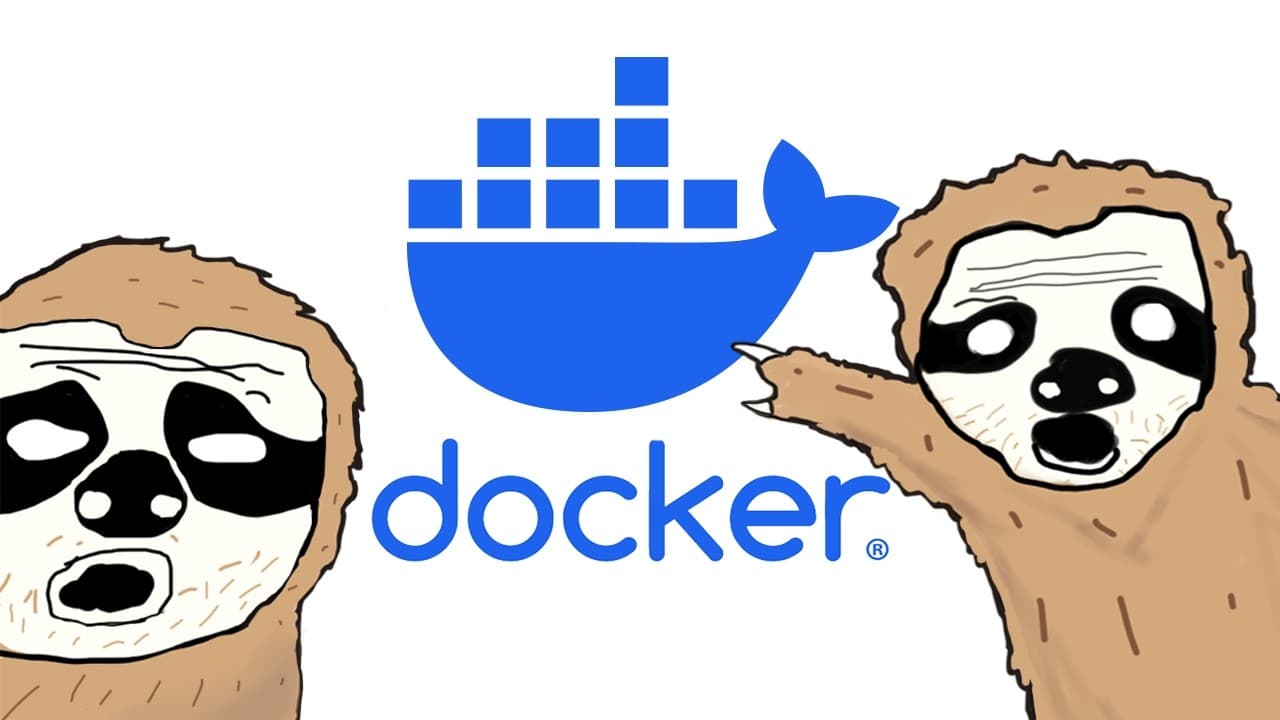
Docker packages code, dependencies, runtime tools, and environment settings into an image that can run as a container on another computer. To containerize a Node server, write a Dockerfile, optimize dependency caching, build the image, run it with port forwarding, inspect its logs, and scan it with Docker Scout.
Transcript
hi so you're a developer well you think you're a developer nice building apps is pretty cool except when it's not let's say you're building a web app the web app works perfectly hey it's not working what yeah it's not working but it works on my machine this has happened since the beginning of Technology let me show you hey it's not working it works... Read More
Key Insights
- Docker is a tool for developing, shipping, and running applications inside lightweight containers. It packages code with its dependencies, runtime, environment settings, and other required components, reducing the setup needed to run the same application on another computer.
- A Docker image is a recipe containing the technology, runtime, system tools, and instructions required by an application. A container is the running result created from that recipe, and a single image can produce multiple container instances.
- A Dockerfile is the file where the instructions for building an image are written. Its steps must reflect the actual process required to run the application, including selecting a base image, installing dependencies, copying code, configuring the environment, and defining the startup command.
- Docker layer caching is a build optimization that reuses unchanged steps. Copying package files and installing dependencies before copying frequently changed application code prevents Docker from downloading the same dependencies after every source-code modification, resulting in faster builds.
- A Docker ignore file is used to prevent unnecessary files and folders from being copied into an image. In the Node example, node_modules is excluded because copying every project file would otherwise include this large dependency directory.
- The difference between RUN and CMD is when each instruction operates. RUN executes while Docker is building the image, such as when installing dependencies, while CMD defines the command Docker uses to start the container, such as launching the Node server.
- Port forwarding is the bridge between a computer and a running container. In the docker run command, the number on the left represents the computer’s port, while the number on the right represents the container’s port.
- Docker Scout is a Docker tool that examines the packages inside an image and generates a detailed vulnerability report. It can suggest ways to handle detected vulnerabilities and can be accessed from either the terminal or the vulnerability analysis area in Docker Desktop.
Install to Summarize YouTube Videos and Get Transcripts
Explore YouTube Video Summarizer or Get YouTube Transcript Extractor
Questions & Answers
Q: What is Docker and why do developers use it?
Docker helps developers package application code together with its dependencies, runtime, environment settings, system tools, and other requirements. The package can then be used to run the application on another computer without repeating a long installation and configuration process. According to the tutorial, this makes development, deployment, and code sharing easier while reducing the familiar problem of software working only on its creator’s machine.
Q: What is the difference between a Docker image and a container?
A Docker image contains the ingredients and instructions needed to run specific code, much like a recipe. It can include the required technology, runtime, and system tools. A container is the running instance produced from that image, much like the meal made from a recipe. One image can be used to create multiple container instances, allowing the packaged application to run repeatedly.
Q: How do you install Docker and verify that it works?
The tutorial instructs users to download Docker Desktop from Docker’s website. Docker Desktop installs Docker, provides a graphical interface for managing images and containers, and includes the Docker command-line interface for terminal use. After installation, open a terminal and run the Docker version command. If version information appears, Docker is installed. The tutorial also recommends adding the Docker extension to the chosen IDE for language support and related tools.
Q: How do you write a Dockerfile for a Node server?
Create a file named Dockerfile and begin with the FROM instruction using the officially supported Node base image shown in the tutorial, node:22. Set a working directory, copy the package files, and run the dependency installation command. Next, copy the application code, configure the port environment variable with ENV, identify the required port with EXPOSE, and use CMD to define the command that starts the Node server.
Q: Why should package files be copied before application code in a Dockerfile?
Package files should be copied and dependencies installed before the rest of the application code so Docker can use layer caching effectively. Docker treats each Dockerfile step as a separate layer. If a layer has not changed, Docker can reuse its cached result. Because source code often changes without package files changing, this ordering prevents dependencies from being downloaded again during every image build and makes builds faster.
Q: What is a Docker ignore file used for?
A Docker ignore file specifies files and folders that should not be copied into a Docker image. The tutorial’s copy instruction would otherwise include every project file and folder, including node_modules. Because that dependency directory is large and should not be copied in this example, it is added to the ignore file. Other unwanted project files can also be listed there to keep them outside the image.
Q: How do you build and run a Docker container?
Build the image from the terminal with the docker build command. Add the tag option to assign the image a name, then provide the path to the Dockerfile. In the example, a period represents the current working directory. After the build completes, use docker run with the image name and port forwarding. The left port belongs to the computer, and the right port belongs to the container.
Q: How do you debug and scan a Docker container?
Docker Desktop can display a running container with a green indicator. Selecting that container provides access to its logs, terminal commands, and operating information. Similar terminal access is available through the docker exec command. For image security checks, Docker Scout examines packages inside the image, reports detected vulnerabilities, and provides handling suggestions. In Docker Desktop, open the image’s vulnerabilities tab and start the analysis.
Summary & Key Takeaways
-
Docker addresses the problem of code working on one developer’s machine but failing elsewhere. It packages application code with its dependencies, runtime, environment settings, and required system tools. An image acts as the recipe, while a container is a running instance created from that image.
-
The Node server example starts with the official Node 22 base image and defines a working directory. Package files are copied before dependency installation to benefit from Docker’s layer caching. Application files are copied afterward, while a Docker ignore file excludes node_modules and any other unwanted content.
-
The completed image is built with docker build and assigned a name through the tag option. Docker run starts a container, while port forwarding connects a computer port to the container port. Docker Desktop supports log inspection and terminal access, and Docker Scout analyzes image packages for vulnerabilities.
Read in Other Languages (beta)
Share This Summary 📚
Summarize YouTube Videos and Get Video Transcripts with 1-Click
Try YouTube Summary with ChatGPT & Claude or YouTube Transcript Generator
Explore More Summaries from The Coding Sloth 📚
Summarize YouTube Videos and Get Video Transcripts with 1-Click
Try YouTube Summary with ChatGPT & Claude or YouTube Transcript Generator