Is the Linux Tablet from Juno Computers Worth It?
TL;DR
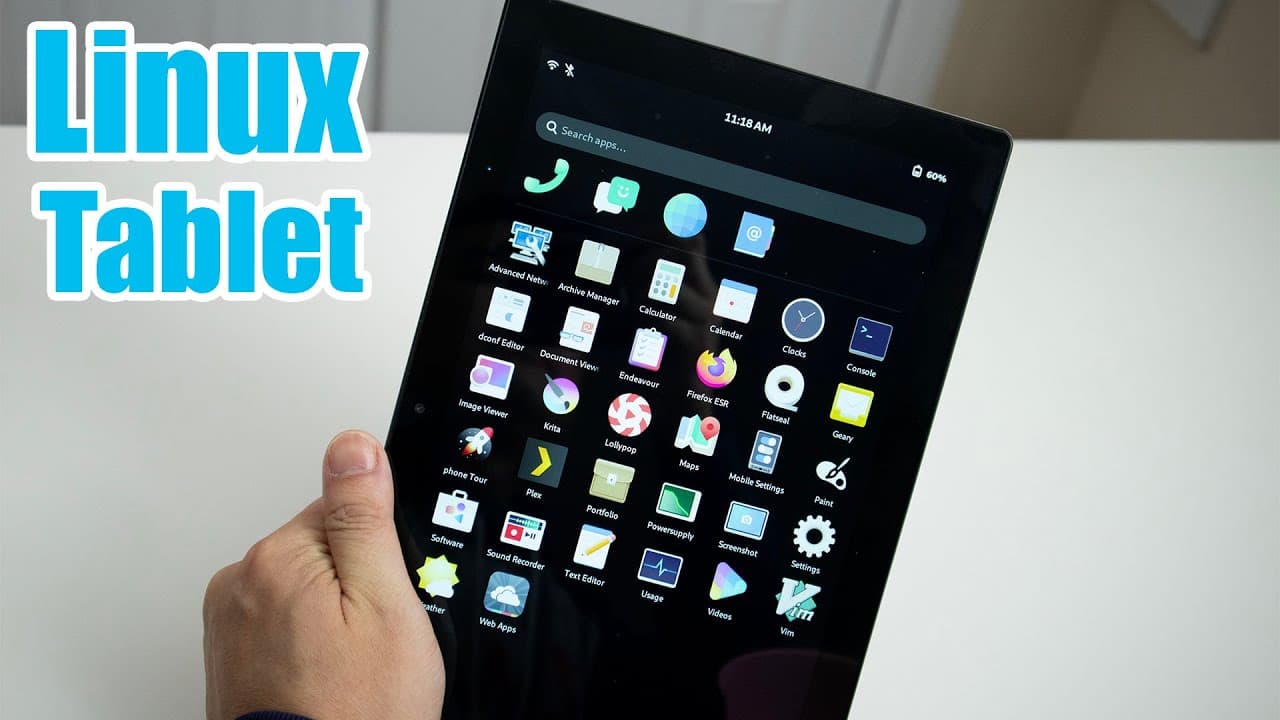
The Linux tablet from Juno Computers efficiently handles everyday tasks like browsing and media consumption, thanks to its Intel Celeron n5105 CPU and 8GB of RAM. Despite some software limitations with multitasking and lock screen issues, it's a surprisingly effective device for bedridden use, providing decent battery life and connectivity options.
Transcript
hey guys what's going on it's Don here from Nova spare Tech and welcome back to the channel and those of you who are actually on my Discord know that I've been sick for quite some time I actually had pneumonia then ended up catching covid and I've been basically bedridden for a while and it's gotten to the point where anytime I cough I would have a... Read More
Key Insights
- 😒 The combination of a lightweight design and Linux operating system makes the tablet suitable for casual use during illness.
- ❓ The Intel Celeron n5105 CPU offers satisfactory performance for everyday tasks, though it is not suitable for gaming.
- 👤 The operating system, Mobian, provides a different user experience but has software bugs that need addressing, particularly with multitasking and lock screen functionality.
- 🦠 The tablet features various input ports, including USB and micro HDMI, enhancing its connectivity options.
- 🗃️ Users can expand storage with an SD card, providing flexibility for additional files and applications.
- 😀 In tablet mode, the system sufficiently supports basic app usage but could benefit from better multitasking capabilities.
- 💻 The reviewer's intention to explore other Linux desktops on the device reflects an interest in optimizing the tablet's usability.
Install to Summarize YouTube Videos and Get Transcripts
Explore YouTube Video Summarizer or Get YouTube Transcript Extractor
Questions & Answers
Q: How did the reviewer's illness impact their choice of device?
The reviewer faced pneumonia and COVID-19, which left them bedridden. Given the circumstances, they sought a lightweight solution that didn't require the setup of a full laptop or desktop, highlighting the tablet's portability and ease of use as ideal for their situation.
Q: What are the key specifications of the tablet reviewed?
The tablet is powered by the Intel Celeron n5105 CPU, has 8GB of RAM, and features 56GB of storage. The device is designed primarily for tasks like browsing and media consumption rather than gaming, which aligns with the reviewer's usage during their recovery period.
Q: What software challenges did the reviewer encounter while using the tablet?
The reviewer faced challenges with the lock screen, which occasionally did not allow them to input their password. They also noted the lack of multitasking capabilities in tablet mode, preventing them from using multiple applications side by side, which made certain tasks cumbersome.
Q: Did the reviewer find any significant benefits in using the Linux-based tablet?
Yes, the reviewer highlighted the Linux-based tablet's performance for basic computing tasks, its touchscreen capabilities, and the convenience it provided during their recovery. They appreciated its ability to handle media streaming and browsing smoothly despite some software limitations.
Q: How effective was the tablet's battery life during intensive tasks?
For light tasks like web browsing and email, the tablet lasted between five to six hours on a single charge. However, when used for media playback, such as watching movies back-to-back, the battery life dropped to about three hours, which is comparable to some laptops.
Summary & Key Takeaways
-
The reviewer discusses their experience with a Linux-based tablet during a period of illness, highlighting its functionality and ease of use while bedridden.
-
The device features an Intel Celeron n5105 CPU and ran flawlessly for typical tasks like browsing and media consumption, with a decent battery life.
-
Despite some software limitations, such as multitasking issues and lock screen bugs, the tablet proved to be a surprisingly effective tool for entertainment and productivity.
Read in Other Languages (beta)
Share This Summary 📚
Summarize YouTube Videos and Get Video Transcripts with 1-Click
Try YouTube Summary with ChatGPT & Claude or YouTube Transcript Generator
Explore More Summaries from Novaspirit Tech 📚






Summarize YouTube Videos and Get Video Transcripts with 1-Click
Try YouTube Summary with ChatGPT & Claude or YouTube Transcript Generator