How to Use Claude Code for YouTube Production
TL;DR
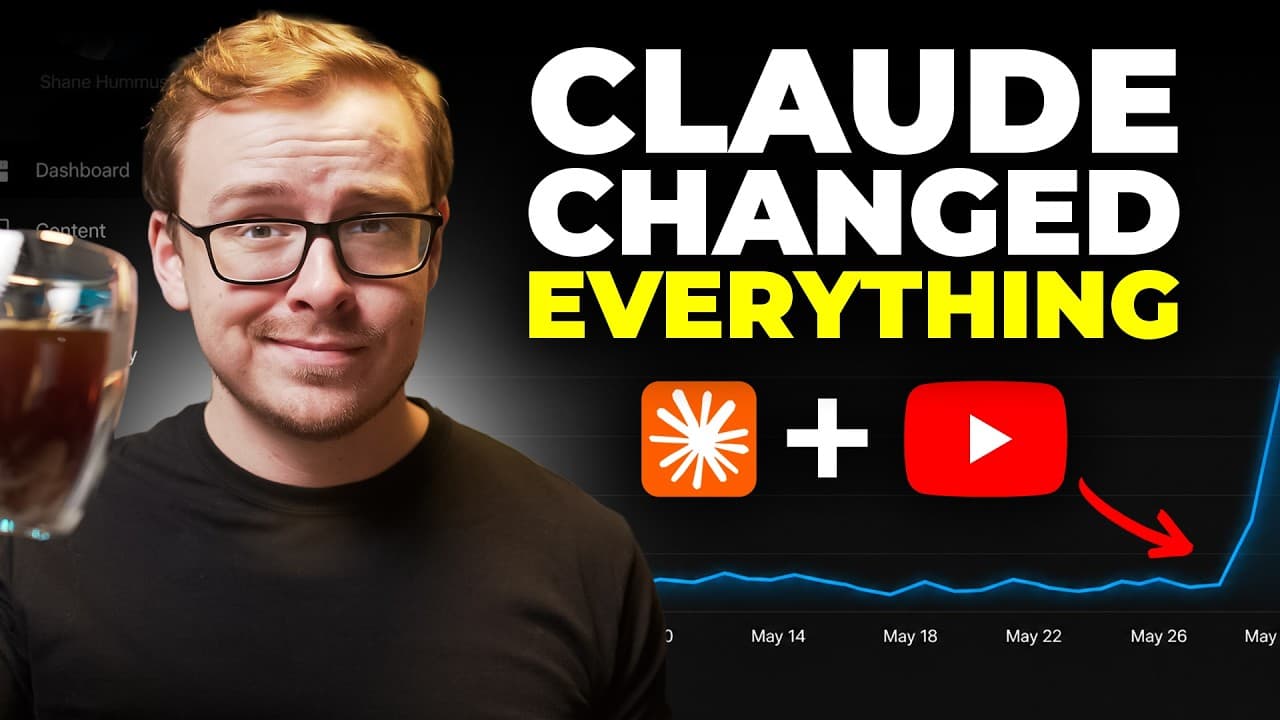
Claude Code can support a YouTube workflow from niche selection and idea generation through titles, thumbnails, scripts, editing, uploading, and launch optimization. The setup shown requires Claude, GitHub, a paid Claude account, and a local storage folder. Creators can also install custom skills that give Claude relevant knowledge before it begins a task.
Transcript
So, Claude Code just made YouTube content production roughly 10 times easier. And the wildest part is that almost no YouTubers have figured this out yet because Claude Code was built for software developers, not for content creators. And that's because people assume that it's really difficult to use or it's very technical and you have to be some ki... Read More
Key Insights
- Claude Code is positioned as an assistant for the entire YouTube production process, including idea generation, thumbnail and title testing, scriptwriting, research, uploading, and launch optimization. The presenter says it accelerates these stages but explicitly rejects claims that it can replace an entire production or marketing team.
- Coding knowledge is not required for the demonstrated workflow. Although Claude Code was built for software developers and may appear technical, the presenter describes its practical use as comparable in difficulty to working with a normal ChatGPT or Claude interface once the initial setup is complete.
- The initial setup requires Claude and GitHub on the creator's computer. The presenter demonstrates searching for the appropriate Claude installer by operating system, completing the Claude installation, signing in, opening the Code tab, and allowing Claude Code to identify any missing GitHub-related components.
- A paid Claude account is required according to the presenter, who states that free claude.ai access does not work with Claude Code. The demonstrated account uses a paid subscription, and the presenter recommends the Pro version at $20 per month while clarifying that the recommendation is neither sponsored nor affiliated.
- A blank local folder serves as storage for the Claude Code workspace. After creating the folder, the user selects the local option from the workspace menu, chooses that folder, and sends a simple test question to confirm that Claude Code is functioning correctly.
- A clearly defined niche is presented as the foundation of a YouTube channel. Claude Code can help creators examine their professional background, determine whom they want to serve, and clarify their goals, which is especially useful for new channels or channels publishing unrelated topics without a consistent direction.
- Custom skills give Claude Code relevant knowledge before it begins working. The presenter describes skills as optional rather than required, but says they can improve performance because the assistant receives the creator's established content-production knowledge instead of learning the desired process from scratch.
- The production blueprint follows a staged sequence from niche and ideas to packaging, scripts, recording, editing, uploading, and launch. The title, thumbnail, and introduction are grouped as a single important unit called the holy trifecta, emphasizing that these elements should be developed as a congruent package.
- More videos from this channel:
- More from this channel: Shane Hummus
Install to Summarize YouTube Videos and Get Transcripts
Explore YouTube Video Summarizer or Get YouTube Transcript Extractor
Questions & Answers
Q: How can Claude Code help with YouTube production?
Claude Code can assist across multiple stages of YouTube production, including defining a niche, generating ideas, testing titles and thumbnails, developing introductions, conducting research, writing scripts, supporting editing, helping with uploads, and optimizing a launch. The presenter describes it as an accelerator for creators, not as a complete replacement for human production teams or human judgment.
Q: What is required to set up Claude Code for YouTube?
The demonstrated setup requires Claude, GitHub, a paid Claude account, and a blank local folder that Claude Code can use as storage. After installing Claude for the correct operating system, the user signs in, opens the Code tab, asks what components are missing, connects the requested GitHub tools, selects the local folder, and tests whether the assistant works.
Q: Does using Claude Code for YouTube require coding skills?
Using the workflow shown does not require knowledge of programming or the ability to write code. The presenter says Claude Code appears intimidating because it was built for software developers, but argues that creators can operate it through ordinary language. Once the initial installation and account connections are complete, users can ask questions and assign content tasks conversationally.
Q: Does Claude Code work with a free Claude account?
A free claude.ai account does not work for the setup described in the transcript. The presenter says Claude Code requires a paid Claude account and demonstrates signing in with an account that already has a subscription. The Pro version is presented as costing $20 per month, and the presenter states that the recommendation is not sponsored and has no affiliate relationship.
Q: How do you connect a local folder to Claude Code?
Create a blank folder on the computer to serve as the workspace's storage location. In the Claude Code window, open the workspace selection currently labeled default, choose the local option, and select the folder that was created. After the folder opens as the workspace, send a simple message such as asking whether Claude is working to verify the setup.
Q: How can Claude Code help a creator choose a YouTube niche?
Claude Code can guide niche selection by asking about the creator's background, intended audience, and goals. In the demonstration, the starting prompt describes nearly 30 years of experience in the trades and an interest in creating a channel. This structured discovery process is intended to replace unfocused experimentation with a clearer decision about whom the channel serves and what it covers.
Q: What are Claude Code skills for content creation?
Skills are optional packages of knowledge created inside Claude Code to improve how it performs a particular job. The presenter uses content-creation skills so Claude receives relevant methods before beginning the task. They are not necessary for the basic workflow, but the presenter says they reduce the amount of learning from scratch and make Claude Code better at its assigned role.
Q: What stages are included in the Claude Code YouTube workflow?
The workflow begins with selecting a niche and generating video ideas. It then moves to the thumbnail, title, and introduction, which the presenter collectively calls the holy trifecta. Later stages include research, full scriptwriting, recording, editing, uploading, and launch optimization. Claude Code is applied as support throughout this sequence, although the presenter does not claim that it replaces every human task.
Summary & Key Takeaways
-
Claude Code is presented as an accessible content-production assistant, despite being designed primarily for software developers. The workflow does not require coding knowledge and covers niche selection, idea generation, thumbnail and title testing, introductions, research, scriptwriting, recording, editing, uploading, and launch optimization, while acknowledging that AI cannot perform every production task.
-
The demonstrated setup begins by installing Claude for the computer's operating system and signing into a paid Claude account. The presenter states that free claude.ai access does not support Claude Code. Users then connect GitHub components, create a blank local folder for storage, select that folder in Claude Code, and test the installation.
-
The production process starts with defining a viable niche based on the creator's background, intended audience, and goals. Claude Code can ask structured questions to clarify these factors. Optional custom skills can supply specialized content-creation knowledge in advance, reducing the need for the assistant to learn the desired workflow from scratch.
Read in Other Languages (beta)
Share This Summary 📚
Summarize YouTube Videos and Get Video Transcripts with 1-Click
Try YouTube Summary with ChatGPT & Claude or YouTube Transcript Generator
Explore More Summaries from Shane Hummus 📚


Summarize YouTube Videos and Get Video Transcripts with 1-Click
Try YouTube Summary with ChatGPT & Claude or YouTube Transcript Generator