How to Analyze Pressure-Volume Loops in Mice
TL;DR
To analyze pressure-volume loops using the Miller MPVS system in mice, calibrate the pressure and volume measurements, conductance, and perform alpha calibration. Utilize the PV Loop plugin in LabChart 7 for comprehensive analysis of baseline hemodynamics and occlusion data, ensuring accurate insights into cardiac function.
Transcript
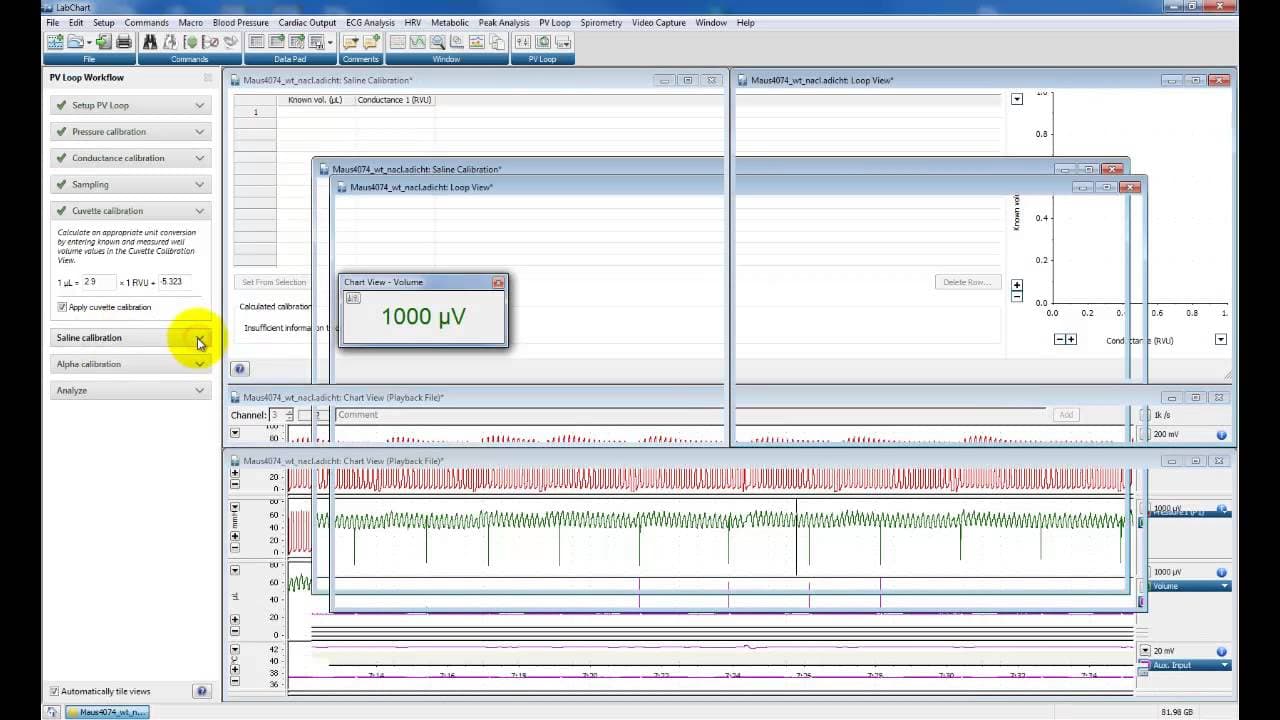
okay this is a quick demonstration looking at some uh pressure volume Loops taken from a Miller mpvs um system in a mouse um the data you can see on the screen is pressure at the top we've got volume here which isn't actually volume it's relative volume units you can see here on the rvu window relative volume units we got some temperature and heart... Read More
Key Insights
- 🔇 Calibrating pressure and volume units is essential for accurate analysis of pressure volume loops.
- 🔇 Conductance and parallel conductance calibration are crucial for accounting for blood conductance in volume measurements.
- 🔇 Alpha calibration allows for scaling relative volume units to actual cardiac output or stroke volume.
- ❓ The PV Loop plugin in LabChart 7 provides comprehensive analysis capabilities for assessing cardiac function and hemodynamics.
- 👨🔬 Proper calibration and analysis of pressure volume loops can provide valuable insights into cardiovascular research.
- 🈸 The PV Loop workflow can be tailored to different animal models and experimental setups for versatile applications.
- ❓ Analyzed data can be exported for further analysis and interpretation.
Install to Summarize YouTube Videos and Get Transcripts
Explore YouTube Video Summarizer or Get YouTube Transcript Extractor
Questions & Answers
Q: What is the purpose of the PV Loop workflow in LabChart 7?
The PV Loop workflow in LabChart 7 allows for the analysis of pressure volume loops in mice, providing insights into cardiac function and hemodynamics.
Q: Why is it important to calibrate the pressure and volume units?
Calibrating the pressure and volume units ensures accurate measurements and allows for meaningful analysis of the pressure volume loops. It also helps in calculating parameters like stroke volume and ejection fraction.
Q: How is conductance calibration done in the PV Loop analysis?
Conductance calibration involves entering known calibration values for conductance in relative volume units (RVUs). These values are used to convert voltage-based measurements to RVUs for accurate analysis.
Q: What is the purpose of parallel conductance calibration?
Parallel conductance calibration helps in accounting for the influence of blood conductance on the volume measurements. It involves injecting a hypertonic saline solution and using the resulting pressure-volume relationship to calibrate the volume measurements.
Q: How is alpha calibration performed, and what does it determine?
Alpha calibration involves comparing stroke volume measurements obtained from PV loops with measurements from other methods like ultrasound. It helps determine the scaling factor (alpha) needed to convert relative volume units to actual cardiac output or stroke volume.
Q: What can be analyzed using the PV Loop plugin in LabChart 7?
The PV Loop plugin allows for analysis of baseline hemodynamics, including parameters like stroke volume, ejection fraction, dp/dt max, and relaxation constant. It also enables analysis of occlusion data to assess contractility and pressure-volume relationships.
Q: How can the analyzed data be exported from LabChart 7?
The analyzed data can be exported from LabChart 7 as a tab-delimited or comma-separated text file. This allows for further analysis in other software or applications.
Q: Can the PV Loop workflow be customized for different animal models or experimental setups?
Yes, the PV Loop workflow can be customized for different animal models and experimental setups by selecting appropriate pressure and volume channels, adjusting detector settings, and performing specific calibration procedures.
Summary & Key Takeaways
-
The content explains how to analyze pressure volume loops using a Miller MPVS system in mice.
-
It covers the calibration process for pressure and volume units, conductance, and parallel conductance.
-
The content also discusses the use of alpha calibration and provides insights on analyzing baseline hemodynamics and occlusion data.
Read in Other Languages (beta)
Share This Summary 📚
Summarize YouTube Videos and Get Video Transcripts with 1-Click
Try YouTube Summary with ChatGPT & Claude or YouTube Transcript Generator
Explore More Summaries from Dory Video 📚






Summarize YouTube Videos and Get Video Transcripts with 1-Click
Try YouTube Summary with ChatGPT & Claude or YouTube Transcript Generator