How to Build a $10,000 Website in 30 Minutes with AI and No-Code Tools
TL;DR
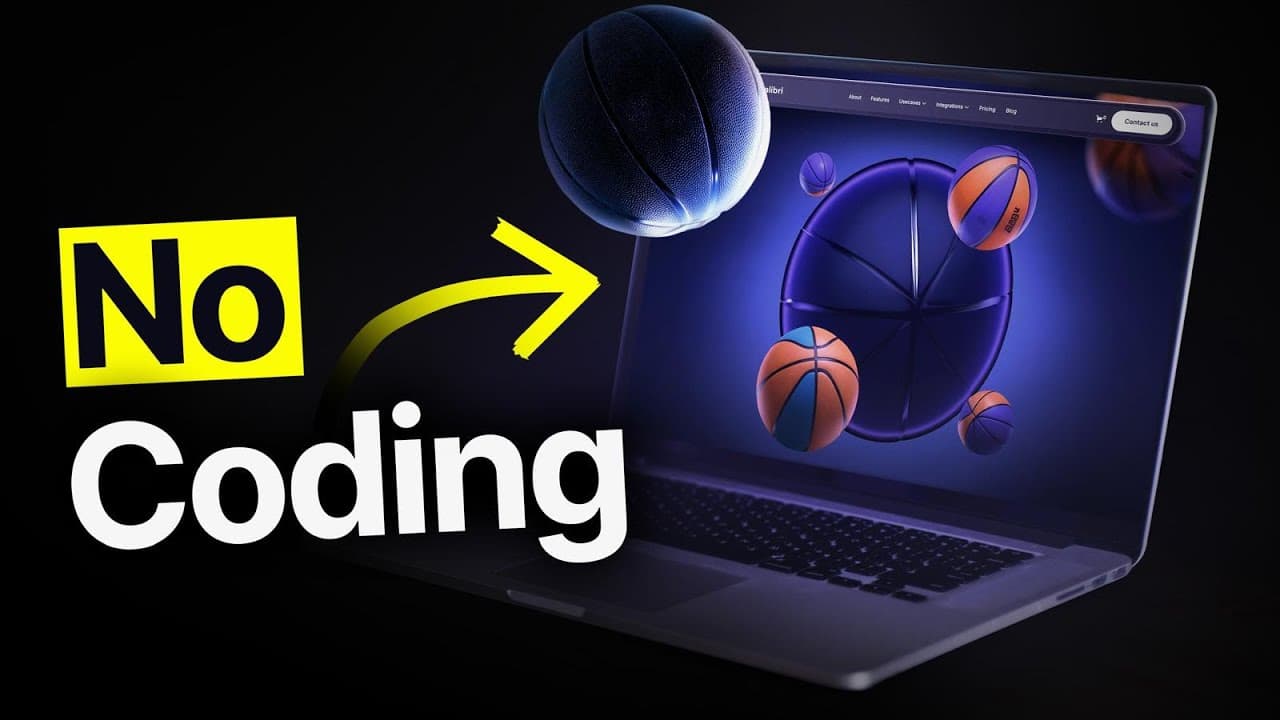
You can build a $10,000-style website in 30 minutes by using three AI and no-code tools, starting with a basic landing page and improving it through focused prompts. The walkthrough builds “Hoops,” a basketball manufacturing company site designed to elevate the brand and generate bulk retailer inquiries, while addressing CMS, mobile responsiveness, performance, security, design, and animations. Read on for the exact planning and build process.
Transcript
this website this website and this website were all built without writing a single line of code but what if I told you that you could build your own $110,000 websites in just 30 minutes and to prove it to you I'm going to show you exactly how you can use these three no code and AI tools to launch your own websites from scratch but first of all what... Read More
Key Insights
- No-code platforms allow for building websites without programming knowledge, using visual tools and AI enhancements.
- A $10,000 website includes essential business features like performance, security, CMS, and mobile responsiveness.
- Design inspiration can be drawn from existing templates and adapted to fit the desired aesthetic, such as dark mode or specific color schemes.
- AI tools can assist in iterative design processes, allowing for step-by-step modifications and instant feedback.
- Creating a CMS enables dynamic content management, allowing for easy updates and blog post additions.
- Animations and 3D elements significantly enhance the visual appeal and perceived value of a website.
- Dynamic routing in a CMS allows each blog post to have its own unique page, improving user experience.
- Deploying the website on a public URL is the final step, making it accessible for users and potential clients.
Install to Summarize YouTube Videos and Get Transcripts
Explore YouTube Video Summarizer or Get YouTube Transcript Extractor
Questions & Answers
Q: How do you build a $10,000 website with AI and no-code tools?
Start by defining the site’s business goals and required features, then gather design inspiration for its color palette and overall aesthetic. Use Bolt to generate a basic landing page and refine it step by step with focused prompts, adding pages, sections, styling, and animations after the structure is established.
Q: What features should a $10,000 website include?
The feature list generated with Claude emphasizes business-driving essentials such as performance, security, a CMS, and mobile responsiveness. The site should also have beautiful design and may include animations that help it visually stand out.
Q: What website is built during the 30-minute challenge?
The project is a website for a basketball manufacturing company called Hoops. Its two main goals are to elevate the brand and encourage retailers to make contact about ordering large quantities of basketballs.
Q: Which tools are used to plan and build the website?
Claude is used to identify features that could belong in a $10,000 client website, while Bolt is the main tool used to build the site. Webflow templates provide design inspiration, and an image-to-hex-color tool extracts a specific color for the buttons.
Q: How is the initial landing page created in Bolt?
The build begins with a simple prompt asking Bolt to create a basic page for a basketball manufacturing company. After Bolt produces a first version with bugs and an unsuitable color palette, the page is refined through additional prompts.
Q: Why are the AI prompts given step by step?
The creator deliberately asks Bolt to make one focused change at a time instead of handling too many tasks in a single prompt. This makes it possible to inspect each result, remove unwanted elements, and continue refining the page incrementally.
Q: What sections are included on the Hoops homepage?
The homepage structure includes a hero, a section about basketball technology, a history section, a collection showcasing ball technologies, and a final call to action. The structure is completed before the more detailed visual styling and animations are added.
Q: How is the website’s visual style chosen and applied?
The creator reviews Webflow templates and chooses inspiration based on dark mode with pink, purple, and blue tones. The sections are changed to dark mode, and a color sampled from a screenshot is converted to a hex code and applied to the buttons in Bolt.
Summary & Key Takeaways
-
The video illustrates building a professional website using no-code and AI tools, focusing on essential features like CMS and mobile responsiveness. By leveraging design templates and AI-driven design processes, users can create visually appealing websites efficiently.
-
Key elements of a high-value website include performance, security, and aesthetic design, achieved through careful planning and execution. The video demonstrates how animations and 3D elements can enhance the overall user experience and website value.
-
Deploying a website involves connecting it to a domain and ensuring it is accessible to users. The video provides a comprehensive guide to building a website that meets business needs and attracts potential clients, emphasizing the role of modern tools in simplifying web development.
Read in Other Languages (beta)
Share This Summary 📚
Summarize YouTube Videos and Get Video Transcripts with 1-Click
Try YouTube Summary with ChatGPT & Claude or YouTube Transcript Generator
Explore More Summaries from Christian Peverelli - WeAreNoCode 📚



Summarize YouTube Videos and Get Video Transcripts with 1-Click
Try YouTube Summary with ChatGPT & Claude or YouTube Transcript Generator