How to Optimize Roli Seaboard Rise for Kontakt Instruments
TL;DR
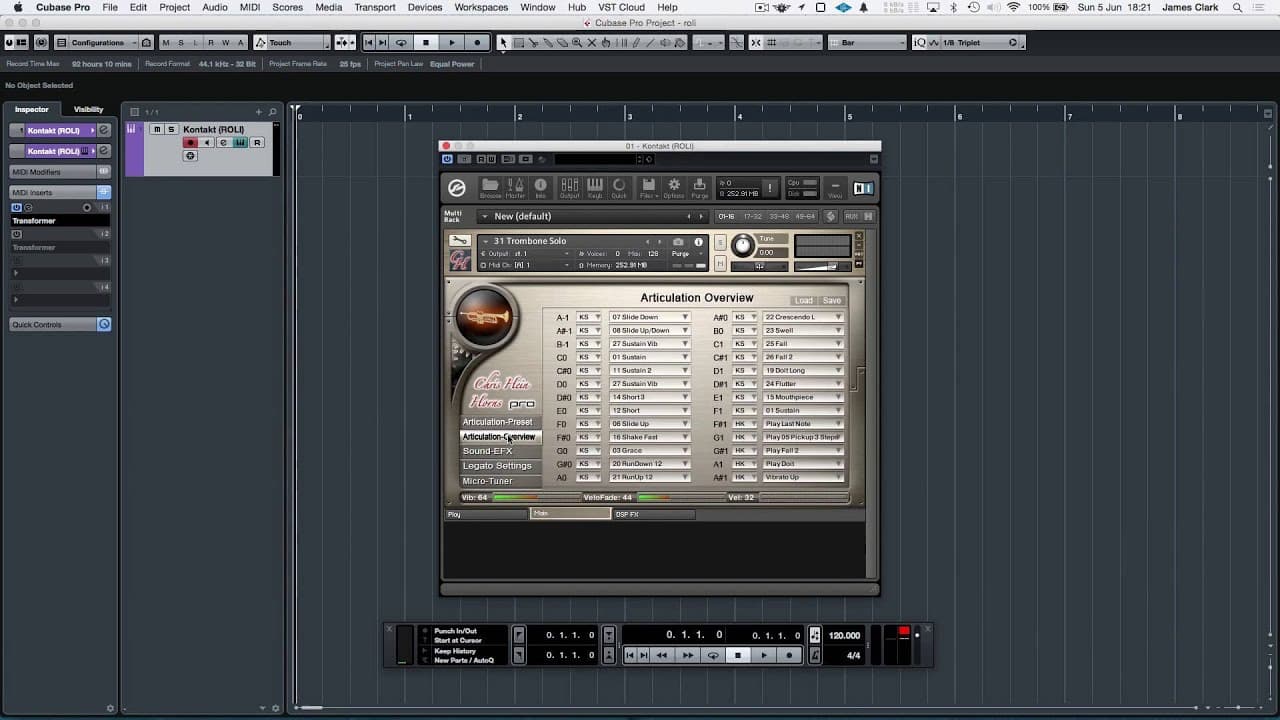
To optimize the Roli Seaboard Rise for Kontakt instruments, use Cubase's MIDI inserts to convert aftertouch controls into MIDI CC commands. This allows you to fully utilize dynamics, crossfading, and vibrato with your Kontakt instruments. Saving a copy of the instrument with these settings simplifies future use.
Transcript
hi so what we're looking at in front of us now is Chris Heinz horns this is the trombone solo from Chris Heinz horns Pro vol 1 and this is loaded into Cubase in an instance of contact which is connected to a Raleigh seaboard rise which we have on the keyboard stand in front of me this is the rise 25 not the rise 49 so this gives us two octaves of c... Read More
Key Insights
- 🎮 The Roli Seaboard Rise keyboard offers enhanced MIDI control with aftertouch and continuous pitch bending capabilities.
- 🎮 Contact instruments in Cubase have limitations in utilizing the full capabilities of the Seaboard Rise due to the reliance on MIDI CC controllers.
- 🎮 Cubase's MIDI inserts can transform aftertouch controls into MIDI CC commands, allowing for full control of dynamics, crossfading, and vibrato in contact instruments.
- 😒 Saving instrument copies with transformed MIDI settings enables easy use of the Seaboard Rise with contact instruments.
- 🎮 Other DAWs may have similar MIDI control capabilities for integrating the Seaboard Rise keyboard.
- 😮 The Roli Seaboard Rise offers a versatile and expressive tool for musicians and producers.
- 😮 The combination of Cubase, contact instruments, and the Seaboard Rise can result in enhanced musical performances.
Install to Summarize YouTube Videos and Get Transcripts
Explore YouTube Video Summarizer or Get YouTube Transcript Extractor
Questions & Answers
Q: What are the key features of the Roli Seaboard Rise keyboard?
The Roli Seaboard Rise keyboard offers two octaves of controllers, including aftertouch, continuous pitch bending, and the ability to control parameters by pushing along the key bed.
Q: Why do contact instruments have limitations in utilizing the full capabilities of the Seaboard Rise?
Contact instruments primarily use MIDI CC controllers, not aftertouch, for controlling dynamics and crossfading. Implementing aftertouch in contact instruments can be complicated.
Q: How can Cubase help overcome these limitations?
Cubase has MIDI inserts that can transform aftertouch controls into MIDI CC commands, allowing for full control of dynamics, crossfading, and vibrato in contact instruments.
Q: Can the transformed MIDI settings be saved for future use?
Yes, by saving a copy of the instrument with the transformed MIDI settings, you can use it every time you want to use your Roli Seaboard Rise with contact instruments.
Summary & Key Takeaways
-
The Roli Seaboard Rise keyboard offers two octaves of controllers, including aftertouch and continuous pitch bending capabilities, allowing for enhanced expression and control.
-
The problem arises when using contact instruments that do not recognize aftertouch and only utilize MIDI CC controllers, limiting the full articulation of the Seaboard Rise.
-
By using Cubase's MIDI inserts, it is possible to transform aftertouch controls into MIDI CC commands, allowing for full control of dynamics, crossfading, and vibrato in contact instruments.
Read in Other Languages (beta)
Share This Summary 📚
Summarize YouTube Videos and Get Video Transcripts with 1-Click
Try YouTube Summary with ChatGPT & Claude or YouTube Transcript Generator
Explore More Summaries from Dory Video 📚






Summarize YouTube Videos and Get Video Transcripts with 1-Click
Try YouTube Summary with ChatGPT & Claude or YouTube Transcript Generator