How to Organize Your Digital Workspace Effectively
TL;DR
Regularly tidying up your digital workspace, including your desktop and downloads folder, can significantly boost your productivity. This video showcases the Peres notebooks organizational system to help you categorize and declutter files efficiently, making it easier to manage your digital environment.
Transcript
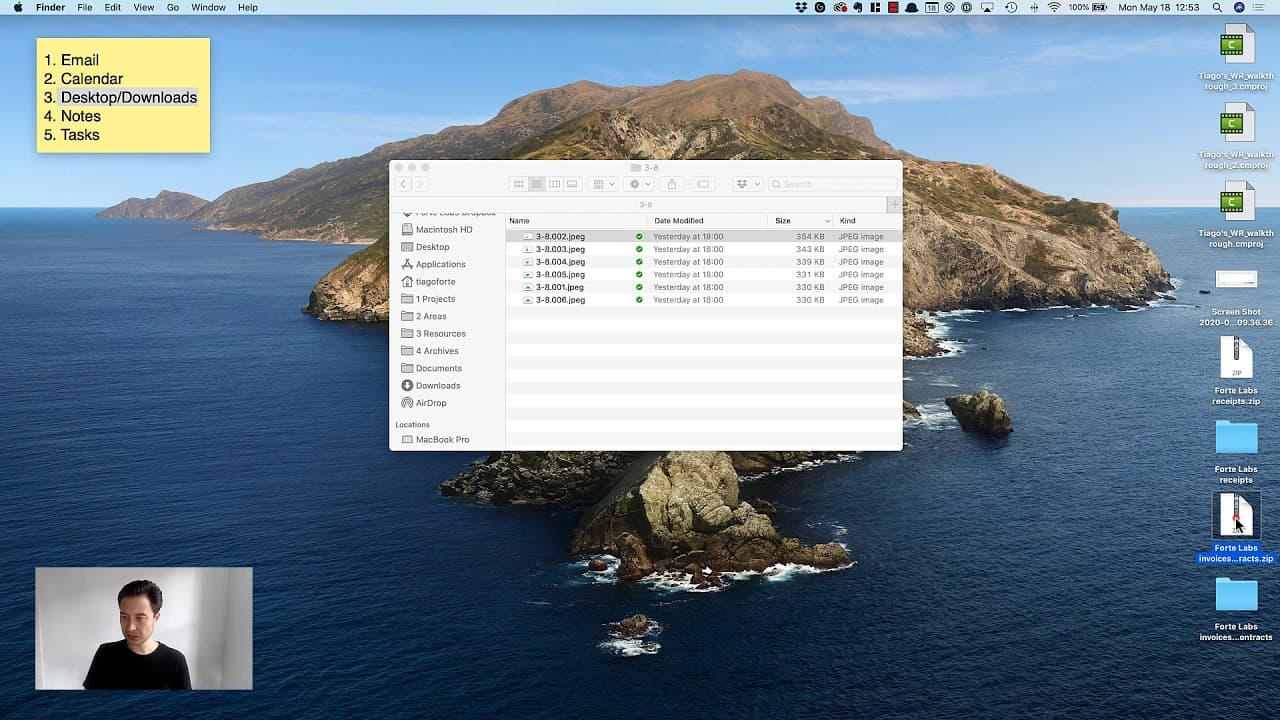
in this video I'll show you how I clear my digital workspaces for me that means my computer desktop and the Downloads folder in my computer and this is the third step in my weekly review which you can see right here in my little digital sticky note and this is one of those things that may not seem important especially it may not seem important to d... Read More
Key Insights
- 📁 Keeping our digital workspaces organized can bring the same benefits as tidying up our physical spaces, especially when we spend over 11 hours per day on our devices.
- 🔍 A weekly review of our desktop and downloads folder can help us assess and declutter files, making it easier to find what we need in the future.
- 🗂️ Using an organizational system like the Peres notebooks (projects, areas, resources, and archives) can help categorize files and documents for easy reference.
- 📸 Previewing files by hitting the spacebar on a Mac allows for quick deletion of unnecessary screenshots, images, and tweets.
- 🗑️ Deleting files that are no longer needed, such as experimental exports or temporary social media posts, helps keep our digital workspaces clutter-free.
- 🎥 File management during the recording process should be done with caution, as moving video files while recording may cause issues.
- 💻 Clearing the downloads folder by assessing and categorizing files (e.g., adding images to Evernote or organizing icons for a specific project) keeps it organized and ready for the future.
- 🔊 Emptying the trash after decluttering generates a satisfying sense of completion, similar to the sound of opening a refreshing beverage, signifying a fresh start for the upcoming week.
Install to Summarize YouTube Videos and Get Transcripts
Explore YouTube Video Summarizer or Get YouTube Transcript Extractor
Questions & Answers
Q: Why is it important to regularly clear and organize digital workspaces?
Regularly clearing and organizing digital workspaces is important for several reasons. Firstly, an organized workspace can improve productivity by saving time spent searching for files. By eliminating clutter, important files can be easily located. Secondly, a clean digital workspace promotes a sense of calm and reduces feelings of overwhelm. Finally, maintaining an organized digital workspace can contribute to better computer performance and reduce the risk of data loss.
Summary & Key Takeaways
-
The speaker explains the importance of regularly clearing and organizing digital workspaces, such as the computer desktop and downloads folder.
-
They demonstrate their process of using the Peres notebooks organizational system to categorize and declutter files.
-
The video emphasizes the benefits of maintaining a clean and organized digital workspace for increased productivity.
Read in Other Languages (beta)
Share This Summary 📚
Summarize YouTube Videos and Get Video Transcripts with 1-Click
Try YouTube Summary with ChatGPT & Claude or YouTube Transcript Generator
Explore More Summaries from Tiago Forte 📚



Summarize YouTube Videos and Get Video Transcripts with 1-Click
Try YouTube Summary with ChatGPT & Claude or YouTube Transcript Generator